
Introducing Photogen: The AI-Powered Stock Photo Library
Discover Photogen, Generate, remix and download our stock. Generate unlimited royalty-free stock photos, 4K images, and professional videos with 12+ AI models. Start free today.

What is Photogen?
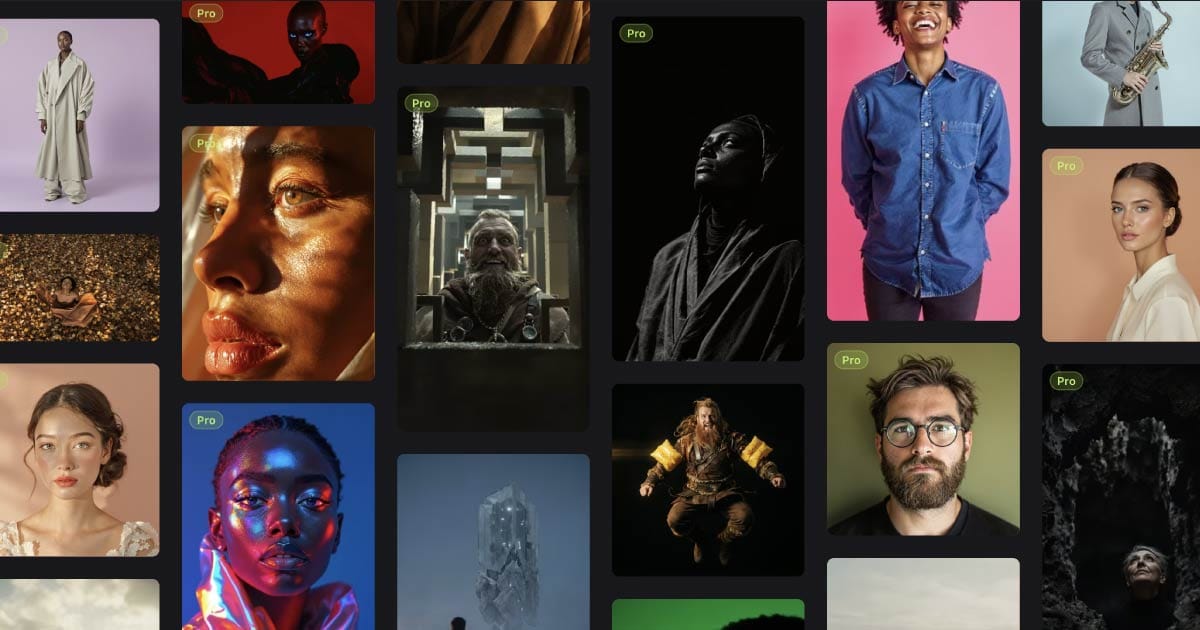
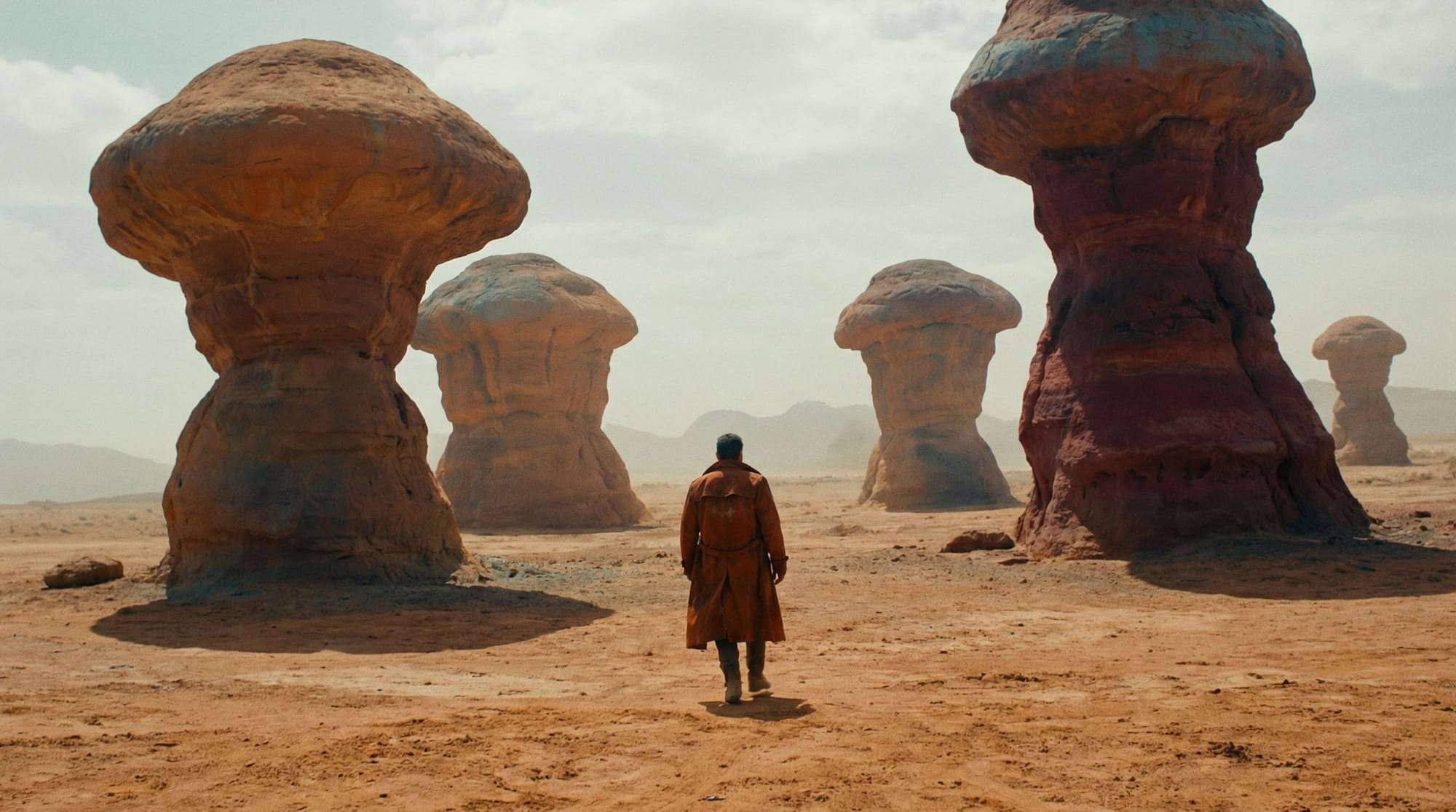
Photogen is a next-generation AI-powered creative platform that lets you generate unlimited, royalty-free stock photos, professional images, and videos from simple text descriptions. With access to 12+ cutting-edge AI models including FLUX Pro Ultra and Google's Imagen 4, Photogen delivers studio-quality visuals in seconds—not hours.
Key Highlights:
- Generate unlimited AI photos and videos
- Access 12+ premium AI models (FLUX, Imagen 4, and more)
- 4K resolution output for professional use
- Built-in editing suite (upscaling, inpainting, background removal)
- Industry-first visual workflow editor (FlowCanvas)
- Royalty-free commercial license included
- Starting at just $7.99/month (free tier available)
The Problem with Traditional Stock Photography
If you've ever searched for the perfect stock photo, you know the frustration. Hours spent scrolling through millions of generic images, only to find that the one you need either doesn't exist, costs too much, or has been used by every competitor in your industry.
Traditional stock photo platforms have fundamental limitations:
- Generic, overused images that make your brand look like everyone else
- Expensive licensing fees that eat into project budgets
- Limited customization — what you see is what you get
- Time-consuming searches through millions of irrelevant results
- Restrictive licenses with complex usage terms
The creative industry has been waiting for a solution that puts the power back in the hands of designers, marketers, and content creators. That solution is here.
Welcome to Photogen.
What is Photogen? A Complete Overview
Photogen is more than just another AI image generator—it's a comprehensive creative platform designed specifically for professionals who need high-quality, unique visual content on demand.
Built by the team behind GetIllustrations (home to 38,000+ premium vector illustrations), Photogen represents the next evolution in design resources. We've combined years of experience serving the creative community with cutting-edge artificial intelligence to create something truly revolutionary.
The Vision Behind Photogen
Our mission is simple: democratize professional-quality visual content creation. Whether you're a solo entrepreneur designing your first website, a marketing agency handling dozens of client projects, or an e-commerce business needing endless product imagery, Photogen gives you the tools to create exactly what you imagine—in seconds.
No more settling for "close enough." No more breaking the budget on photo shoots. No more generic stock imagery that dilutes your brand.
With Photogen, every image is custom-created for you, commercially licensed, and ready to use immediately.
Photogen Features: Everything You Need to Know
1. AI Image Generation: 12+ Premium Models at Your Fingertips
At the heart of Photogen is our multi-model AI image generation engine. Unlike platforms that lock you into a single AI model, Photogen gives you access to the world's most advanced image generation models:
FLUX Family (by Black Forest Labs)
- FLUX Dev — Fast iterations for concept exploration
- FLUX Pro — Production-ready quality
- FLUX 2 Flex — Flexible styling and composition
- FLUX 2 Pro — Enhanced detail and realism
- FLUX Pro Ultra — Maximum fidelity for demanding projects
Google Imagen Family
- Imagen 4 Fast — Quick generation with Google's latest tech
- Imagen 4 — Balanced speed and quality
- Imagen 4 Ultra — Google's flagship model for stunning results
Additional Models
- Seedream V4 & V4.5 — Unique aesthetic styles
- Nano Banana & Nano Banana Pro — Specialized generation modes
- ImagineArt 1.5 — Artistic interpretations
- FLUX SRPO — Super-resolution capabilities
Why multiple models matter: Different AI models excel at different types of images. Portrait photography, product shots, landscapes, abstract concepts—each benefits from specific model strengths. Photogen automatically recommends the best model for your prompt, or you can choose manually for complete creative control.
2. Four Quality Tiers for Every Need and Budget
Photogen's transparent credit system lets you choose the perfect balance of quality and cost:
| Tier | Credits | Resolution | Best For |
|---|---|---|---|
| Economy | 1 credit | Up to 1K | Quick drafts, concepts, social media thumbnails |
| Standard | 2 credits | Up to 2K | Blog posts, presentations, general use |
| Quality | 5 credits | Up to 2K+ | Marketing materials, professional projects |
| Ultra | 8 credits | Up to 4K | Print production, hero images, premium projects |
3. 20+ Style Presets for Instant Creative Direction
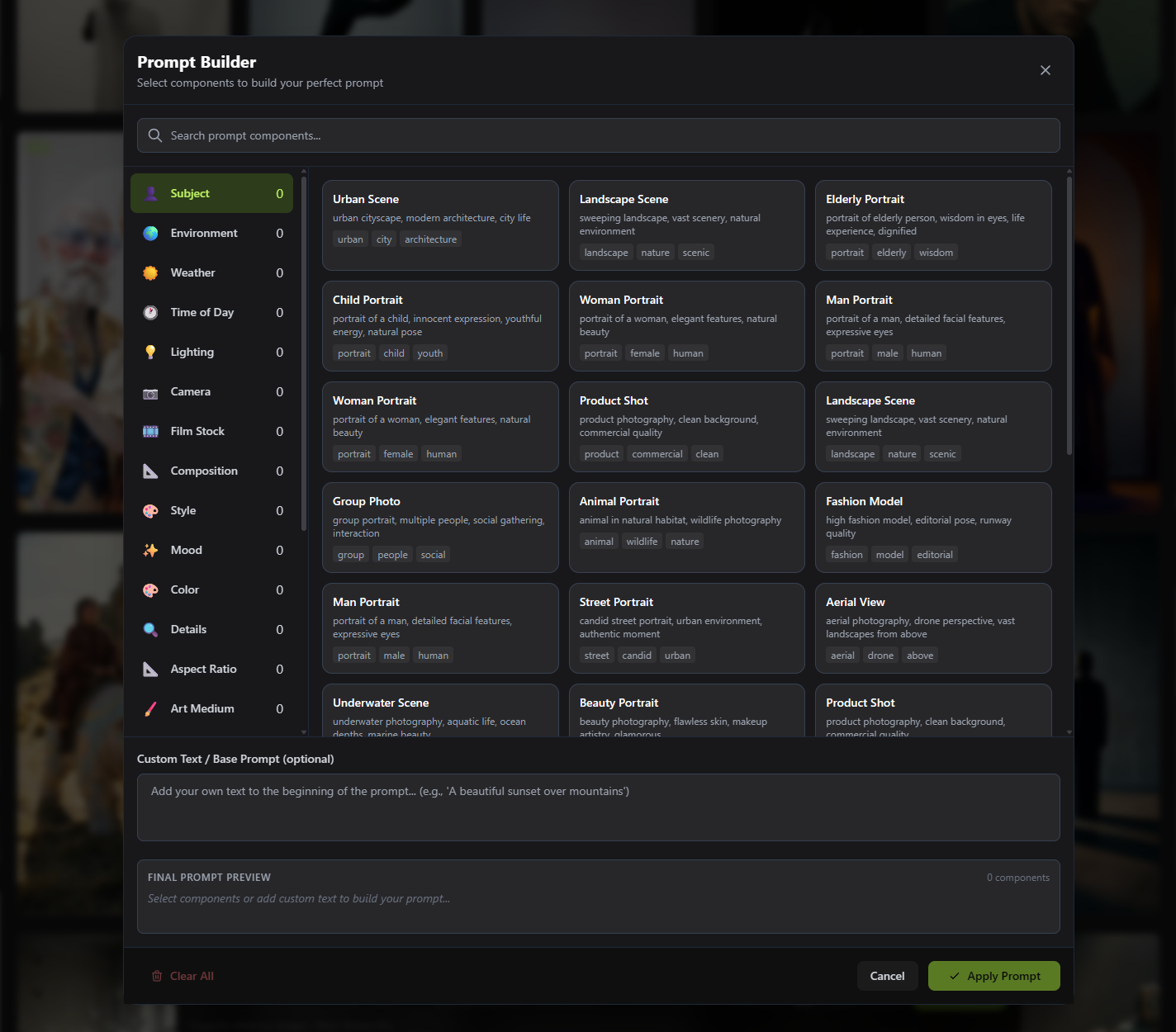
Stop spending hours crafting the perfect prompt. Photogen's intelligent style presets add professional-grade creative direction with a single click:
Photography Styles
- Cinematic — Movie-quality lighting and composition
- Portrait — Professional headshot quality
- Product — E-commerce ready imagery
- Fashion — Editorial and lookbook styles
- Landscape — Stunning nature and travel shots
- Street — Urban documentary aesthetics
- Macro — Detailed close-up imagery
Artistic Styles
- Watercolor — Soft, painterly effects
- Oil Painting — Classic fine art look
- Digital Art — Modern illustration style
- 3D Render — CGI-quality visuals
- Abstract — Conceptual and artistic
Specialized Styles
- Anime — Japanese animation aesthetics
- Comic — Bold graphic novel style
- Sketch — Hand-drawn appearance
- Neon — Vibrant, glowing effects
- Vintage — Retro film photography look
4. Advanced Customization Controls
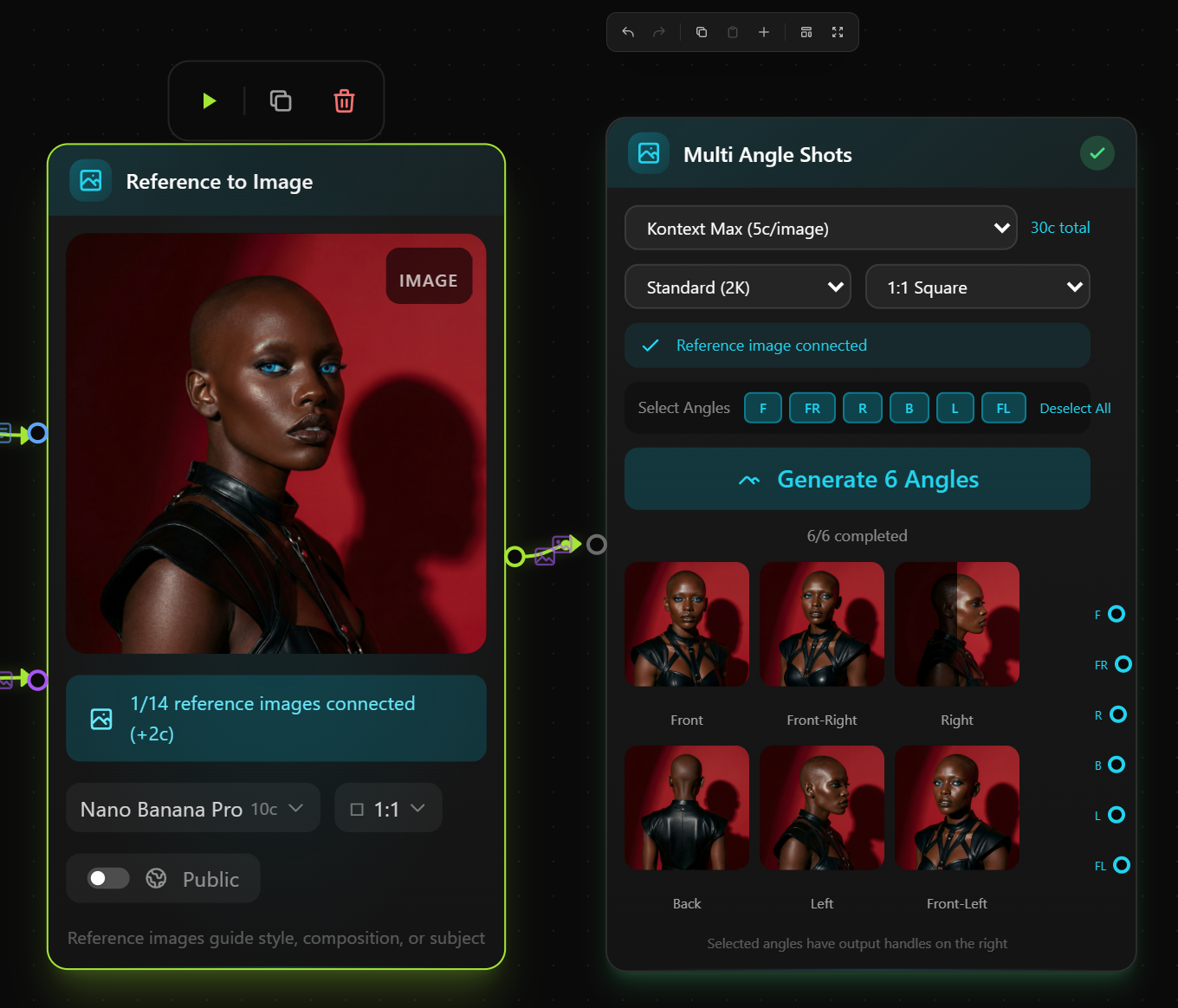
Take complete creative control with Photogen's advanced generation options:
Camera Angles (9+ Presets)
- Eye Level
- Low Angle
- High Angle
- Bird's Eye View
- Close-up
- Wide Shot
- Over the Shoulder
- Dutch Angle
- And more...
Aspect Ratios
- 1:1 — Perfect for Instagram, profile pictures
- 16:9 — YouTube thumbnails, presentations
- 9:16 — Instagram Stories, TikTok, mobile
- 4:3 — Classic photography ratio
- 3:2 — Traditional 35mm format
- 3:4 — Portrait orientation
- 2:3 — Magazine and print layouts
Color Filters
Apply color mood presets to influence the overall palette: Red, Orange, Yellow, Green, Teal, Blue, Purple, Pink, Black, White.
Reference Images
Upload up to 20 reference images to guide style, composition, or subject matter. Perfect for maintaining brand consistency or recreating specific aesthetics.
5. AI Video Generation: Bring Your Ideas to Life
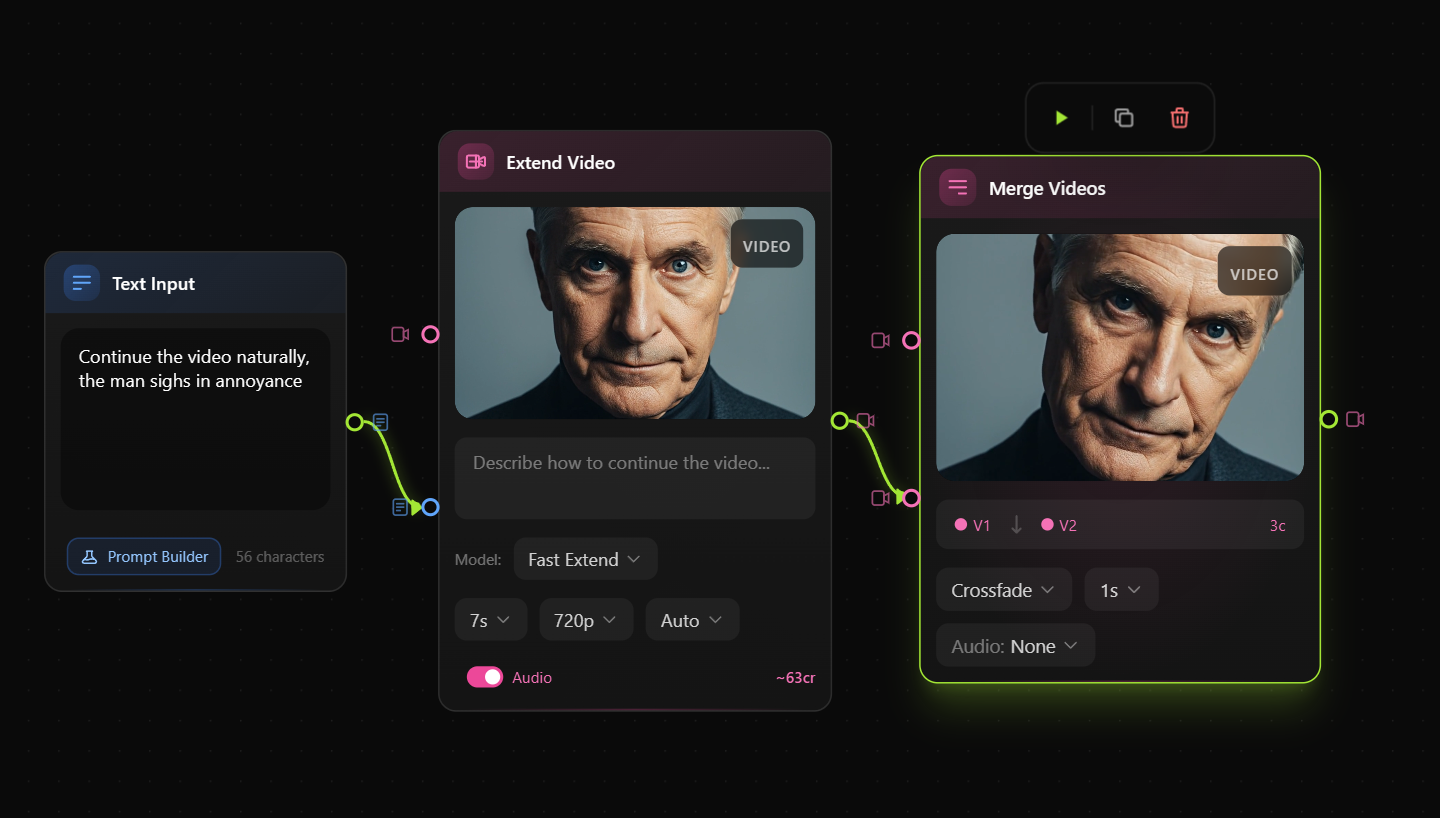
Photogen isn't just for still images. Our AI video generation capabilities bring your creative visions to life with motion:
Video Models Available
- Google Veo 3 — Text-to-video and image-to-video with built-in audio
- Veo 3.1 & 3.1 Fast — Enhanced versions with improved motion
- Veo 2 — Reliable, consistent video generation
- Kling — Specialized image-to-video conversion
- WAN 2.2 — Cinematic motion styles
- FramePack — Frame interpolation and composition
- MiniMax — Specialized short-form video
Video Features
- 5-8 second clips — Perfect for social media, ads, and web content
- Up to 1080p resolution — Professional quality output
- Multiple aspect ratios — Landscape, portrait, and square formats
- Built-in audio generation — Some models include AI-generated sound
- Image-to-video — Animate your static images
6. Professional Editing Suite
Generate, then perfect. Photogen's built-in editing tools let you refine your images without switching applications:
Inpainting (AI Image Editing)
Cost: 2-3 credits
Paint over any area of your image and describe what should replace it. The AI seamlessly regenerates that section while maintaining consistency with the surrounding image.
Use cases:
- Remove unwanted objects
- Change backgrounds
- Add or modify elements
- Fix composition issues
- Experiment with variations
Features:
- Variable brush sizes (10-80px)
- Eraser tool for precision
- Multiple AI models (FLUX Dev Inpaint, FLUX Fill, FLUX Krea)
- Real-time preview
AI Upscaling
Cost: 2-4 credits
Transform your images into high-resolution masterpieces:
- 2x Upscaling (2 credits) — Double your resolution
- 4x Upscaling (4 credits) — Quadruple your resolution
Available Upscale Models:
- Real-ESRGAN — General-purpose upscaling
- Clarity Upscaler — Detail enhancement
- FLUX Vision Upscaler — AI-native upscaling
- CCSR — Specialized enhancement
Face Enhancement Option: Enable automatic face quality improvement for portraits and photos with people.
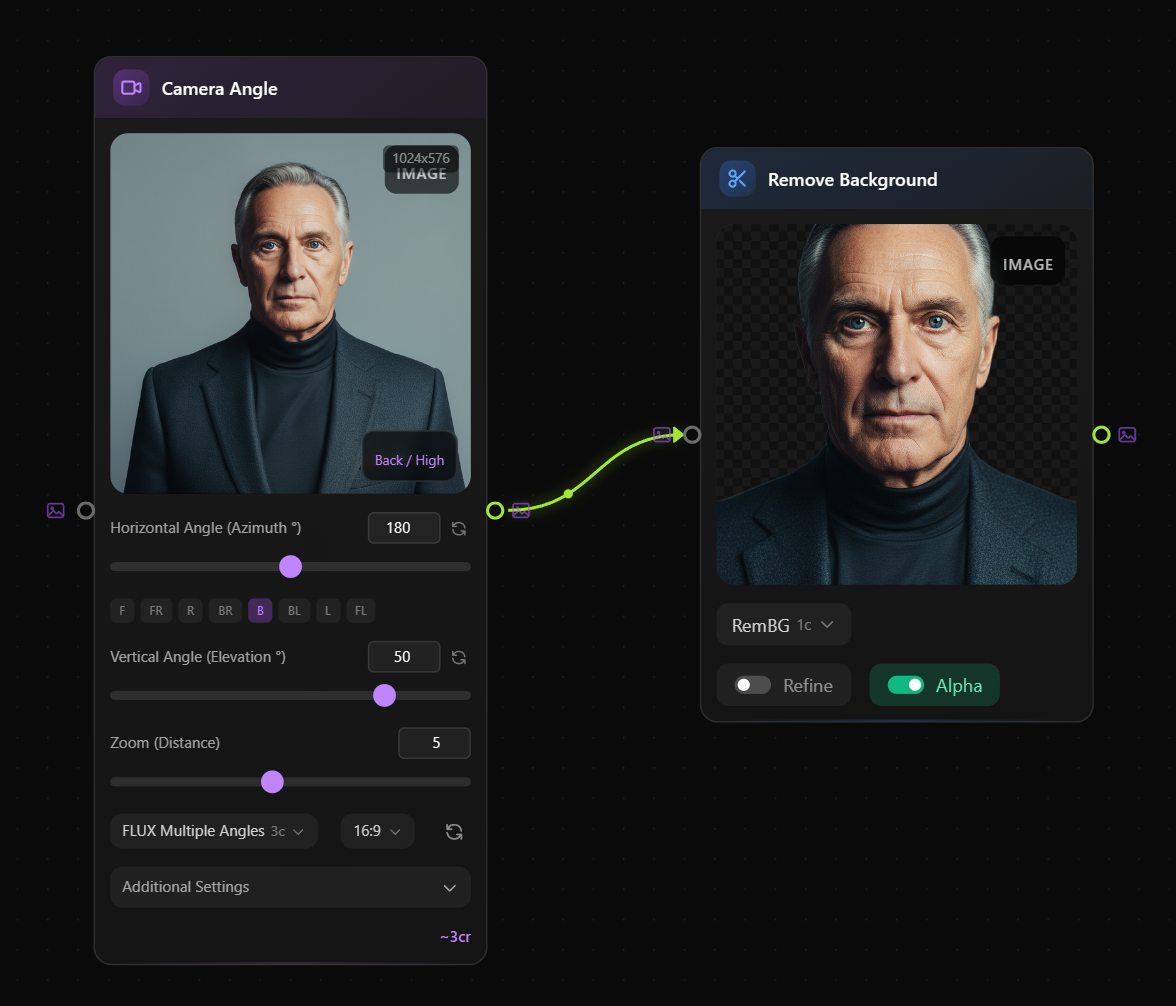
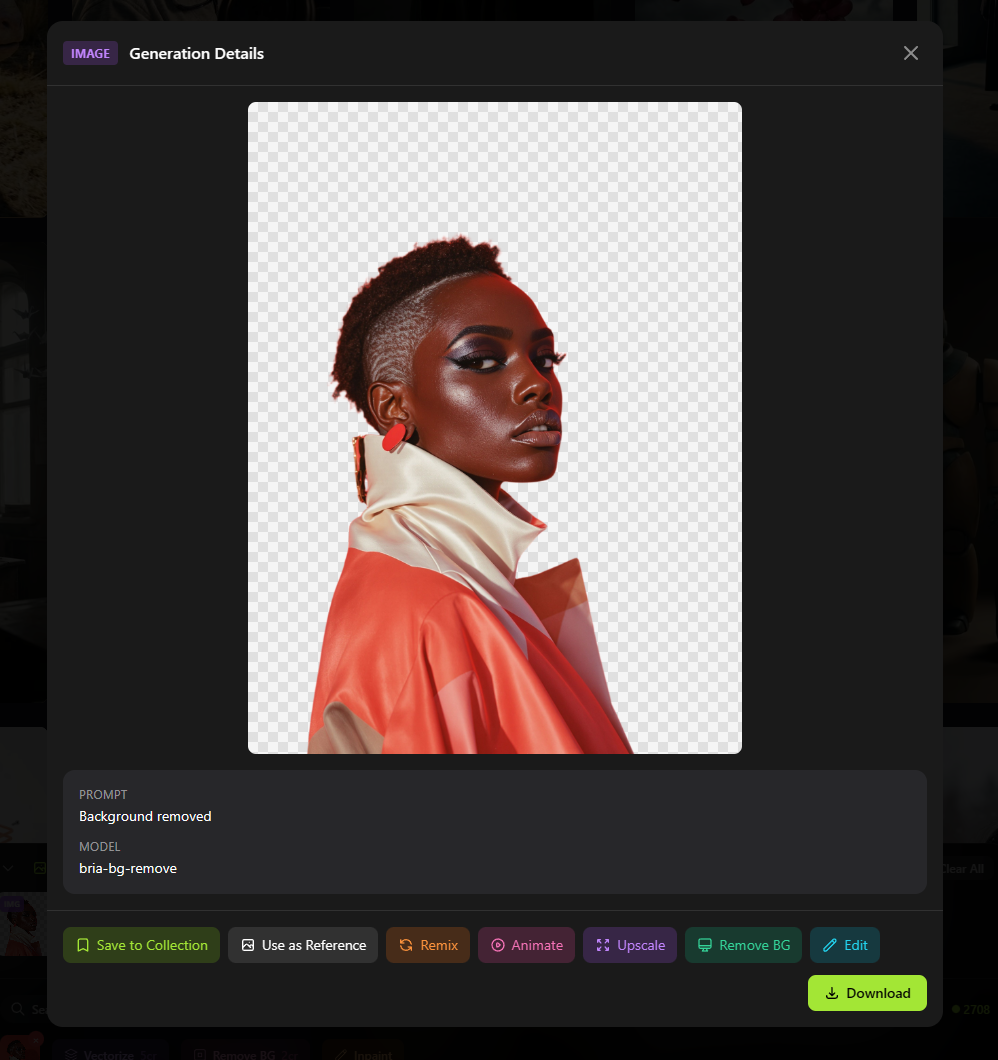
Background Removal
Cost: 2 credits
One-click AI-powered background removal with pixel-perfect results. Perfect for:
- Product photography
- Profile pictures
- Composite images
- Social media content
- E-commerce listings
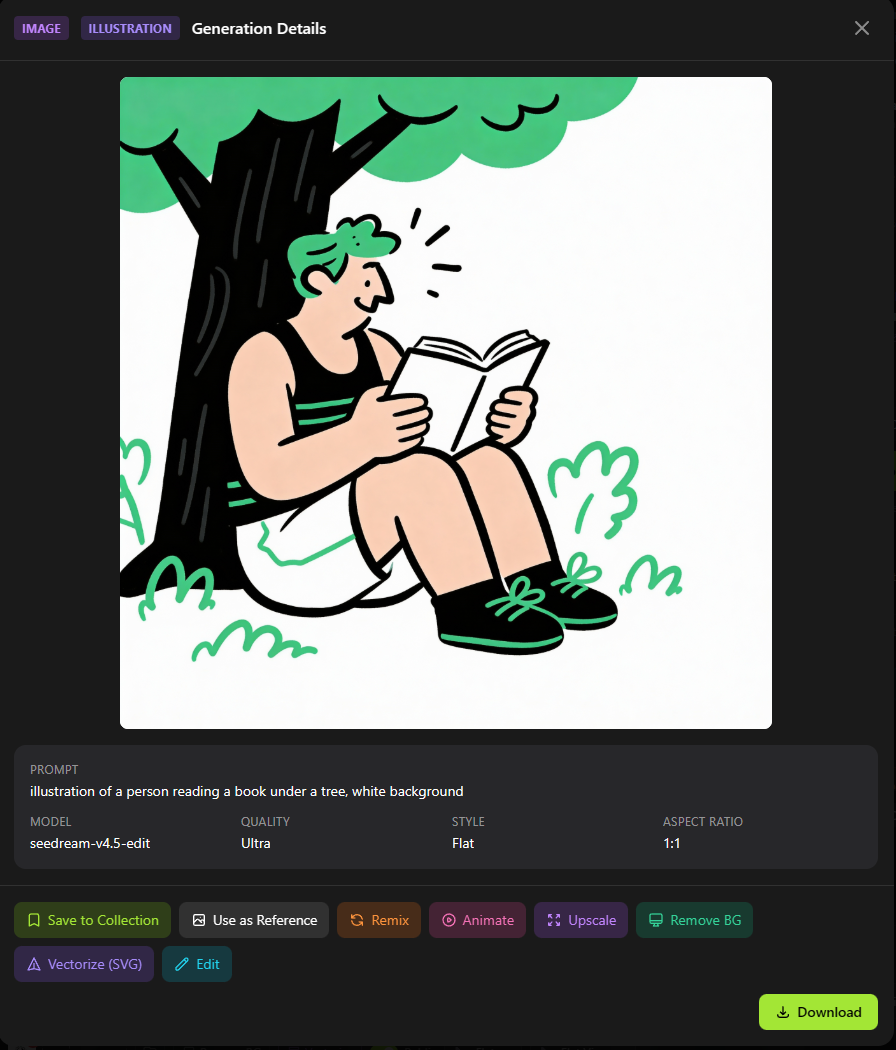
SVG Vectorization
Cost: 5 credits
Convert any PNG or JPG into a scalable vector graphic. The resulting SVG files are:
- Infinitely scalable without quality loss
- Perfect for logos and icons
- Compatible with all design software
- Ready for print at any size
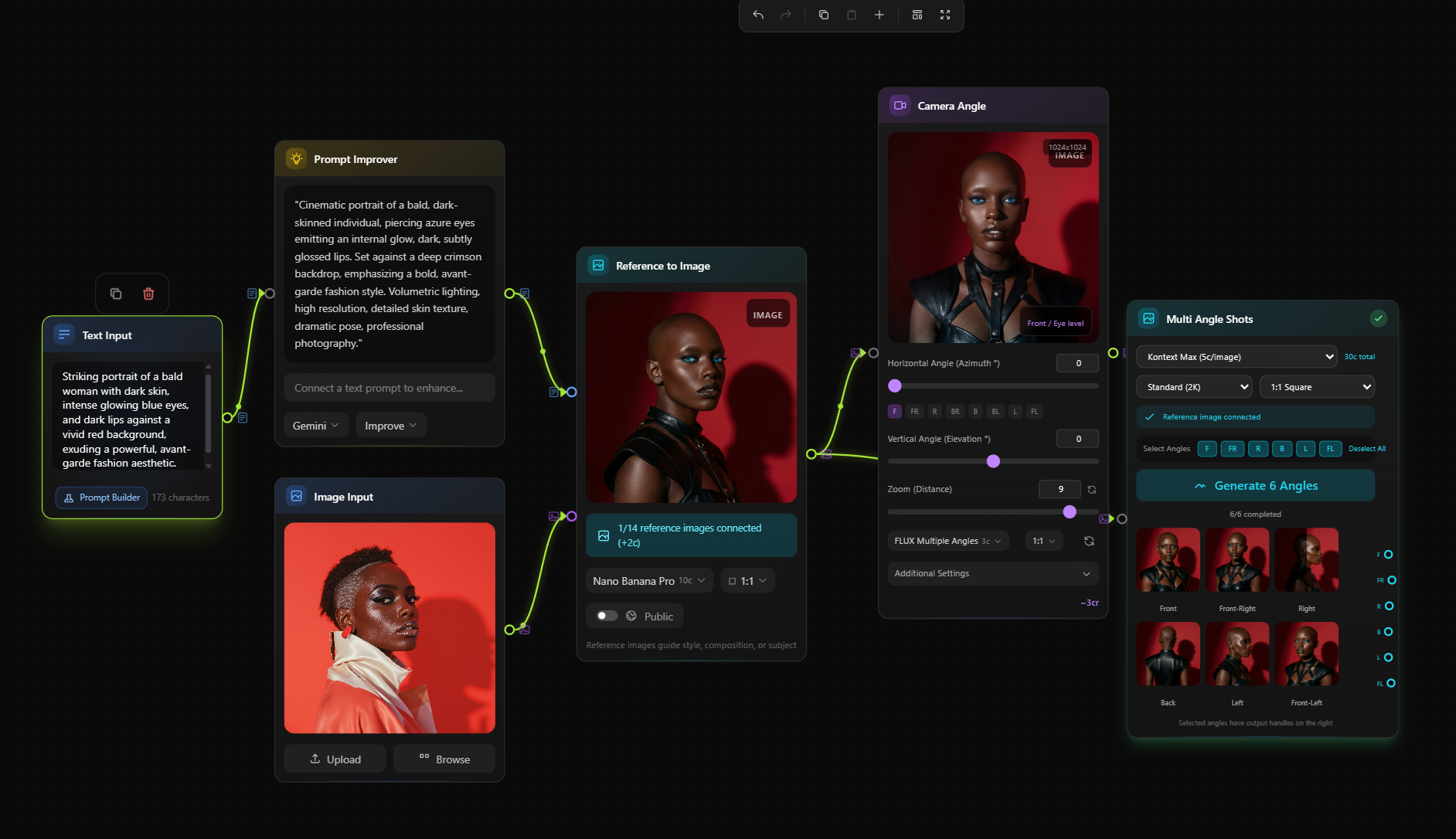
7. FlowCanvas: Visual Workflow Editor (Industry First)
This is where Photogen truly separates itself from every other AI image platform.
FlowCanvas is a revolutionary visual workflow editor that lets you create complex AI generation pipelines by connecting nodes—no coding required.
How FlowCanvas Works
- Create a new flow — Start with a blank canvas
- Add nodes — Drag generation, editing, and processing nodes
- Connect nodes — Link outputs to inputs visually
- Configure parameters — Set prompts, styles, and settings for each node
- Execute — Run the entire pipeline with one click
- Monitor — Watch real-time progress with SSE streaming
FlowCanvas Node Types
- Image Generation — Create images from text
- Video Generation — Create videos from text or images
- Upscaling — Enhance resolution
- Inpainting — Edit specific areas
- Batch Processing — Process multiple items
FlowCanvas Use Cases
Product Photography Pipeline:
Text Prompt → Generate Product Image → Remove Background → Upscale 4x → Output
Social Media Content Factory:
Single Prompt → Generate 5 Variations → Apply Different Styles → Batch Output
Brand Asset Generator:
Reference Image → Generate Similar Images → Vectorize → Multiple Formats
Video Production Workflow:
Generate Hero Image → Animate with AI Video → Add Audio → Final Output
FlowCanvas Limits by Plan
- Free Users: 15 flows per 15 minutes, 1 concurrent flow
- Pro Users: 60 flows per 15 minutes, 3 concurrent flows
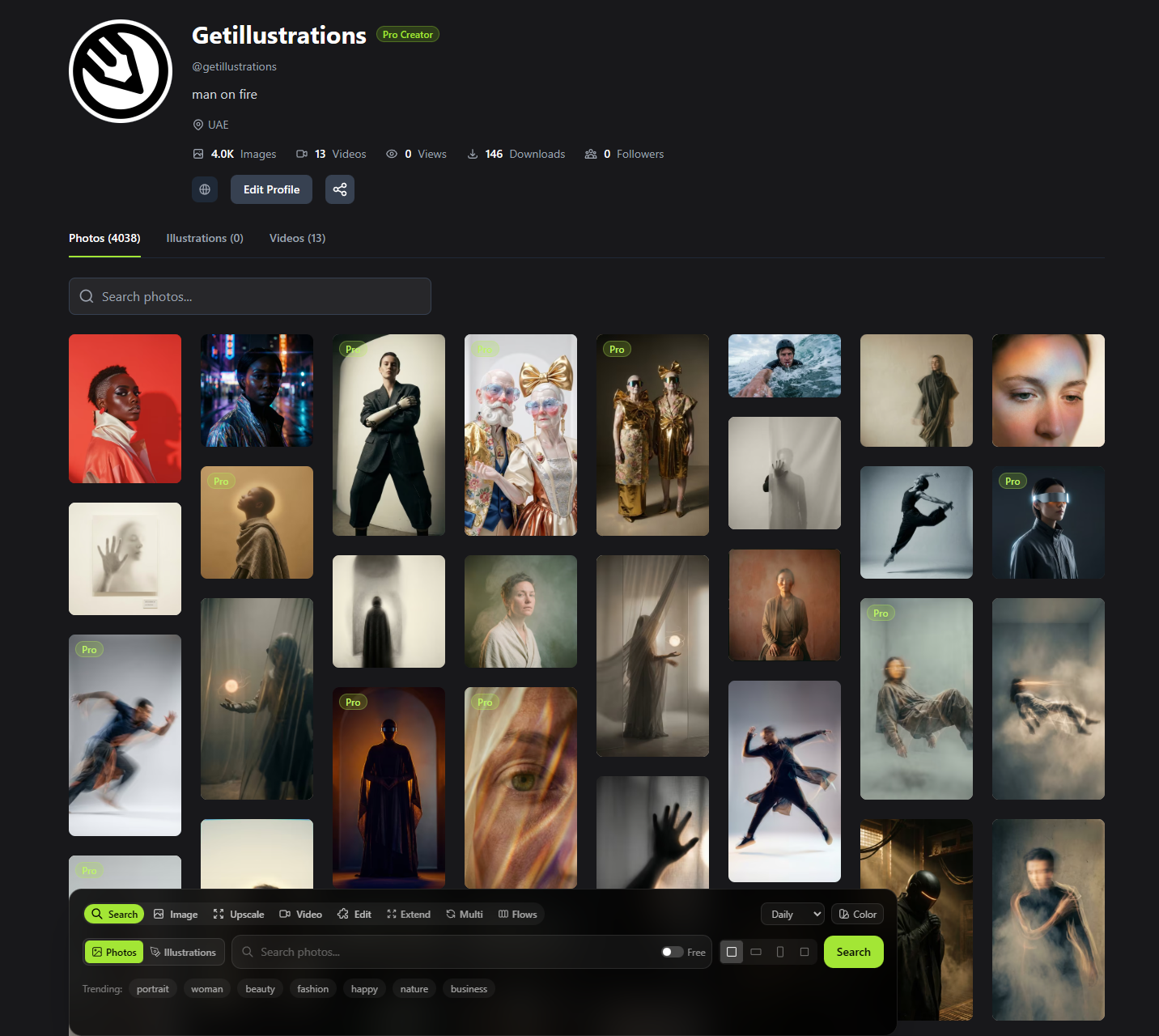
8. Community Library: 100,000+ Free Images
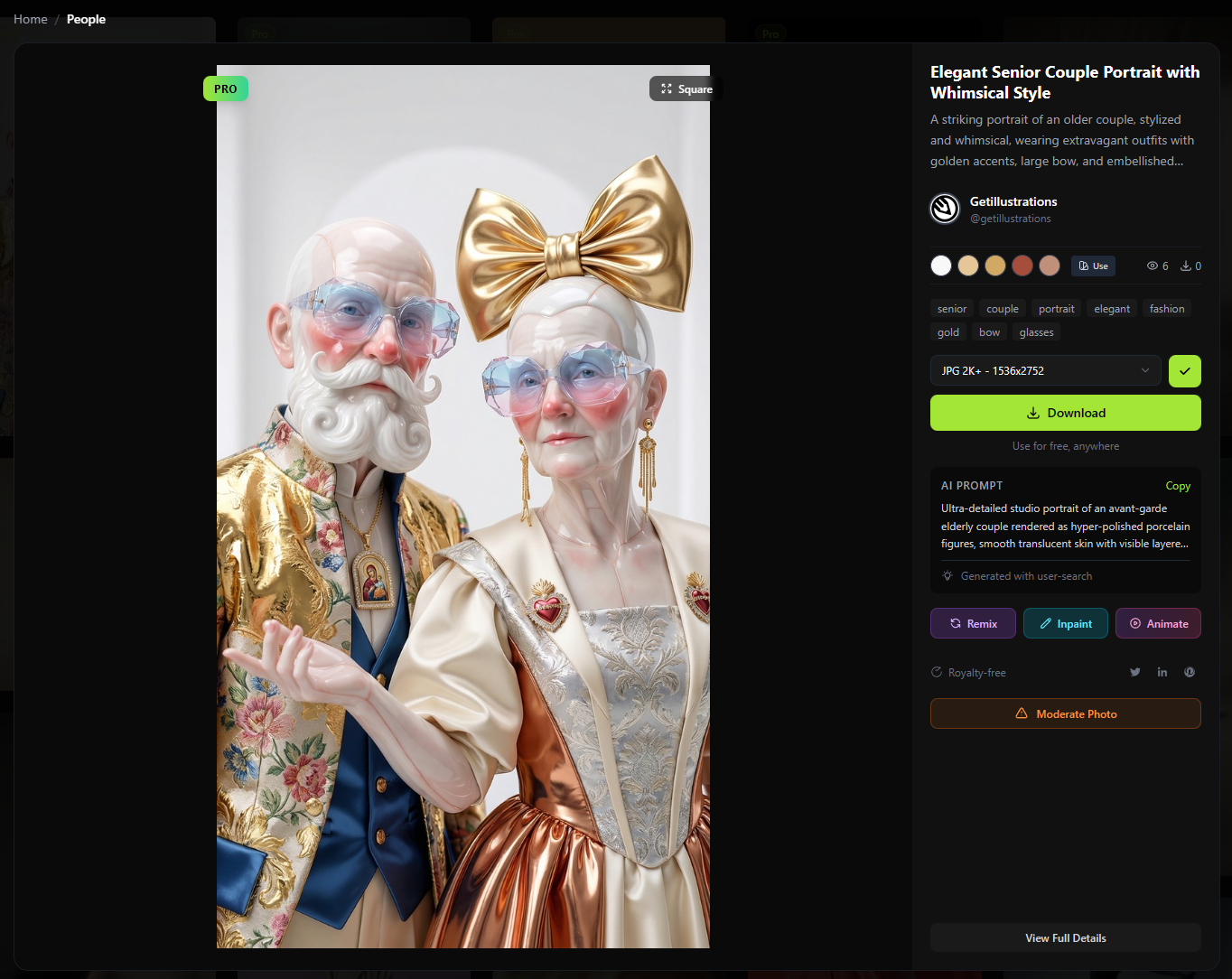
Browse and download from our growing library of 100,000+ community-generated images—all royalty-free for commercial use.
Library Features
- Advanced filtering by quality, orientation, color, and style
- Daily curation with algorithmically shuffled selections
- Trending tags to discover popular themes
- Personal collections to organize favorites
- Creator profiles to follow your favorite generators
Photogen Pricing: Transparent and Fair
We believe in transparent pricing. No hidden fees, no surprise charges, no complex licensing tiers.
Subscription Plans
| Plan | Monthly | Annual | Monthly Credits | Best For |
|---|---|---|---|---|
| Free | $0 | $0 | 5 credits | Try before you buy |
| Starter | $7.99 | $79.99/yr | 150 credits | Hobbyists, side projects |
| Creator | $19.99 | $199.99/yr | 500 credits | Freelancers, content creators |
| Pro | $49.99 | $499.99/yr | 2,000 credits | Agencies, professionals |
| Studio | $149 | $1,490/yr | 10,000 credits | Teams, high-volume users |
Annual savings: Save up to $300/year with annual billing.
Credit Costs at a Glance
Image Generation
- Economy: 1 credit
- Standard: 2 credits
- Quality: 5 credits
- Ultra: 8 credits
- Reference images: +2 credits each
Editing Services
- 2x Upscaling: 2 credits
- 4x Upscaling: 4 credits
- Inpainting: 2-3 credits
- Background Removal: 2 credits
- SVG Vectorization: 5 credits
Video Generation
- 20-130 credits (varies by model and duration)
One-Time Credit Packages
Need more credits without changing plans? Purchase one-time credit packages with bonus credits included. Credits never expire.
The GetIllustrations Ecosystem: Unified Creative Access
Photogen is part of the larger GetIllustrations creative ecosystem, giving you access to an unmatched collection of design resources.
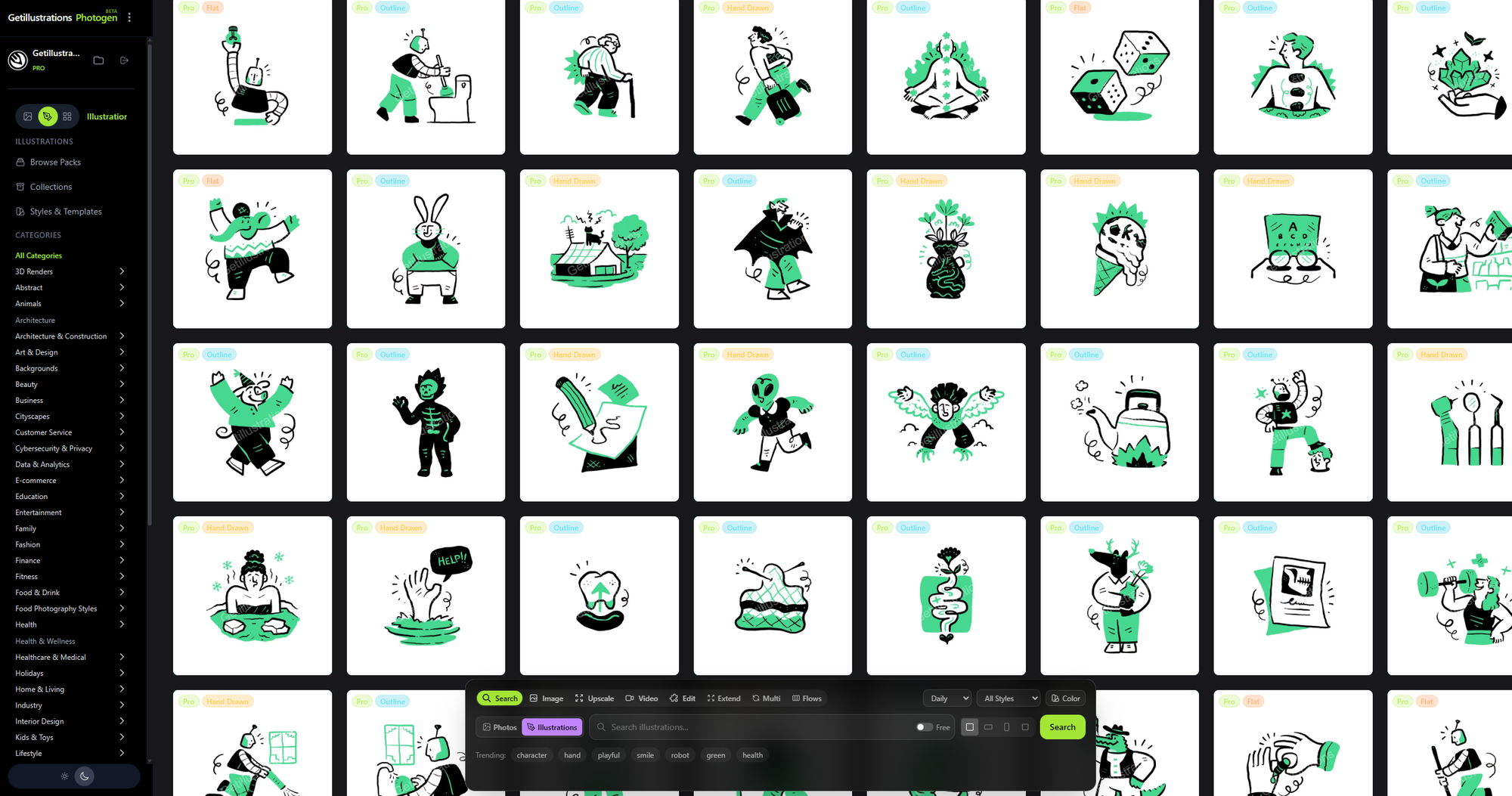
GetIllustrations All-Access Pass
For $195/year, get complete access to:
1. GetIllustrations.com
- 38,000+ premium vector illustrations
- 200+ illustration packs
- Styles: Flat, 3D, Isometric, Hand-drawn, Gradient, Line Art, Minimal
- Formats: SVG, AI, EPS, PNG, Figma files
- Regular new releases
2. RoundIcons.com
- Thousands of premium icons
- Multiple styles (Line, Solid, Colored)
- Icon fonts and SVG sprites
- Design system ready
3. Photogen Studio
- Full Pro-tier access (200 credits/month)
- All 12+ AI models
- 4K generation capability
- SVG vectorization
- FlowCanvas access
- Priority generation queue
One subscription. Three platforms. Unlimited creativity.
Who is Photogen For?
Designers & Creative Professionals
Generate custom imagery that matches your exact vision. No more compromising with "close enough" stock photos. Create unique visuals for every project, maintain brand consistency, and deliver faster.
Marketing Teams & Agencies
Scale content production without scaling costs. Generate unlimited variations for A/B testing, create personalized imagery for campaigns, and never miss a deadline waiting for photo shoots.
E-commerce Businesses
Product photography at a fraction of traditional costs. Generate lifestyle shots, model photography, and environmental scenes without expensive photo shoots. Update imagery seasonally without reshoot budgets.
Content Creators & Bloggers
Unique featured images for every post. Stand out from competitors using the same stock photos. Create custom thumbnails, social media graphics, and visual content that captures attention.
Startups & Entrepreneurs
Professional imagery on a bootstrap budget. Launch with polished visuals that compete with funded competitors. Scale your visual content as you grow without proportional cost increases.
Developers & Product Teams
Placeholder images that actually look good. Generate mockup content, demo imagery, and prototype visuals. Integrate via API for dynamic image generation in your applications.
Why Choose Photogen Over Alternatives?
vs. Traditional Stock Photo Sites
| Feature | Traditional Stock | Photogen |
|---|---|---|
| Unique images | Limited | Unlimited |
| Customization | None | Complete |
| Per-image cost | $10-300+ | From $0.05 |
| Brand consistency | Difficult | Easy |
| Generation time | N/A (search only) | Seconds |
| Commercial license | Extra cost | Included |
vs. Other AI Image Generators
| Feature | Photogen | Others |
|---|---|---|
| Number of AI models | 12+ | Usually 1-3 |
| Video generation | Yes (7+ models) | Rare |
| Visual workflow editor | Yes (FlowCanvas) | No |
| Integrated editing suite | Full suite | Limited |
| Commercial licensing | Included | Varies |
| Illustration library integration | 38,000+ | None |
| Credit system transparency | Clear per-action | Often unclear |
vs. Hiring Photographers
| Factor | Photography | Photogen |
|---|---|---|
| Cost per project | $500-5,000+ | $20-50 |
| Turnaround time | Days to weeks | Seconds |
| Revisions | Extra cost | Unlimited |
| Consistency | Variable | Complete control |
| Availability | Schedule dependent | 24/7 |
| Scaling | Linear cost increase | Marginal cost |
Getting Started with Photogen: A Quick Guide
Step 1: Create Your Free Account
Sign up at photogen.studio using email, Google, or your existing GetIllustrations account. You'll immediately receive 5 free credits to explore the platform.
Step 2: Generate Your First Image
- Click Generate in the navigation
- Enter a descriptive prompt (e.g., "Professional headshot of a confident businesswoman in a modern office, natural lighting, warm tones")
- Select your quality tier
- Choose a style preset
- Click Generate
Your image will be ready in seconds.
Step 3: Explore Editing Tools
- Try inpainting to modify specific areas
- Use upscaling to enhance resolution
- Test background removal for product shots
- Experiment with vectorization for logos
Step 4: Build Your First Flow (FlowCanvas)
- Navigate to FlowCanvas
- Create a new flow
- Add a generation node
- Connect to an upscaling node
- Execute and watch the magic happen
Step 5: Browse the Community Library
Explore 100,000+ images generated by the Photogen community. Find inspiration, download free images, and contribute your own creations.
The Future of Photogen: What's Coming Next
This beta launch is just the beginning. Our roadmap includes:
Coming Soon
- API Access — Integrate Photogen into your applications
- Team Collaboration — Shared workspaces for agencies and teams
- Brand Kits — Save and apply brand-specific styles
- Advanced Video Features — Longer clips, more models, audio integration
On the Horizon
- Real-time Generation — Watch images form as they're created
- 3D Model Generation — Create 3D assets from text
- Animation Features — Advanced motion graphics
- Plugin Integrations — Figma, Adobe Creative Cloud, and more
Frequently Asked Questions
Is Photogen free to use?
Yes! Photogen offers a free tier with 5 credits per month—enough to generate several images and explore all features. Paid plans start at just $7.99/month.
Can I use Photogen images commercially?
Absolutely. All images generated with Photogen include a royalty-free commercial license. Use them for client work, products, marketing, and more without additional licensing fees.
What makes Photogen different from Midjourney or DALL-E?
Photogen offers 12+ AI models (including FLUX and Imagen), a visual workflow editor (FlowCanvas), integrated editing tools, video generation, and seamless integration with the GetIllustrations ecosystem. It's a complete creative platform, not just an image generator.
How do credits work?
Credits are consumed when you generate images, videos, or use editing tools. Different actions cost different amounts (e.g., Economy generation = 1 credit, 4x upscale = 4 credits). Credits refresh monthly with your subscription.
Can I cancel anytime?
Yes. All subscriptions are month-to-month with no long-term commitment. Annual plans offer significant savings but can also be canceled (remaining time is not refunded).
Is there an API for developers?
API access is coming soon as part of our Pro and Studio plans. Join the waitlist to be notified when it launches.
What file formats can I download?
- Images: PNG, JPG, WebP
- Vectors: SVG (via vectorization feature)
- Videos: MP4
Are my generated images private?
Yes, by default your generations are private. You can optionally contribute images to the community library.
Join the Photogen Beta Today
The future of creative content is here. No more settling for generic stock photos. No more budget-breaking photo shoots. No more waiting weeks for the perfect image.
With Photogen, you have the power to create exactly what you imagine—in seconds.
Special Beta Launch Offer
Sign up during our beta launch and receive:
- 10 bonus credits on your first paid subscription
- Early access to upcoming features
- Priority support during the beta period
- Founding member pricing locked in for life
Photogen is a product of GetIllustrations.com , the creative team behind GetIllustrations.com and RoundIcons.com. We've been serving the design community since 2018 with premium vector illustrations, icons, and now AI-powered creative tools.
Last updated: January 2026 | Photogen Beta v1.0