
Cyber Monday Illustrations and Icons for 2026: 14 Packs Drawn by Real Artists and Where to Use Them
Cyber Monday illustrations and icons from 14 matching packs, each started by a human illustrator, with ideas for social posts, email, banners and cards.

It's the Friday before Cyber Week and the sale banner your marketing lead just pasted into Slack is a neon circuit board with a padlock on it. It'll sit next to a product page drawn in soft green line art, an email in the brand's warm orange, and twenty Instagram tiles that look like twenty different shops. That's what a stock search grid gives you: tens of thousands of Cyber Monday illustrations in every style at once, a licence that changes per file, and not one word on where any of it should go.
Below are 14 packs from the GetIllustrations illustration packs library, every drawing started by a human illustrator, in a handful of styles that match each other, with notes on where each one goes in social posts, email, banners, web heroes and cards. None of the 14 is free, and I'll point you to a free pack you can test before you spend anything.
Cyber Monday 2026 falls on 30 November, the Monday after Thanksgiving. The name is older than most people think: Ellen Davis of the National Retail Federation coined it in a press release on 28 November 2005, after noticing people buying from fast office internet connections once they were back at their desks. Adobe's figures for Cyber Monday 2025, published on 2 December 2025, put US online spending at a record 14.25 billion dollars, up 7.1 percent on the year, with 57.5 percent of it on phones and spending peaking at about 16 million dollars a minute between 8 and 10 pm.
Read those numbers as a design brief. More than half the money was spent on phones and the rush came in the evening, so your art has to read on a small screen, fast.
What Cyber Monday illustrations look good in 2026
The packs below are ones I'd put on a sale page myself. Each one keeps one line weight and one or two accent colours across the whole set, which is the thing a stock search grid can't give you.
Aurora Black Friday Illustrations: the only pack that spells out Cyber Monday
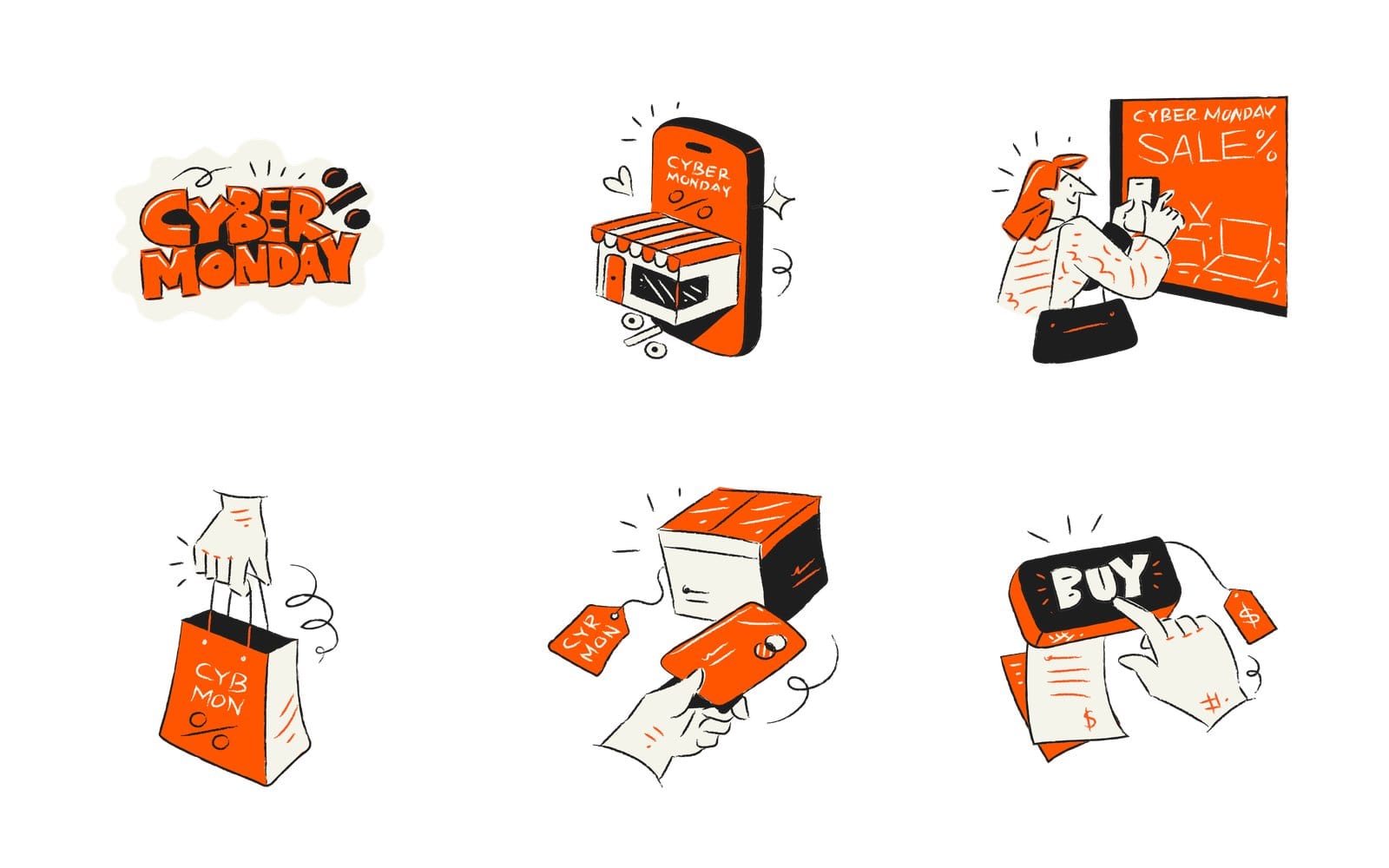
Aurora Black Friday Illustrations is 25 hand drawn vector illustrations made for Black Friday and Cyber Monday promotions, with halftone accents and orange highlights. It's the only pack here whose drawings carry the words Cyber Monday, on pieces like the big lettering, a phone with a shop awning growing out of it and a woman photographing a sale sign. Around those sit a hand carrying a shopping bag, a bank card held up in front of a tagged parcel and a finger pressing a black Buy button, and the feature picture at the top of this article shows six of its drawings on white.
If you only buy one pack for the week, this is it. The lettering alone saves you a typography job.
Aurora Ecommerce Illustrations for delivery and order pages in the same black outline
The sibling pack, Aurora Ecommerce Illustrations, is 25 hand drawn ecommerce drawings with black outlines, white fills and one accent colour you can change. It covers the parts of the sale the Black Friday pack doesn't, like a courier on a scooter and a plane for the shipping page. Both packs share that black outline, so a campaign built from the two reads as one series.
Hand Drawn Business Illustrations Boldline Chapter 1 when you want a retro ink poster feel
Boldline Chapter 1 is 75 black ink and halftone drawings in a 1950s magazine ad style, delivered as SVG and AI files. For a sale it has a coupon with a tick on it, a couple unboxing a surprise, a delivery tracking map on a phone, a checklist checkout and a pricing sketch. Plain black ink looks expensive in a week when everything else is screaming in neon.
Flagship Chapter 1 and Continuous Line Chapter 3 for SaaS and app deal screens
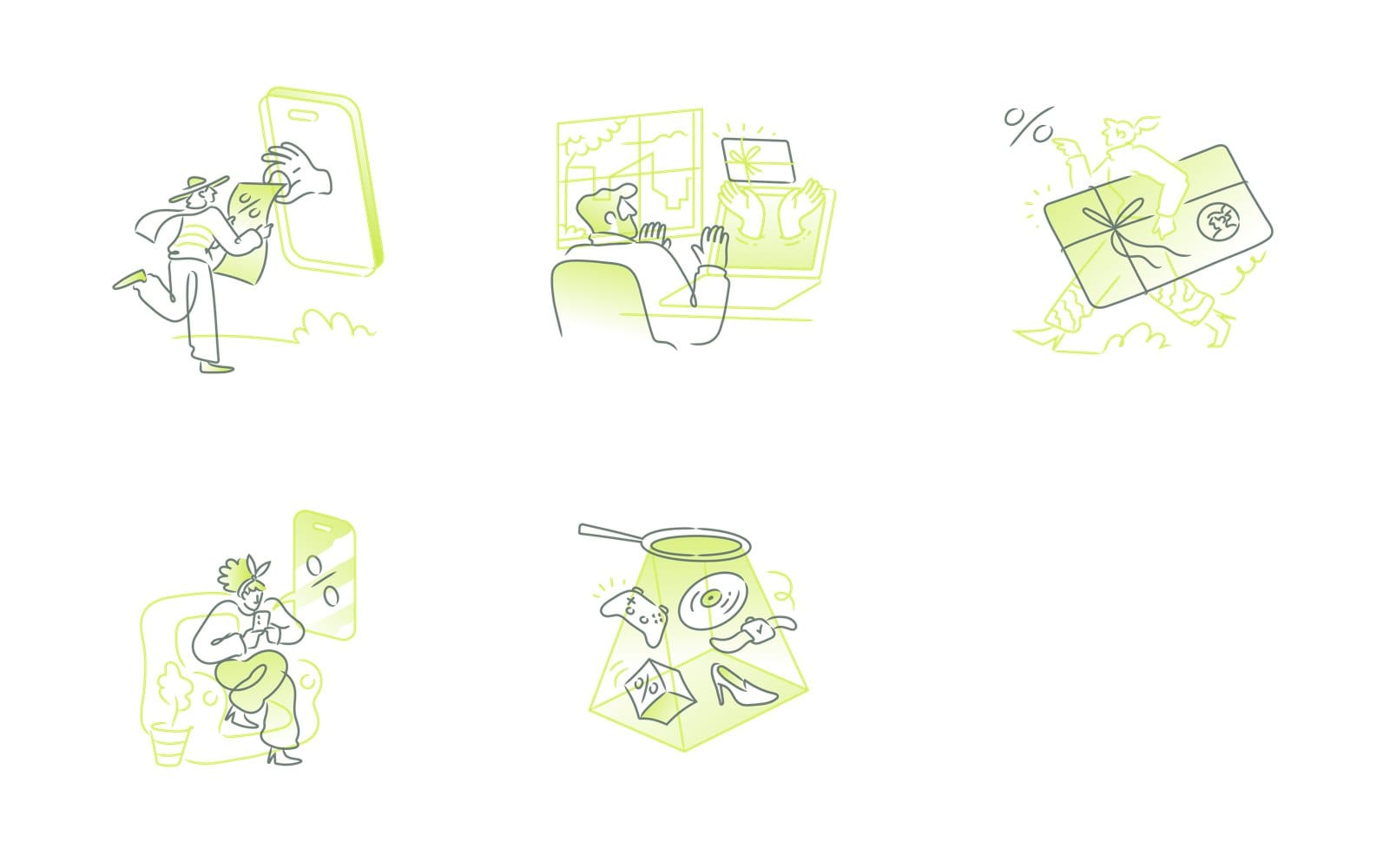
If the sale lives inside an app rather than on a poster, go softer. Get Illustrations Flagship Chapter 1 is 75 SaaS illustrations with soft green gradient fills, drawn for onboarding, empty states and 404 pages, delivered as SVG and PNG plus the layered source. Its deal scenes are the ones below: a man taking a percent coupon from a hand reaching out of a phone, a gift card handed through a laptop screen, a runner carrying a parcel tied with a bow, someone browsing offers from an armchair, and a spotlight picking out products.
Continuous Line Illustrations Chapter 3 is 75 single line SaaS and ecommerce drawings with an adjustable outline and two accent colours, as editable Illustrator files. Order tracking, add to cart, payment confirmed, a review with stars, a grocery receipt. The single line reads well at small sizes inside a modal, which is where most in app sale messages end up.
UI UX Illustrations when the sale lives inside the product, not on a banner
UI UX Illustrations holds over 1,230 outline illustrations with one blue accent, across ecommerce, finance, onboarding and error states, in AI, SVG and PNG. The shopping subset has a wallet with discount targets, a credit card, an invoice, parcel tracking and a scooter delivery. One pack covers the whole checkout, so the Cyber Monday screens and the February screens never look like two products.
| Pack | What it holds | Where it fits for Cyber Monday |
|---|---|---|
| Aurora Black Friday Illustrations | 25 hand drawn illustrations in orange and black ink with halftone accents | The hero, social lettering, the sale banner |
| Aurora Ecommerce Illustrations | 25 hand drawn ecommerce drawings with one changeable accent | Delivery, checkout and order pages in the same ink |
| Boldline Chapter 1 | 75 black ink and halftone drawings in a 1950s ad style | Email heroes, printed coupons, retro posters |
| Flagship Chapter 1 | 75 SaaS drawings with soft green gradient fills | In app deal screens, empty states, confirmations |
| Continuous Line Chapter 3 | 75 single line drawings with an adjustable outline and two accents | Modals, order tracking, small sale messages |
| UI UX Illustrations | Over 1,230 outline drawings with one blue accent | Whole checkout flows inside a product |
| Blueprint Shopping Icons | 25 isometric blueprint style retail icons | Tech shop sale pages |
| Cubicon Chp 1 Icons | Over 400 duo tone cubic icons with editable accents | 404 pages and thank you screens |
Cyber Monday icons and the icon packs that go with them
Cyber Monday icons do the small jobs on a sale page: the cart count, the countdown, the free shipping badge, the payment row in the footer. Pick an icon pack whose line weight matches the illustration pack above it, and the page stops looking assembled. The first six below are on the icon packs page.
Micro Bold Icons and Mini Bold Line Icons for deal badges at 16 to 24 px
Micro Bold Icons is 3,894 bold line icons on a 32 px grid that stay clear at 16 to 24 px, which is exactly the size of a cart badge or a percent chip on a product card. Mini Bold Line Icons is 2,318 icons on a 24 px grid for the same jobs. Both are bold line sets, heavy enough to sit next to the Aurora drawings without looking thin.
Curvy Icons for rounded seller dashboards
Curvy Icons is 1,809 rounded line icons on a 48 px grid, in SVG, PNG, AI and Iconjar. The rounded line sits well with Flagship Chapter 1 and the Continuous Line pack, so a seller dashboard with a Cyber Monday orders widget and its empty states look like one product.
Accent Duo Tone Icons when the sale colour needs a second layer
Accent Duo Tone Icons is 1,908 icons drawn in two tones. Give the second tone your sale orange and keep the first black, and the icons pick up the Aurora palette with no extra drawing. This is my choice for a promo email's feature row.
Detailed Filled Outline Icons and Flat Icons Vol 3 for feature blocks and category tiles
Detailed Filled Outline Icons is 949 icons with enough interior detail to hold a 64 px feature block on a landing page. Flat Icons Vol 3 is 2,986 flat colour icons for the places where a line icon would vanish, like a category tile or a payment method row.
Blueprint Shopping Icons and Cubicon icons for tech shops and thank you screens
Two odd ones out, both sold as illustration packs. Blueprint Shopping Icons is 25 isometric blueprint style shopping and retail icons in Illustrator, SVG and PNG, right for a tech shop that wants its sale to look engineered. Cubicon Chp 1 Icons is over 400 duo tone cubic icons with editable accent colours, a chunky look that holds up on a 404 page or a thank you screen.
How to make Cyber Monday social media posts with illustrations
Social is where the matching style pays off fastest, because the posts sit in a grid next to each other on your profile. Four rules cover most of it.
Pick one style for the whole Cyber Week run of posts
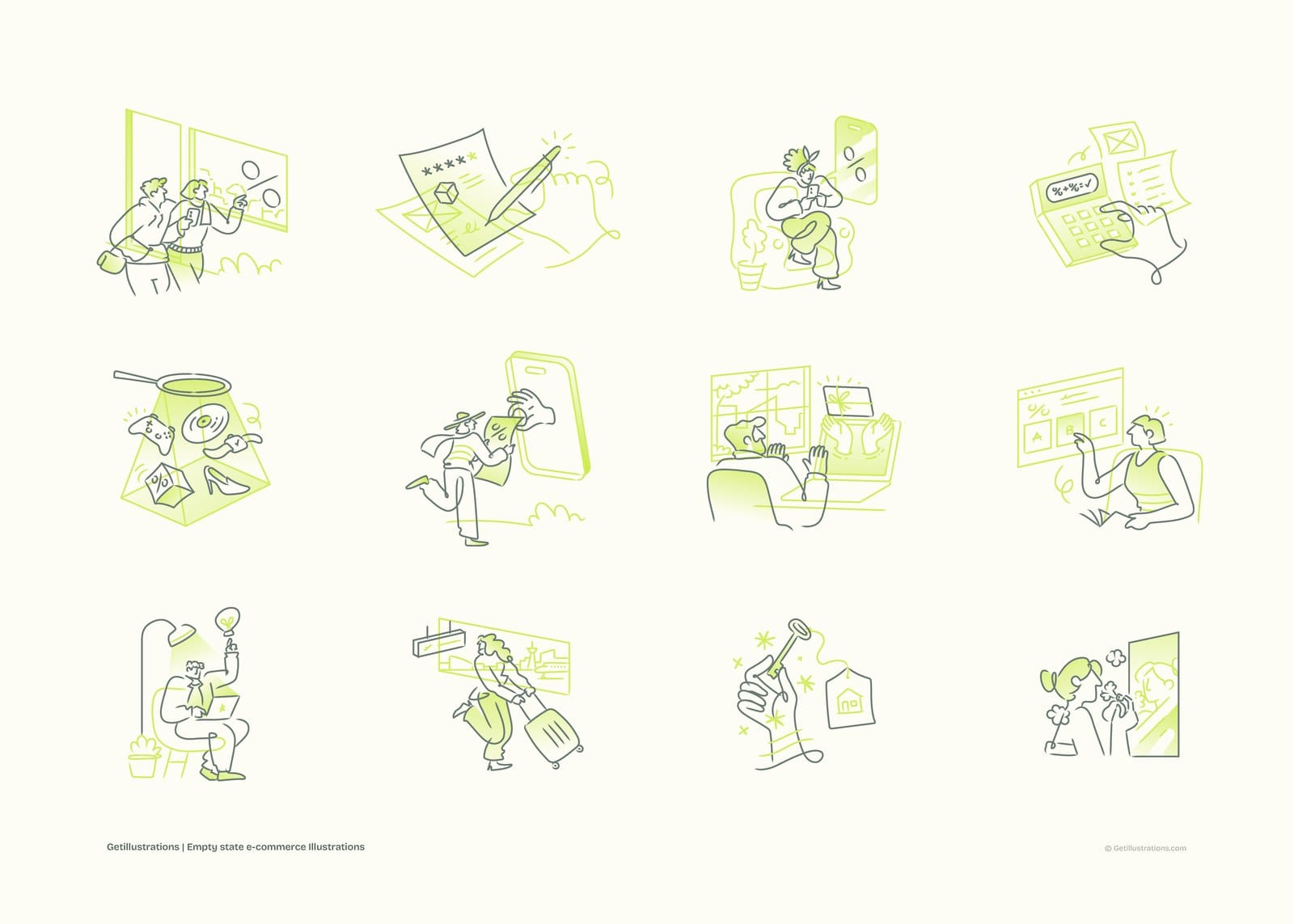
Choose one pack before the first teaser goes out and draw every post from it: Thanksgiving teaser, Black Friday, the weekend, Cyber Monday, the last hours. The sheet below is twelve Flagship empty state ecommerce drawings on cream, and you can see why one line weight and one lime green accent hold a set together even when the subjects range from a calculator to a suitcase.
Square crops and where the character looks
Wide scenes lose their edges in a square crop, so check what gets cut before you post. Crop so the character or the product faces the caption, and leave the top third of the frame clear for the offer. On a carousel, put the lettering piece first and the scenes after it.
Keep line art on light backgrounds
Thin outline drawings disappear on dark backgrounds, and a black halftone drawing on black is just a smudge. Keep the Aurora, Boldline, Flagship and Continuous Line sets on white, cream or a pale tint of your sale colour. If you need a dark post, use the Cyber Monday lettering, which sits on its own cream shape, or a flat colour icon from Flat Icons Vol 3.
Recolour the SVG to your sale colour in the free SVG color editor
Open the SVG color editor, drop the SVG from the pack ZIP, and click the colour you want to change. Type your hex code in the field that appears, press Download SVG for the vector or Download PNG for the post, and use Custom size with a Width and Height if your platform wants a specific pixel size. Reset colours puts the original back if you go too far.
How to use illustrations in Cyber Monday email design
A heavy picture costs more in an inbox than anywhere else, because the email has to load on a phone before anyone sees the offer. Keep the pictures few and the offer in text.
One hero drawing, then two small feature blocks
One illustration under the header, two small drawings or icons for the feature row, nothing else. For a Boldline send that means the coupon with the tick as the hero, then the couple unboxing and the delivery map as the two blocks. Three pictures is already a lot for a phone screen.
Three sends: a teaser, the launch and a last hours reminder
Email guides, Brevo's Cyber Monday email guide among them, agree on the same rhythm: a teaser about a week out, a launch email and a last hours reminder. Give each send its own drawing from the same pack so the thread reads as a story.
| Send | When | Lead drawing from Aurora Black Friday |
|---|---|---|
| Teaser | About a week before Cyber Monday | The lettering or the sale sign |
| Launch | The morning of 30 November | The Buy button or the shop on a phone |
| Last hours | The evening of 30 November | The tagged parcel or the shopping bag |
Export the PNG at double size and write the alt text
Export each drawing at twice the width it will display, so a 300 px column gets a 600 px PNG and stays sharp on a phone. Write alt text that says what the drawing shows, not the offer, since screen readers get the offer from the text. Export the PNG on your email's background colour rather than transparent, because black line art on a transparent PNG can vanish when a mail app switches to dark mode.
Keep the offer in live text, never baked into the picture
Plenty of mail clients block images until the reader allows them. If the percentage and the code are in the picture, those readers see an empty box with alt text. Put the offer in a text block, put the code in a text block, and let the illustration be decoration.
Cyber Monday banner design for a web page hero
A hero is one drawing, one headline and one button, and the work is getting those three to agree.
Build the hero in the Design Studio
Open the Design Studio and press Open the studio. The illustration library sits on the left of the canvas, and with Premium you can drop the Cyber Monday lettering, the shopping bag and the parcel straight onto the artboard without downloading anything. The free tier gives you the editor, the fonts and the free packs, and either way the PNG, SVG or PDF export sits on the right hand side.
Match the icon line weight to the illustration
Put the icons on the canvas next to the drawing at the size they'll ship and compare the strokes. A bold Aurora drawing wants Micro Bold or Accent Duo Tone icons, and a Flagship drawing wants Curvy Icons. If one set looks thinner than the other at a glance, swap the icons, not the illustration.
Pair the headline font from the font pairing tool
The font pairing page lists 112 pairings with the CSS to match. Filter by category, press Copy CSS on the pair you like, and use the Try it with the art step to see it beside an illustration in the Design Studio before you commit. A hand drawn display face for the headline and a quiet grotesque for the body is where I'd start with any pack in this article.
Why orange and black work, and what to do if your brand is blue
Orange and black is the Aurora palette for a reason: orange is the colour of urgency without the alarm of red, and black gives the lettering weight. If your brand is blue, don't fight it. Keep the black line, swap the orange for your blue in the SVG editor, and use the colour theory guide to pick one warm accent for the button alone.
How to make Cyber Monday cards, coupons and thank you notes
Print is the part of Cyber Monday people forget until the packing slips go out. The same packs work, as long as you start from the vector file.
Use the AI or SVG file for print, not the PNG
A PNG sized for a web banner will pixelate on a printed card. Open the AI or SVG file from the pack instead, set it to your print size, and convert the colours to your printer's profile there. Formats differ from pack to pack, so check the list on the pack page before you buy for print.
The Boldline coupon drawing as a stamp
The coupon with the tick from Boldline Chapter 1 works as a stamp on a printed voucher: one colour, black ink, and it holds up at stamp size. Leave the percentage off the drawing and print it in your own type so you can reuse the stamp next year.
Gift card and express delivery drawings from Flagship Chapter 1 for order confirmations
The gift card drawing and the runner with the parcel tied with a bow from Flagship Chapter 1 suit the confirmation email and the packing slip. Soft green is calm, which is what a customer wants to see after the frantic bit is over.
What to do when the Cyber Monday drawing does not fit
Three things go wrong, and each has a fix that takes minutes rather than a new pack.
The colours clash with the brand
Recolour the accent in the SVG editor, as above. Most of these packs are built on one or two accent colours, so changing those is usually enough. Don't recolour the black line, that's what makes the set look like a set.
The line weight is wrong next to your icons
Continuous Line Chapter 3 has an adjustable outline, so thicken it in Illustrator until it matches your icon set. For the other packs, change the icons instead, because an icon pack is easier to swap than an illustration style.
The drawing you need does not exist: search the library or make one in the pack's style
Search the whole library on the icons and illustrations search before you decide it doesn't exist, because the scene may already be drawn in the style you're using. If it still isn't there, the AI illustration generator makes a custom illustration in the style of one of our packs. Every illustration in the library begins with a human illustrator, and the generator works from those human drawn styles rather than inventing its own, so the result starts from the same look as the pack.
Four packs in the library carry a Remixed by AI label on their pages. None of the 14 packs in this article does.
Can you use free Cyber Monday illustrations commercially
Yes, with a credit, and the terms are short enough to quote. First, which pack to try.
None of these 14 packs is free: try the Free Doodle Pop Colorful Activities pack first
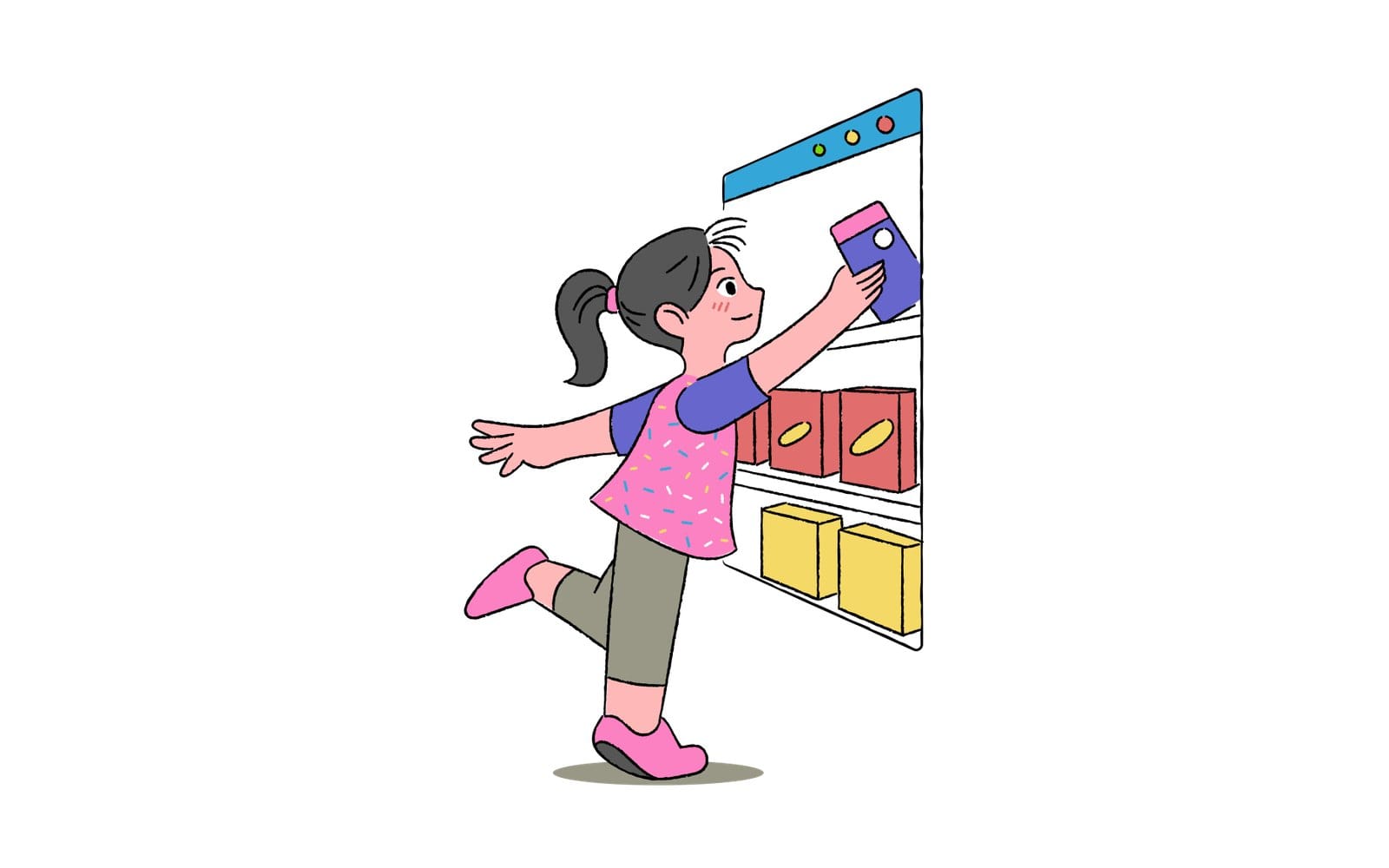
All 14 packs above are paid. If you want to test a drawing in a real layout before buying, the Free Doodle Pop Colorful Activities pack has an online shopping scene, a girl reaching into a browser window to pick a product off the shelf. The rest of the free packs are on the free illustrations page.
Free packs: personal and commercial work with a visible credit link
Free assets downloaded without a paid plan may be used in personal and commercial projects provided that attribution is given to GetIllustrations. In practice that's a visible credit such as Illustrations by GetIllustrations.com with a link to the site. Free assets may not be resold or redistributed as files.
Paid plans: no credit, up to 500 assets per product, no resale of the files themselves
Every paid individual plan includes the Standard licence: personal and commercial use, including client work, websites, apps, printed materials and advertising, without attribution, using up to 500 of our assets per single design or product. What it does not permit is selling or redistributing the assets as standalone files, where the drawings themselves are the product. The full wording is on the licence page, and if you're buying for Cyber Monday, the Black Friday page and the buying guide set out the options.
Cyber Monday illustration questions people ask
When is Cyber Monday 2026
Monday 30 November 2026, the Monday after Thanksgiving. Cyber Week runs from Thanksgiving through that Monday, and Adobe measured the 2025 week at 44.2 billion dollars online in the US, up 7.7 percent.
Are these illustrations drawn by hand or made by AI
Every illustration in the GetIllustrations library begins with a human illustrator. Four packs are labelled Remixed by AI on their pages, and none of the 14 here carries that label.
Which file formats do the packs include
It varies by pack, and each pack page lists its own formats. Boldline Chapter 1 comes as SVG and AI, UI UX Illustrations as AI, SVG and PNG, Flagship Chapter 1 as SVG and PNG plus layered source, Continuous Line Chapter 3 as editable Illustrator files, Blueprint Shopping Icons as Illustrator, SVG and PNG, and Curvy Icons as SVG, PNG, AI and Iconjar.
Can I change the colours
Yes. Most of these packs are built on one or two accent colours, and the free SVG color editor changes them in the browser with a Download SVG or Download PNG at the end. For deeper edits, open the source file in Illustrator.
Do I need to credit GetIllustrations
For a free pack, yes, with a visible link. With a paid plan the Standard licence needs no credit, client work and printed materials included.
Pick one pack on the Monday before Thanksgiving, draw the whole week from it, and your Cyber Monday will be the one campaign in the feed that looks like it came from a single studio. Every illustration pack in this article is on the illustration packs page.