
Free Design Tools
Powerful online tools for designers and developers. No signup, no watermarks, no limits.
Available Now
SVG Color Editor
Change colors in any SVG file instantly. Auto-detects fills, strokes, gradients, and patterns. Live preview with drag-and-drop upload. Export as SVG or PNG.
Open Editor →Color Palette Generator
Interactive color wheel with 7 harmony modes. WCAG accessibility checker, color blindness simulation, and 8+ export formats including CSS, Tailwind, Swift, and Android.
Open Tool →Font Pairing Tool
16+ curated font pairings with live Google Fonts preview. Filter by use case, preview with matching illustration styles, and copy CSS snippets instantly.
Open Tool →Coming Soon
More powerful tools are on the way. Stay tuned.
SVG to PNG Converter
Convert SVG files to high-resolution PNG at any scale. Batch processing with custom dimensions and transparent background support.
SVG Optimizer
Reduce SVG file size without visible quality loss. Remove metadata, clean paths, and minify output for production use.
Icon Combiner
Combine multiple SVG icons into a single sprite sheet or icon font. Perfect for web projects and design systems.
AI Background Remover
Remove backgrounds from images instantly using AI. Export clean PNGs ready for use in any design project.
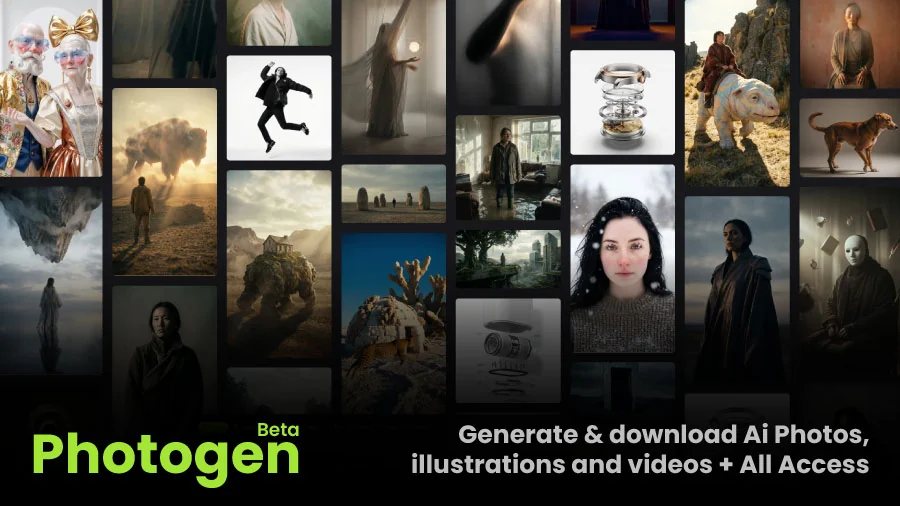
Photogen — AI Stock Visuals
Our new AI-generated stock photo platform with thousands of curated visuals across 25+ categories.
AI-Generated Stock Photos for Modern Projects
Need high-quality stock visuals without the typical stock-photo feel? Photogen is our AI-powered platform that generates curated, professional-grade imagery across 25+ categories — from abstract 3D renders and futuristic scenes to business photography, animals, architecture, and more.
Every image is quality-reviewed and organised for instant use in websites, ads, social media, and content marketing. Commercially licensed and ready for production.
- 25+ curated categories with thousands of assets
- High-resolution imagery ready for web and print
- 3D renders, abstract backgrounds, business, e-commerce, and more
- Commercial license included
How Each Tool Works
Detailed walkthroughs so you can get the most out of every tool.
SVG Editor
SVG Color Editor — Recolor Any Vector Instantly
Working with SVG illustrations often means matching colors to your brand. Our SVG Color Editor solves this in seconds: drag and drop any .svg file (or paste raw SVG code), and the tool automatically detects every fill, stroke, gradient stop, and pattern color in the file.
Each detected color appears as an editable swatch. Click any swatch to open the color picker, or type a hex value directly. Changes apply in real-time to the live preview — no need to re-upload. When you're finished, export the modified SVG file or download a high-resolution PNG.
Pro tip: Use the built-in preset palettes (Material Design, Tailwind, Pastel, etc.) to quickly try different color schemes. This is especially useful when recoloring free illustration packs to match your brand guidelines.
- Drag-and-drop file upload or paste SVG markup directly
- Auto-detection of fills, strokes, gradients, and patterns
- Preset color palettes from popular design systems
- Export as editable SVG or rasterized PNG
- 100% client-side — your files never leave your browser
Color Tool
Color Palette Generator — Science-Backed Color Harmony
Good color choices aren't accidental. Our Color Palette Generator uses the HSV (Hue–Saturation–Value) color model and classical color harmony theory to help you build palettes that work. Choose from 7 harmony modes — complementary, analogous, triadic, split-complementary, tetradic, square, and monochromatic — and watch the wheel calculate mathematically balanced color relationships.
The tool goes beyond basic palette generation. The WCAG Contrast Checker validates your text/background combinations against accessibility standards (AA and AAA levels). The Color Blindness Simulator shows you how your palette appears to people with protanopia, deuteranopia, and tritanopia — ensuring your designs are inclusive.
When you're ready, export your palette in 8+ formats: CSS custom properties, Tailwind config, SCSS variables, JSON, Swift UIColor, Android XML, and more.
- Complementary — Two colors opposite on the wheel. High contrast, bold and vibrant.
- Analogous — Three adjacent hues. Naturally harmonious, low contrast, soothing.
- Triadic — Three evenly spaced hues (120° apart). Vibrant and balanced.
- Split-Complementary — A base plus two adjacent to its complement. Rich but less tense.
Typography
Font Pairing Tool — Typography That Tells a Story
Typography sets the tone for your entire project. Our Font Pairing Tool presents 16+ curated combinations of Google Fonts — each hand-picked to create strong visual hierarchy while maintaining readability. Every pairing includes a heading font, a body font, and real CSS code you can copy into your project.
Filter pairings by use case (SaaS, e-commerce, editorial, creative, corporate) to find the right combination for your industry. Each card shows the fonts rendered at realistic sizes with sample text, plus tags indicating the category (serif, sans-serif, display) so you understand the typographic relationship.
What makes this tool unique is the illustration matching: each font pairing is shown alongside a compatible illustration style from our library, so you can see how type and imagery work together before committing to a design direction.
- Contrast is key — Pair a bold display heading with a neutral, readable body font.
- Stick to two fonts — Use weight and style variations for variety within each family.
- Match x-heights — Fonts with similar x-heights feel more harmonious together.
- Test at real sizes — Always preview at the sizes you'll actually use.
- Consider loading weight — Use
display=swapto prevent invisible text.
How to Use Our Tools
Choose a Tool
Pick from our suite of free design tools above. Each one specializes in a different part of the design workflow.
Upload or Configure
Drag and drop your files, paste code, or adjust settings. No account needed — just start working.
Preview in Real-Time
See changes instantly as you make them. Every tool provides a live, interactive preview of your work.
Export and Use
Download your finished work in multiple formats — SVG, PNG, CSS, JSON, and more. Ready for production.
Why Use Our Tools?
Built by designers, for designers — with privacy and performance at the core.
100% Free
No hidden costs, no watermarks, no signup required. All tools are free forever. We don't gate features behind a paywall — what you see is what you get.
Private & Secure
Everything runs in your browser. We never upload your files to our servers. Your design assets, color schemes, and creative work stay completely private.
Blazing Fast
Instant processing with no server round-trips. Your files never leave your computer. Powered by modern web APIs for native-like performance.
Built for Real Workflows
Each tool is designed around actual designer and developer workflows — not abstract demos. Export in production-ready formats like CSS, Tailwind config, and SVG.
Integrated Ecosystem
Our tools work seamlessly together. Recolor an illustration with the SVG editor, build its color palette with the generator, and pair it with the perfect fonts — all in one suite.
Works Everywhere
Chrome, Firefox, Safari, Edge — our tools work on any modern browser, on any device. No plugins, extensions, or downloads required.
Frequently Asked Questions
Are these tools really free? What's the catch?
Do you store or upload my files?
Can I use these tools on mobile?
What browsers are supported?
Will you add more tools in the future?
Works With Any Illustration Style
Our tools are designed to work seamlessly with every pack in our library — from hand-drawn to geometric flat.
Explore the Ultimate Bundle
Get access to 38,000+ premium illustrations alongside our free tools.
Get All Access Browse LibraryWe’ve prepared something special for you
- 25% Discount code: Hunters25Off
- A special illustration pack for product hunt And your stack - Free Download