
Vector Graphics Tools: 15 Free and Paid Editors, Converters and Helpers Compared
Fifteen vector graphics tools sorted by the job: drawing from scratch, image to SVG, recolouring an SVG and the helpers. Where each runs and what is free.

Somebody sends you a logo as a 400 pixel JPG and asks for it on a trade show banner by Friday. Or your Figma file has an illustration that needs its lime swapped for the client's teal, and the illustrator is on holiday. Both are vector problems, and the right tool for one is the wrong tool for the other.
This vector graphics software list is sorted by the job in front of you: drawing from scratch, turning a picture into a vector, recolouring an SVG you already have, and the small helpers around all three. For each one you get where it runs and whether it costs anything. Where it falls short, we say so, and the button names are spelled out wherever they help.
What are vector graphics tools and which kind do you need
Why vectors stay sharp at any size
A raster image stores pixels. A vector file stores shapes: a path, its curve points, its fill and its stroke. That's why an SVG logo looks the same on a favicon and on the side of a bus, and a JPG does not.
SVG is the web format, and the one most of the tools below can export. AI is Illustrator's own format, EPS is the older print exchange format, and PDF carries vectors too, which is why print shops ask for it.
The four jobs behind every vector tool
- Drawing from scratch. Illustrator, Affinity, Inkscape, Figma, Linearity Curve and Boxy SVG.
- Converting an image to a vector. Vectorizer Lab, Illustrator's Image Trace, Vectorizer.AI and the Adobe Express converter.
- Editing or recolouring an SVG you already have. The SVG Color Editor, the Design Studio and Pixel Lab.
- Helpers. A colour wheel, font pairings and an AI illustration generator that borrows the style of human drawn packs.
Start from the file you have, not the software you know
If you have a PNG, you need a converter first, however good you are with the pen tool. If you have an SVG and only the colours are wrong, a full editor is overkill. And with nothing at all yet, you're choosing between drawing it yourself and starting from an illustration pack that began with a human illustrator.
Which vector drawing software is best for drawing from scratch
Six vector drawing tools, three of them free. Two run in a browser tab and one is made for the Mac and iPad, so start from where you'll be drawing.
Adobe Illustrator for print, logos and client files
Illustrator's AI file is still the format clients and printers expect, and the AI source files in our packs open in it. It's paid software, which is the main reason a small team looks elsewhere. Its built in converter, Image Trace, gets its own section below.
Affinity, now one free app for vector, photo and layout
Canva relaunched Affinity on 30 October 2025 as a single free app that folds Designer, Photo and Publisher into one. You activate it with a free Canva account, and the AI features sit behind a Canva subscription. For most vector work you'll never touch those, so for a small team this is the first desktop editor to try.
If a tutorial tells you to open Affinity Designer, it was written before the merge. Designer isn't sold as a separate app any more.
Inkscape, the open source editor that writes SVG natively
Inkscape is free and open source on Windows, Mac and Linux, and its native file format is SVG, so the file you save is one a browser can open as it is. Version 1.4.2 shipped in May 2025 and the 1.4 line was still getting point releases in May 2026. The interface looks its age, but for plain path editing it's hard to argue for paying.
Figma for UI vectors, with vector networks instead of single paths
Figma draws with vector networks: a shape layer whose paths can fork in several directions without separate paths being combined. For icons and interface illustrations that's quicker than building every branch as its own path in a classic editor. The Starter plan is free with an account.
Linearity Curve for Mac and iPad drawing
Linearity Curve is built for drawing on a Mac or an iPad, so if the iPad is where your sketches start, try it before the others. Look up its current plans before you build a team around it.
Boxy SVG for clean SVG code in the browser
Boxy SVG is an online vector editor that keeps the SVG code clean. Reach for it when the file is heading straight into a codebase and a developer will read it line by line. Check its current terms before you count on it as free.
How do you turn an image into a vector graphic
An image to vector converter, usually called a tracer, looks at pixels and draws shapes around them. The result is only as clean as the source, which is why flat illustrations and logos convert well and photos never do. We cover the full process in how to convert PNG to SVG, so here's the short version for each tool.
Vectorizer Lab: drop a PNG, press Auto, download a layered SVG
Our own Vectorizer Lab takes a PNG, JPG, WebP or GIF and traces it in your browser. Press Auto and it tries settings, renders each candidate SVG back to pixels, scores it against your source in CIELAB colour space and keeps the best one. It can run both its native engine and the VTracer core and keep whichever scores better.
What comes out is editable: colour layers made of plain paths, even drawn lines as real strokes with a width you can change in Figma or Illustrator, and circles and boxes as ellipses and rectangles. One click removes the background. The exports are a layered SVG, a cutout SVG for cutting machines, PNG at 1x, 2x or 4x, the palette as CSS custom properties and JSON, a batch ZIP when you drop several files, and a settings link you can send a teammate.
It's free, needs no account and puts no watermark on anything. Files you drop in are copied to our server the moment you add them, so don't use it for anything under NDA.
Illustrator Image Trace: presets, Enhanced Presets and Auto Color
Select the image, open the Image Trace panel and pick a preset. The default presets in square brackets can't be edited, so save your own once you've found settings you like. The Enhanced Presets toggle adds gradients, shapes, transparency and grouping to the trace, and Auto Color in the same panel picks the palette for you.
Image Trace only lives inside Illustrator. Use it if you already pay for Illustrator, but don't start paying just to trace one logo.
Vectorizer.AI: free preview, paid download
Upload an image and you can preview the trace for free. Downloading it as SVG, PDF, EPS, DXF or PNG needs a paid plan. That's easy to justify for a one off logo rescue and harder for a pack of 200 icons.
Adobe Express converter: quick and free, with little control
Adobe Express converts a PNG or JPG to SVG free, with no credit card, for files up to 40 MB. There's very little to adjust, which is fine for a flat logo and limiting for anything with fine lines.
What every tracer does badly
Photos and rendered 3D come out posterised into colour bands. No tracer fixes that, including ours. In Vectorizer Lab the balance slider decides how many bands you keep, and the middle setting keeps the details a person would notice and drops the ones they wouldn't.
Which free tools edit or recolour an existing SVG
SVG Color Editor: every colour as a swatch
Drop an SVG on the SVG Color Editor or paste its code, and every fill, stroke and gradient stop shows up as a swatch. Click one, pick the new colour, and press Download SVG or Download PNG. Tick Custom size to type a width and height for the PNG, and Reset colours puts everything back.
Colours are all it changes. Shapes, paths and text stay as they are, and a colour set in a style block or as currentColor won't change either. It's free with no account and no watermark, and like Vectorizer Lab it copies your file to our server when you drop it.
Design Studio: illustrations, icons and type on a canvas
The Design Studio is where you put an illustration, a headline and a few icons on a canvas and export the lot. It carries 1,600 plus Google Fonts and 200,000 plus icons, and selecting an SVG illustration shows its colours in the properties panel so you can swap them on the spot. The exports are PNG at 1x on the free tier and up to 4x on Premium, plus SVG and PDF.
It opens without an account, but saving a design needs one. Your own uploads export without a watermark on every tier. It isn't a path editor, though, so for anchor points you'll still want Inkscape or Figma.
Pixel Lab: pixel art that exports as a pixel perfect SVG
An odd one for a vector list, until you need a retro icon that scales. Pixel Lab turns any image, GIF or video into pixel art with 15 dither modes and exports a pixel perfect SVG, each block an exact square. There's a walkthrough in how to make pixel art from a photo.
Boxy SVG and Inkscape for path level edits
When the job is moving an anchor point rather than changing a colour, go back to the drawing tools. Inkscape saves SVG as its own format and Boxy SVG keeps the code clean, so either one suits a small path fix on a file that's going back to the web.
Which helpers make vector work faster
A colour wheel that computes harmonies
Our color theory wheel has four tabs: Color Wheel, Harmonies, Palette Builder and Contrast Checker. The harmony buttons cover complementary, analogous, triadic, tetradic, split complementary, monochromatic and square, and the export list is CSS Variables, SCSS, JSON, Tailwind, HEX List, JASC PAL and GIMP GPL. Build the palette there, then paste the hex values into the SVG Color Editor.
Font pairings with the CSS ready to copy
The font pairing page lists 112 pairings, each with a Copy CSS button and the link tag to add. Handy when you're auditioning headline fonts next to an illustration and can't make up your mind.
An AI generator that works in the style of human drawn packs
Every illustration in our library begins with a human illustrator. The AI illustration generator borrows the style of those human drawn packs to make a custom illustration when a pack doesn't have the exact scene you need. What you get back is a picture rather than paths, so run it through Vectorizer Lab if you need an SVG.
Which vector graphics tools are free and which only look free
Free vector graphics software comes in three flavours on this list, plus the tools you simply pay for. The difference matters when you're setting up a team.
Free with no account
Inkscape, Vectorizer Lab, the SVG Color Editor and Pixel Lab. Nothing to sign up for, nothing watermarked.
Free with an account
Affinity needs a free Canva account to activate. Figma's Starter plan needs a login, and the Design Studio opens without one but asks for it when you save.
Free preview, paid download
Vectorizer.AI. You see the result, you pay to keep it. Adobe Express sits on the other side of that line: its converter is free up to 40 MB, it just gives you very little to adjust.
Paid
Illustrator and CorelDRAW. CorelDRAW's own buying guide frames the whole choice as CorelDRAW versus Illustrator. Pay for Illustrator when clients start sending AI files you have to open, and not before.
What not to pick
Krita is mainly a raster editor. Its vector layers store shapes as SVG and support an SVG 1.1 subset, which is fine for a sketch and not for a logo you'll hand to a printer. Review directories list it as vector software anyway.
Which vector tool should you use for which job
Here's every tool on the list side by side. Read it from the first column, because the best vector graphics software for recolouring an icon is the wrong pick for redrawing a logo.
| Job | Tool | Runs on | Free or paid | Good to know |
|---|---|---|---|---|
| Drawing from scratch | Adobe Illustrator | Windows and Mac | Paid | Its AI file is what clients and printers expect |
| Drawing from scratch | Affinity | Desktop | Free, Canva account to activate | Vector, photo and layout in one app |
| Drawing from scratch | Inkscape | Windows, Mac and Linux | Free and open source | Saves SVG natively |
| UI vectors | Figma | Browser | Free Starter plan with an account | Vector networks instead of single paths |
| Drawing on iPad | Linearity Curve | Mac and iPad | Check the current terms | Built for Mac and iPad drawing |
| Clean SVG in the browser | Boxy SVG | Browser | Check the current terms | Keeps the SVG code clean |
| Image to vector | Vectorizer Lab | Browser | Free, no account | Layered SVG, lines as real strokes, batch ZIP |
| Image to vector | Illustrator Image Trace | Inside Illustrator | Paid | Presets, Enhanced Presets, Auto Color |
| Image to vector | Vectorizer.AI | Browser | Free preview, paid download | SVG, PDF, EPS, DXF and PNG |
| Image to vector | Adobe Express converter | Browser | Free | PNG or JPG up to 40 MB, few settings |
| Recolour an SVG | SVG Color Editor | Browser | Free, no account | Every colour as a swatch, SVG or PNG out |
| Layouts with illustrations | Design Studio | Browser | Free to open, account to save | PNG, SVG and PDF exports |
| Pixel art to SVG | Pixel Lab | Browser | Free, no account | 15 dither modes, pixel perfect SVG |
| Palettes | Color theory wheel | Browser | Free | CSS, SCSS, JSON and Tailwind exports |
| Type | Font pairing | Browser | Free | 112 pairings with Copy CSS |
| Custom illustrations | AI illustration generator | Browser | Account needed | Works in the style of human drawn packs |
Three small team setups
- A design team on Figma. Draw in Figma, run the stray client PNGs through Vectorizer Lab, and recolour in the SVG Color Editor when a brand colour changes.
- Marketing with no illustrator. Start from illustration packs and lay them out in the Design Studio. Nobody has to learn a pen tool.
- Print and brand work. Illustrator for the files clients open and Inkscape as the free second seat. Keep Vectorizer.AI for the odd logo rescue.
What happens to the files you drop into our tools
Vectorizer Lab, Pixel Lab, the SVG Color Editor, our Upscaler Lab and the Design Studio all keep a copy of each file on our server from the moment it's added. That's true even in Vectorizer Lab, where the tracing itself runs in your browser. Treat them like any other web tool: fine for a logo, not for an unreleased product shot.
Where do you get vector illustrations you do not have to draw
Every pack begins with a human illustrator
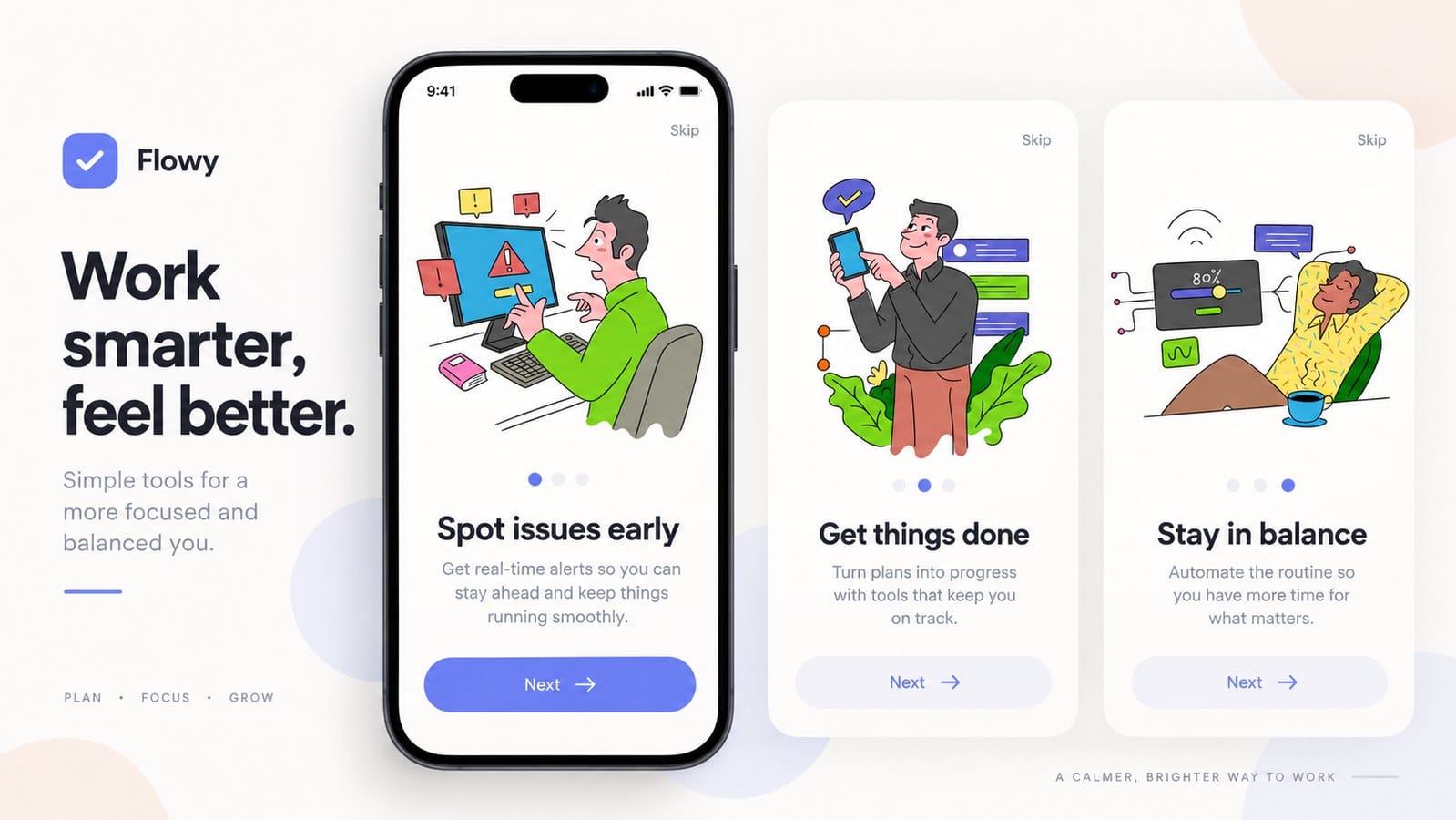
Every pack in the illustration pack library begins with a human illustrator, and every picture in this article is built from illustrations in it. Four packs carry a Remixed by AI label on their pack pages, so you can always tell which ones were remixed with AI.
SVG, PNG and AI source files
Packs ship as SVG, PNG and AI source files, so the SVG goes into Figma or the SVG Color Editor, the PNG into a slide deck, and the AI file into Illustrator for deeper edits. To search icons and illustrations in one go, use icons and illustrations, and browse the collections when you want several packs that belong together.
The licence
Free packs are for personal and commercial use with a visible credit. Paid plans need no credit. Anything you trace from your own images in Vectorizer Lab is yours to use.
Frequently asked questions about vector graphics tools
What is the best free vector graphics tool
For drawing, Affinity if you'll accept a Canva account and Inkscape if you won't. Vectorizer Lab for converting an image, and the SVG Color Editor for recolouring one.
Can I make vector graphics online without installing anything
Yes. If you want a vector graphics tool online with nothing to install, Figma, Boxy SVG, the Design Studio, Vectorizer Lab, Pixel Lab and the SVG Color Editor all run in the browser. Figma needs an account from the start, and the Design Studio asks for one when you save.
What is the difference between a vector editor and a vectorizer
A vector graphics editor moves paths you draw or import. A vectorizer makes the paths from pixels in the first place. You'll often use both: trace in Vectorizer Lab, then tidy up in Inkscape.
Is Affinity Designer still a separate app
No. Since 30 October 2025, Designer, Photo and Publisher are one free Affinity app from Canva.
Which vector file format should I ask a designer for
SVG for anything on the web, and the AI or PDF file as well if print is involved. Ask for a PNG too, for slides and documents.
Pick the tool for the file in front of you, and let a pack do the drawing when you don't have time to.