
How to Design Thanksgiving and Fall Graphics With Illustrations: Social Posts, Email Headers and Cards
Design Thanksgiving graphics in one afternoon: a social post, email header and card in one illustration style, with an autumn palette and the right sizes.

It's the second week of November and someone on the team says "we should do something for Thanksgiving." That something turns out to be three things: a gratitude post for Instagram, a header for the Thursday email and a card for the customers you like most. Most teams grab a turkey PNG from a clipart bundle and a template, and their Thanksgiving graphics end up looking like they came from three different companies.
This guide walks through that job with the tools on GetIllustrations. You pick one illustration style, build a four colour autumn palette, recolour the drawings into it, then compose the post, the header and the card in Design Studio and export each at the size it needs. We checked every size, label and limit below against the live tools, so nothing surprises you at the export button.
What Thanksgiving graphics do you need this year
The three pieces most teams ship
A gratitude post for social media, an email header and a card cover nearly every Thanksgiving message a small business sends. The post goes out on the day, the email goes to the list the morning before or on the Thursday itself, and the card is for the handful of clients who get something printed or a personal PDF.
They carry one message, so they should share one look. That's the part the template galleries skip. Keep the illustration style, the palette and the typeface identical across all three and the set reads as one campaign instead of three downloads.
The dates that set your deadline
US Thanksgiving falls on Thursday 26 November in 2026, with Black Friday the day after, and Canadian Thanksgiving was Monday 12 October, so if you're in Canada this is the checklist for next year (dates from the Farmers' Almanac). Work back from the Thursday. Schedule the post a few days early, get the email header uploaded and tested well before the send, and give anything printed a full week at the printer.
One afternoon of design two weeks out is comfortable. The week before is not.
Why one illustration pack beats a 4,000 file clipart bundle
Clipart bundles sell on file count, and their files come from many hands and many years. A pack is drawn as one set, so it keeps the same line weight, the same proportions and usually the same palette from the first drawing to the last. A pumpkin and a coffee mug from one pack belong together without any work from you.
Every illustration in the GetIllustrations library begins with a human illustrator. Four packs were remixed with AI and are labelled that way, and the licence section below says how to spot them.
How to pick one illustration style for Thanksgiving graphics
Search the library for autumn, harvest, pumpkin and cozy
Open the search at icons and illustrations and try autumn, harvest, pumpkin, raking leaves and cozy. Every result belongs to a pack, and that pack is what you're really choosing. Open the pack page and look at the whole set, because you'll want a second and a third drawing from the same place.
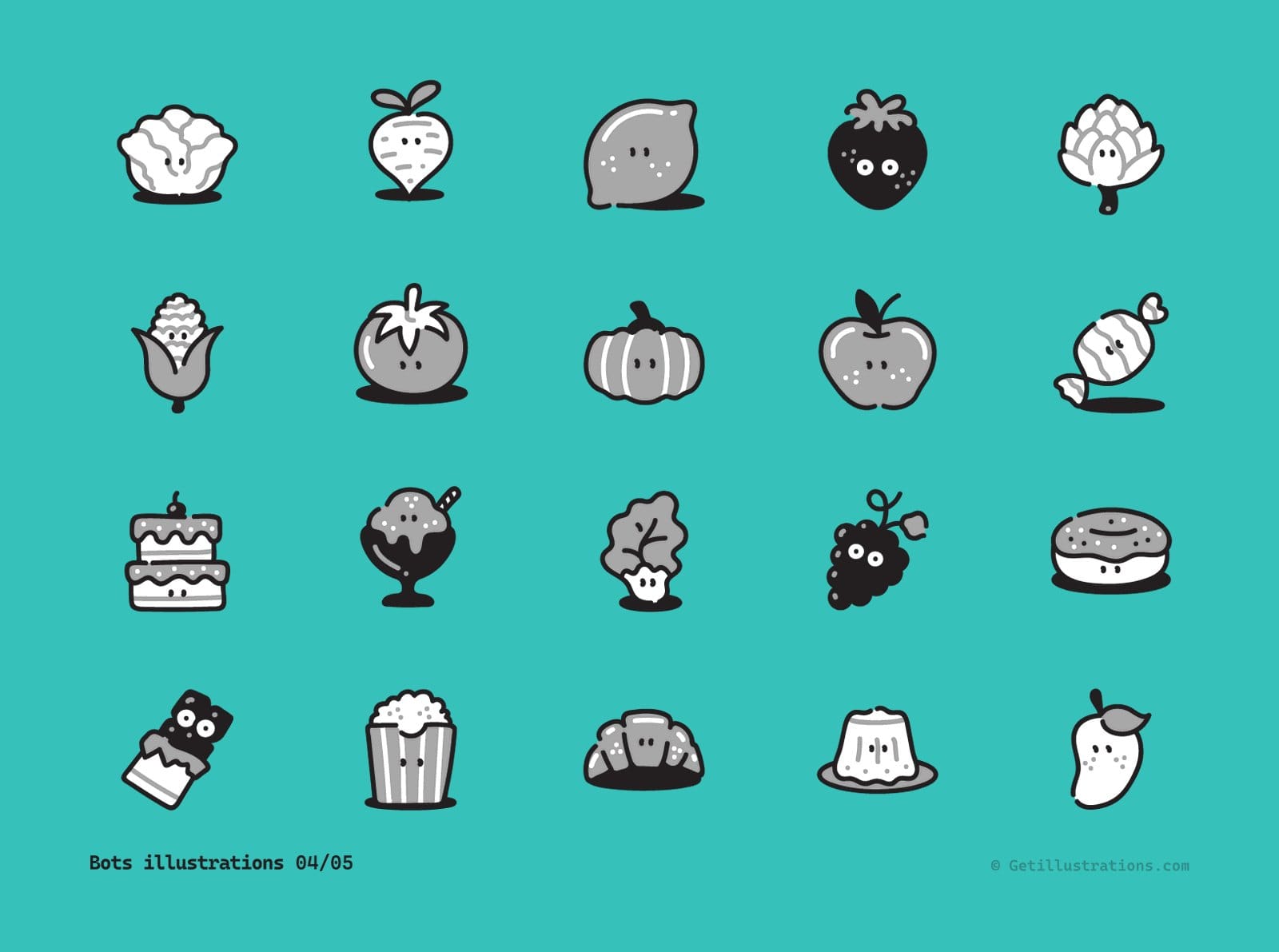
For a Thanksgiving set we'd start from three packs. The Flagship food icons have steaming bread, buns and dumplings for the table, the Flagship activities pack has two drawings of someone raking autumn leaves, and the Bots food characters include a pumpkin with a face for anything that needs to be cute. The cover picture above is that Bots sheet: twenty food characters with the same outline weight and the same small faces, which is exactly the consistency you're buying.
Line art, doodle or 3D: match the style to where the piece will live
Thin line art looks elegant on a card and in a wide email header on a light background, and it disappears on a phone over a dark colour. Bold doodle characters with thick outlines survive Instagram compression and a cranberry background. 3D renders look great at 1080 pixels and heavy in an email, where every kilobyte is load time, so flat line or doodle art makes the better fall illustrations for email.
Pick the style for the hardest surface, which is nearly always the phone, and let the card and the header follow. If the post needs bold shapes, the card gets bold shapes too.
Check the pack licence before you download
Packs on the free illustrations page are for personal and commercial work with a credit link to GetIllustrations, and they need a free account to download. A paid pack licence or All Access removes the credit line. Decide this before you design, because a credit link is easy in an email footer and awkward on a printed card.
How to build a four colour autumn palette on the colour wheel
Start from one hex, a cranberry or a pumpkin orange
Go to the colour theory wheel, type your first hex into the Enter HEX color field on the Color Wheel tab and press Add to Palette. Cranberry and pumpkin orange are the two safest starting points for Thanksgiving and fall graphics, because both read as autumn without tipping into Halloween, which needs black beside the orange.
If your brand already owns a warm colour, start from that instead. The set then looks like your brand dressed for autumn, and nobody mistakes it for a stock holiday graphic.
Pick Analogous or Split Complementary on the Harmonies tab
Press View Harmonies and choose Analogous, which adds the two colours 30 degrees either side of your hex. Run it from the pumpkin and you get a bright red on one side and a mustard yellow on the other, so darken the red to cranberry, soften the yellow to gold and you have the warm side of the palette. Run it from the cranberry instead and the neighbours are a plum and a rust, which suits a moodier set.
Split Complementary jumps to the far side of the wheel, and from cranberry it adds a forest green and a steel blue. Keep the green as your one cool accent for leaves or a button and drop the blue. Whichever harmony you use, keep a bright red away from a bright green, because that pair says Christmas on sight.
Add four colours to the Palette Builder and press Save Palette
Four colours is enough: a dark, a mid tone, a light and a cream for backgrounds. Type each hex into Enter HEX color and press Add to Palette, then name the set in the Palette Builder and press Save Palette so it's waiting when you come back for the card. Here's the autumn colour palette we built for this guide, with its hex codes and where each colour goes.
| Role | Colour | Hex | Where it goes |
|---|---|---|---|
| Dark | Cranberry | #8C2F39 | Post background, card border, email button |
| Mid tone | Pumpkin | #D9772B | Pumpkins, leaves and shapes, never text |
| Light | Gold | #E3B23C | Large headlines on cranberry, accents |
| Cream | Cream | #F6EFE3 | Email and card background, body text on cranberry |
Run the Contrast Checker so text clears 4.5 to 1
Open the Contrast Checker tab, type a text colour's hex under Foreground Color and a background's hex under Background Color, then read the Contrast Ratio. WCAG 2.2 asks for at least 4.5 to 1 for normal text and 3 to 1 for large text.
Cream on cranberry comes out at about 7 to 1, so body text is safe. Gold on cranberry lands near 4.1 to 1, fine for a big headline and not for small copy. Pumpkin on cream reaches only about 2.8 to 1, which makes pumpkin a shape colour and never a text colour.
Export CSS Variables so the same hexes reach your email and site
In the Palette Builder, press CSS Variables under Export Current Palette to download the block as a CSS file. The same four hexes go into your email template's background and button, the colour fields in Design Studio and the SVG editor in the next step. Paste from that one block and you stop retyping hexes from memory, which is how one cranberry quietly turns into three slightly different reds.
How to recolour an illustration into your fall palette
Drop the SVG, browse for it or paste the code
Download the SVG from a free pack or any pack your licence covers, and open the SVG color editor. Drag the file onto the canvas, pick it from disk or paste the SVG code, and the editor lists every fill, stroke and gradient colour as a swatch. A copy of every file you add, pasted code included, goes to our server the moment it arrives, so keep anything confidential out of it.
Click a swatch and type the hex from your palette
Click a swatch and a picker opens beside it with a colour square, a hue slider, a hex field and 24 preset swatches. Type the hex from your saved palette for an exact match. Every shape that used the old colour updates at once, which is quick when the loaf and its steam share a tint you want kept together, and a trap when you only wanted one of them changed.
Repeat the same swaps across every piece from the pack
Drawings in one pack usually share a palette, so the swaps you made on the first drawing are the swaps for the rest. Write down the old hex and the new hex as you go, then open the second and third illustrations and type the same pairs. A handful of swaps per drawing, and no Illustrator involved.
Download SVG, or a PNG at the size you type
Press Download SVG to keep a vector you can still edit in Figma, or switch on Custom size, type a Width and a Height and press Download PNG for a raster at exactly that size. For the next step the SVG is the better file, because Design Studio keeps an uploaded SVG as vector shapes and scales it without any blur. Reset colours puts the file back the way it arrived if you change your mind.
How to make a Thanksgiving social post in Design Studio
Choose Instagram Post, or type 1080 by 1350 in Custom Size
Thanksgiving graphics for social media start with the right canvas. Open the editor from the Design Studio page, which needs no account to start. The Instagram Post preset is 1080 by 1080, and there is no 4 to 5 portrait preset.
For the taller post that fills more of the feed, pick Custom Size and type 1080 by 1350, the size Linearity's 2026 Instagram size guide and most others recommend. Instagram scales anything wider than 1080 down, and the profile grid crops each post to a narrower 3 by 4 tile, so keep the headline away from the left and right edges.
| Piece | Design Studio preset | Pixels | Export |
|---|---|---|---|
| Instagram square post | Instagram Post | 1080 by 1080 | PNG at 1x |
| Instagram portrait post | Custom Size | 1080 by 1350 | PNG at 1x |
| Email header | Email Header | 600 by 200 | PNG at 2x on premium, or 1x from a 1200 by 400 canvas, shown at 600 wide |
| Postcard | Postcard | 1800 by 1200 | PNG at 1x, or PDF on premium |
| A5 card | Flyer (A5) | 1748 by 2480 | PNG at 1x, or PDF on premium |
Drop the recoloured illustration from the Uploads panel
The left rail includes Illustrations, Text, Background and Uploads. Open Uploads, drop your recoloured SVG (it also takes PNG, JPG and WebP) and click it to place it on the artboard. The Illustrations tab searches the library directly, but on the free tier a drawing from a paid pack arrives as a 340 pixel watermarked preview, which is one more reason to recolour the SVG first and bring it in as your own file.
Set the headline in a Google Font that matches the drawing
Open Text and press Add Heading, then type the line. The font list is a Google Fonts catalogue with a search box and a Popular filter. A rounded or hand lettered face suits doodle characters, a quiet serif suits line art, and the font pairing tool has 112 pairings if you'd rather take a heading and body pair that's already matched.
Set the heading to the cream or gold from your palette and the Background to the cranberry. Keep it to one line. "Thankful for you" or "Happy Thanksgiving" is plenty, and the drawing does the rest.
Export PNG, 1x on the free tier and up to 4x on premium
Press Export, choose PNG and leave Export Area on Artboard Only. The scale buttons are 1x, 2x, 3x and 4x, but on the free tier, signed out or without a premium bundle, the export is held at 1x and carries a small green GetIllustrations.com label in the bottom right corner. A premium bundle removes the label and opens 2x, 3x and 4x, plus SVG and PDF.
At 1080 by 1080 a 1x PNG is already the size Instagram wants, so resolution is no problem on the free tier. The label is what you'll notice, so keep that corner clear of your headline.
How to design a Thanksgiving email header that renders everywhere
Use the Email Header preset at 600 by 200
Pick the Email Header preset, which is 600 by 200. Campaign Monitor still calls 600 pixels a useful guideline for email width rather than a hard rule, with their own templates at 600 on desktop and 320 on mobile. A 600 wide header fits the common mail apps without a sideways scroll, and 200 tall leaves room for a drawing and a short line without pushing the first paragraph out of view.
Keep the greeting as live text in the email, not in the image
Good Thanksgiving email design keeps the words out of the picture. Put the illustration and at most a short word mark in the header, and set "Thanks for a great year" as real text in the email body under it. Plenty of inboxes block images until the reader allows them, and live text still shows when they do, at whatever font size the reader has set.
Export at 2x so it stays sharp on phones
Export the header as PNG at 2x, which gives you 1200 by 400, and set it to display at 600 wide in your email template. Most phones pack two or three device pixels into every CSS pixel, so a 1x header looks soft the moment someone opens it on one.
This is the one piece where the free tier's 1x limit shows. The fix is in the section on what goes wrong: make the canvas twice the size and export that at 1x.
Test the header on a dark background before sending
Some mail apps invert light backgrounds in dark mode, and a transparent PNG with dark line art vanishes on them. Tick Transparent background only when the drawing is bold enough to survive on both, and otherwise export with the cream background baked in. Then send yourself a test and open it on a phone with dark mode switched on before the real send goes out.
How to make a Thanksgiving card to print or send
Choose Postcard or Flyer A5, or type your printer's size
For Thanksgiving card design, start from the Postcard preset at 1800 by 1200 or the Flyer (A5) preset at 1748 by 2480. For a printer that gave you a different size with bleed, use Custom Size and type the exact pixel dimensions from their template. Drop the same recoloured illustration, the same font and the same cranberry, and the card matches the post without any extra design.
Tick the transparent background box when the card gets a paper texture later
If the card goes through a print service that adds its own paper texture, or you're placing it on a photo, tick Transparent background in the export so only the drawing and the text come out. For a plain printed card leave it off and let the cream background print as part of the design.
PDF export needs premium, PNG at print size works on the free tier
PDF and SVG export need a premium bundle. On the free tier you still get a PNG, and at the Postcard size a 1x export is 1800 by 1200, which prints at 6 by 4 inches at 300 dots per inch. That's enough for a short run at a local printer, though the green label in the corner prints too unless you're on premium.
What goes wrong with Thanksgiving graphics and how to fix it
A watermark on the export means you're on the free tier
The green GetIllustrations.com label lands on every PNG and JPG exported from the free tier, your own uploads included. It isn't a fault in your file. Sign in with a premium bundle and export again, or plan the layout around it and keep the bottom right corner free of text.
Thin line illustrations disappear on dark backgrounds
A thin dark outline on a deep cranberry background all but vanishes on a phone. Recolour the strokes to cream or gold in the SVG editor, or put the drawing on a cream panel inside the dark post. Thick outline styles don't have this problem, which is why we steer bold styles toward social posts.
One hex change recolours every shape that used it
The SVG editor changes every shape that shares a colour, so a swap you wanted on the pumpkin lands on the leaves too when they share a hex. Download the SVG, open it in Figma or Illustrator, give that shape its own colour, and bring it back to the editor. Or share the colour on purpose, since a shared tint is often what makes a pack look like a pack.
A 1x export looks soft on a phone screen
If you can't export at 2x, design at double size instead. The Custom Size fields set no maximum, so make the email header 1200 by 400, scale the drawing and the text up to fill it, and export at 1x. The file comes out the same size a 2x export would be, and the Instagram post doesn't need this at all, since 1080 is already what Instagram shows.
Can you use these illustrations commercially
Free packs: personal and commercial work with a credit link
Yes, with the credit. Free packs are licensed for personal and commercial work as long as you add a visible credit, something like "Illustrations by GetIllustrations.com", with a link to the site. In an email the footer is the natural home for it, and the free illustrations page has the full wording on attribution.
Paid packs and All Access: no attribution
A paid pack licence or All Access needs no credit anywhere, which matters for a printed card where a footer link has nowhere to go. The full terms live on the licence page, and every pack, free or paid, is searchable from the icons and illustrations search when you need the next drawing in the same style.
Every illustration begins with a human illustrator
Whether you pick a free pack or a paid one, the drawing started with an illustrator. Four packs were later remixed with AI, and they carry a Remixed by AI mark on the cover, on the pack page and in the lightbox. Check for that mark as you browse the illustration packs, and you can steer around those four when a client asks for human work only.
Thanksgiving graphics questions people ask
What size should a Thanksgiving Instagram post be
1080 by 1080 for a square post, which is the Instagram Post preset in Design Studio, or 1080 by 1350 through Custom Size for the portrait post that takes more of the feed. Keep text away from the left and right edges, because the profile grid crops each post to a narrower 3 by 4 tile.
How wide should an email header be
600 pixels wide, which is the Email Header preset at 600 by 200. Export it at 2x, or at 1x from a 1200 by 400 canvas, and display it at 600 wide so it stays sharp on phones.
What colours go with Thanksgiving
Cranberry, pumpkin orange, mustard gold and cream, the autumn palette in the table above with its hex codes. Run Analogous from the pumpkin on the colour wheel to find the red and the gold either side of it, and take a forest green from Split Complementary if you need an accent. Keep a bright red and a bright green apart, or the set starts to look like December.
Can I use free Thanksgiving graphics for my business
Yes, free packs from GetIllustrations are licensed for commercial work with a visible credit link. If the credit can't fit, a paid pack licence or All Access removes the requirement.
Can I change the colours of an illustration without Illustrator
Yes. The SVG color editor runs in the browser, finds every colour in the file and lets you type a hex for each one, then downloads the recoloured SVG or a PNG at a size you choose. A copy of every file you add is kept on our server, so use it for illustrations and keep private documents out of it.
Pick the pack this week and build the palette in ten minutes, and all three Thanksgiving graphics can be done well before the holiday week.