
Halloween Illustrations and Icons for 2026: 14 Packs Drawn by Hand and Where to Use Them
Halloween illustrations and icons from 14 packs by real artists: which two are free, what their licences allow, and layouts for social, email and banners.

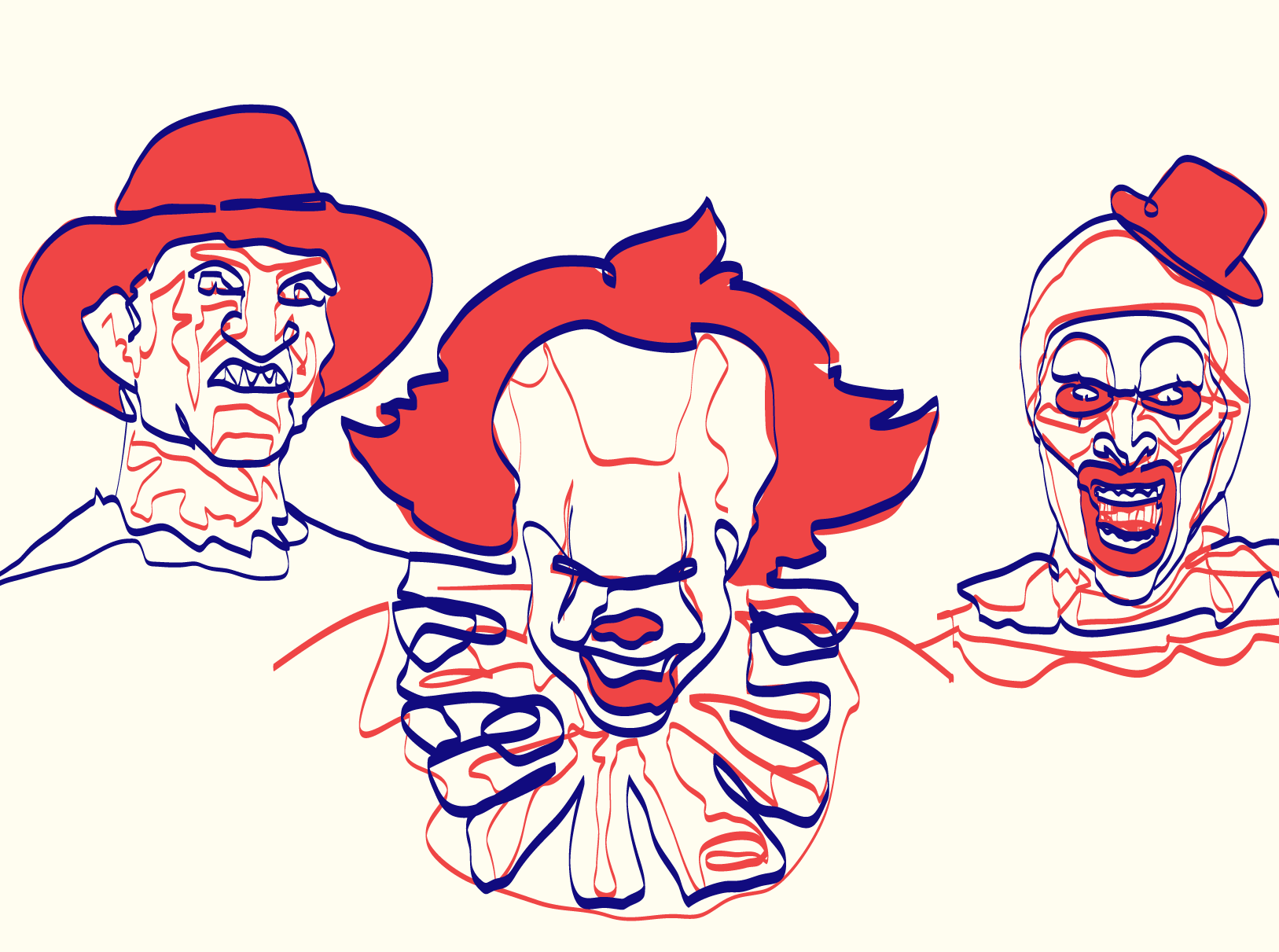
It's the third week of October, the brief says "something spooky but still on brand", and the stock sites hand you a grid of half a million pumpkins with no way to tell which ones a person drew. I've been there more than once. This guide walks through 14 packs in the GetIllustrations library for Halloween illustrations and icons, tells you which two are free and what their licences allow, and gives you concrete layouts for social posts, email, banners and cards.
One thing before the packs. Every illustration in our library begins with a human illustrator, and none of the 14 packs here carries the Remixed by AI label we put on the few packs that were reworked with AI. The laptop at the top and the phone further down are mockups made from our drawings to show the layouts, not client work.
What Halloween illustrations look good in 2026
Five looks cover almost every Halloween job I've seen: friendly outline scenes, halftone grain, thick marker strokes, one line portraits, and the minimal UI style that lives inside our general packs. Pick one and stay with it for the whole campaign. Mixing two looks on one page is the fastest way to make a design feel like clip art.
Friendly outline scenes: Hannah Halloween illustrations
Hannah Halloween illustrations are outline scenes with monsters, ghosts and witches, drawn friendly rather than scary. The feature picture at the top of this article is a mockup built from three of them: a jar full of eyes, a pair of hands holding an open spell book, and a deer with a bare tree for a head. Look at the lines in it: thin and dark, a touch of blue, and lots of air around each drawing.
Use Hannah when the audience includes children, when the product is calm (a notes app, a bank, a school), or when the page already has a lot going on. The files come as AI, SVG and PNG with a commercial licence.
Halftone grain for posters: Grain Halloween Illustrations
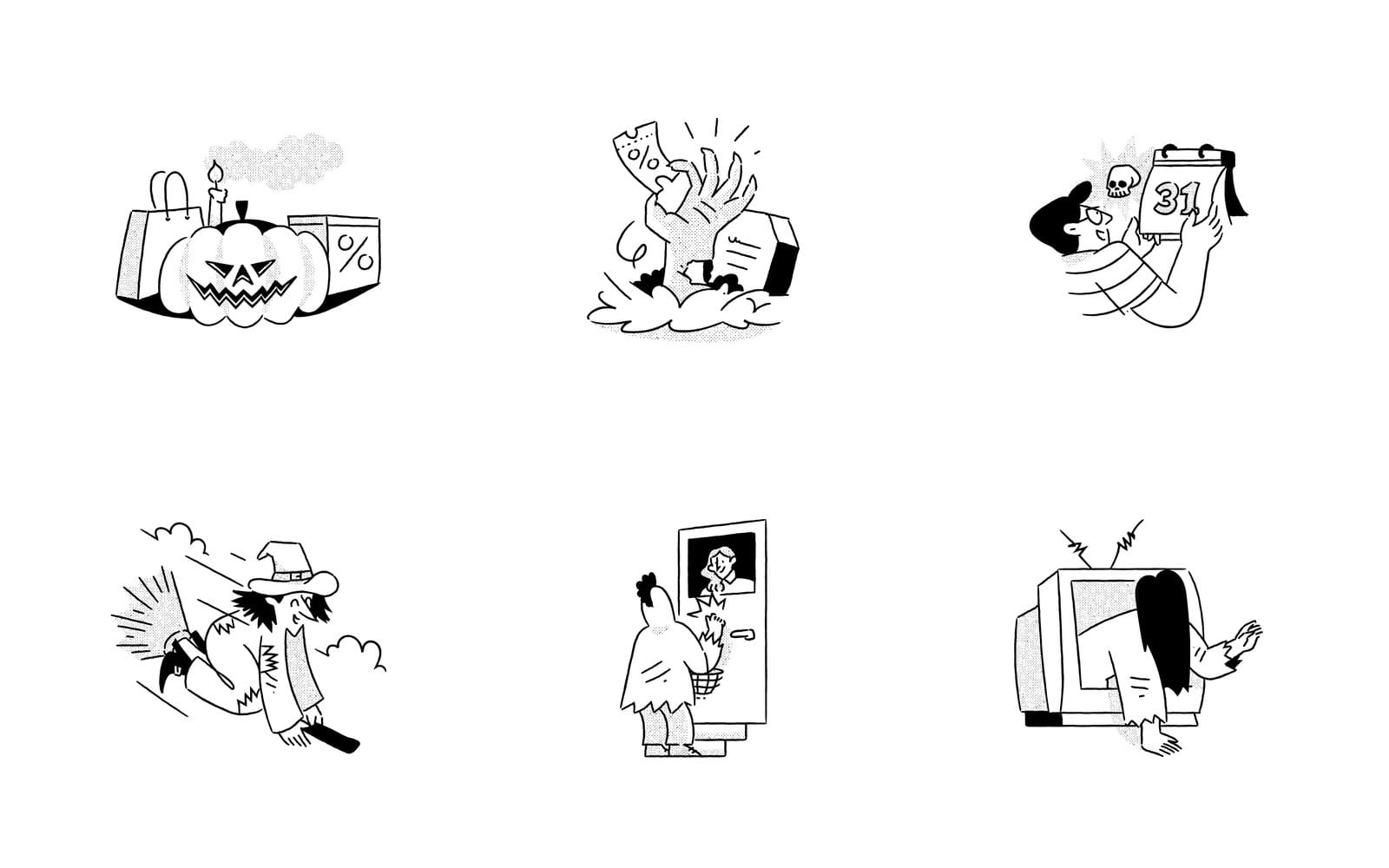
Grain Halloween Illustrations have a bold outline with a fine grain overlay, and that grain is why I'd put them on a poster first. The six above are shown in black ink: a jack o lantern with a shopping bag and a percent sign, a zombie hand holding a coupon, a man holding a calendar page that says 31, a witch on a broom, a trick or treater in costume at a door with a basket, and a figure climbing out of a television. Two percent signs and a coupon tell you who this pack is for.
The grain texture is shared across the whole Grain collection, so a drawing from a different Grain pack sits next to these with no seam. That matters when the promo needs one more scene the Halloween pack doesn't have.
Marker strokes that sit on any colour: Sharpie Halloween Icons
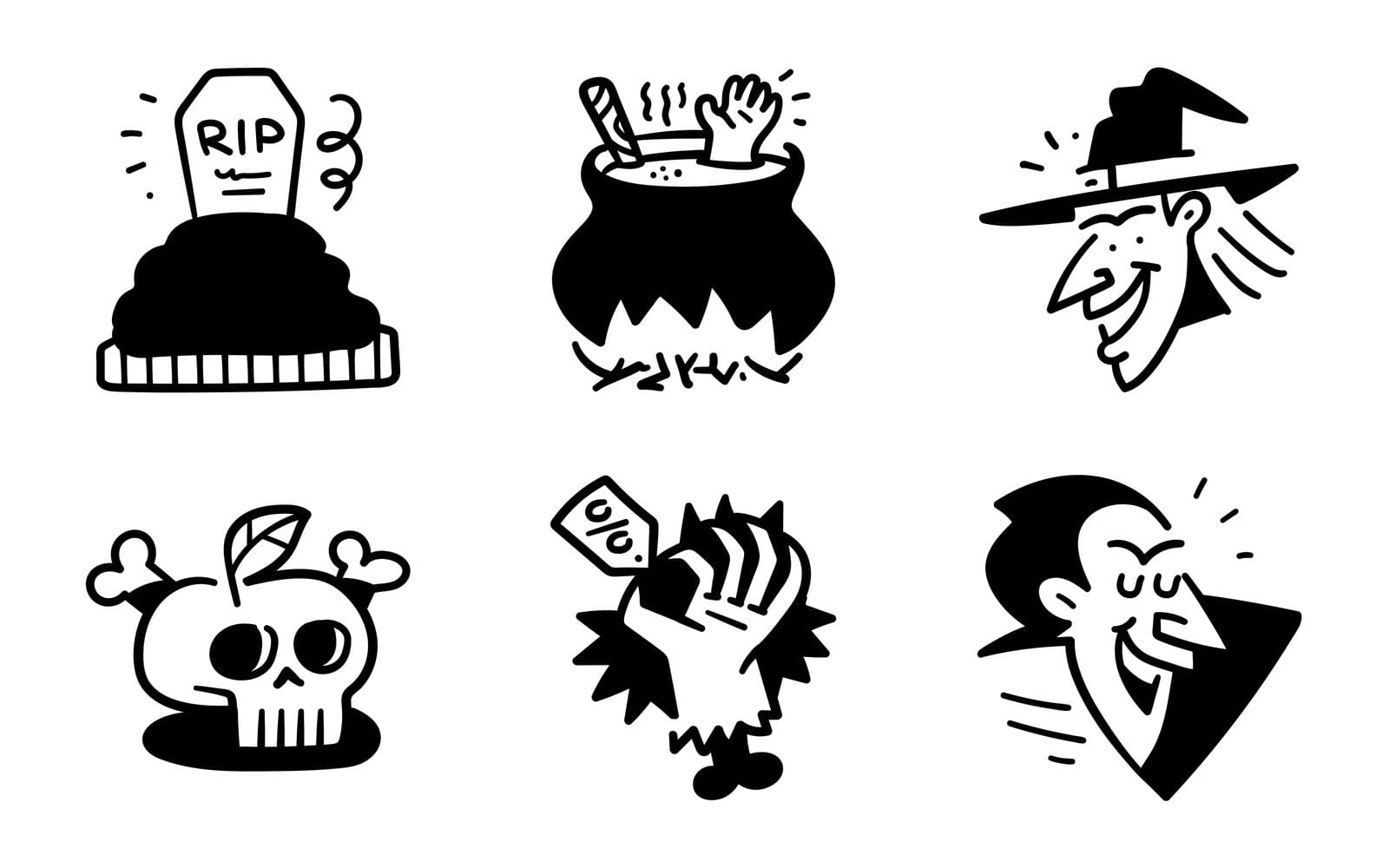
Sharpie Halloween Icons are black marker outlines with no colour fills at all. A tombstone marked RIP, a cauldron with a hand and a stick poking out, a grinning witch, a skull with crossbones, a clawed hand holding a percent off tag, a laughing vampire. Because there's no colour in them, the same icon reads on white, orange or navy without a single edit.
I reach for these when the banner background was decided before I arrived and I can't argue with it. They also make good stickers, which I'll come back to.
Two free packs: the Halloween illustrations pack and the Oneline Halloween Special
Two of the 14 packs are free downloads. The Halloween illustrations pack is a set of spooky characters and scenes in SVG, PNG and AI, and it follows the usual free licence: personal and commercial work with a visible credit link to GetIllustrations. It's the one to try first if you've never used our files.
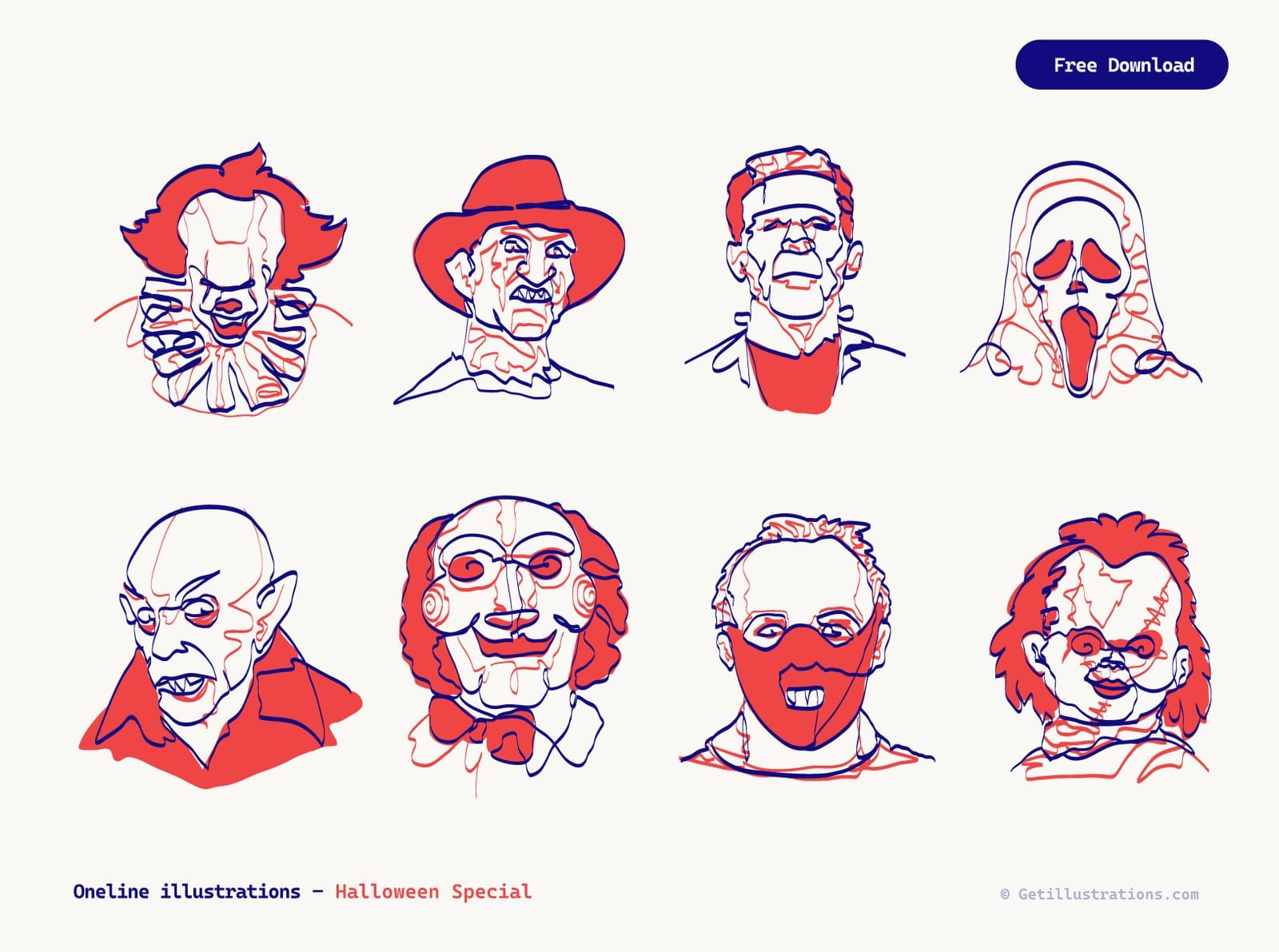
The Oneline Illustrations Halloween Special is the other free pack, and it plays by different rules. Each portrait was drawn on a Wacom tablet without the pen leaving the screen, in a navy line with coral red, as square artboards in SVG, PNG and AI. They're fan portraits of horror characters owned by other people, so the pack is for personal, non commercial use only, and I'll explain the licence side further down.
Halloween pieces hiding inside Essential, Notion illustrations and ilcons Chapter 7
Three general packs aren't Halloween packs at all, but they hold Halloween tagged pieces that sit better in a quiet product UI than a full Halloween scene would. Essential Illustrations has 1,200 plus minimal vectors for empty states and UI. Notion illustrations has 1,050 plus minimal line art vectors with Figma files, and ilcons Chapter 7 has 250 minimal hand drawn icons and illustrations, also with Figma.
These are the packs for a seasonal empty state or a small festive touch inside an app, where a full Grain scene would be too loud. You find the pieces with the site search, which I cover at the end of the icon section.
Halloween icons and the icon packs that go with them
For Halloween icons as such, the Sharpie set above is the one in this guide: tombstone, cauldron, witch, skull, vampire. Everything around them needs an everyday icon pack: the menu, the cart, the countdown, the share buttons.
The mistake I see most often is a hand drawn illustration beside a geometric icon set with a different line weight, which looks like two designers who never met. None of these six paid packs is a Halloween set, so the table says which Halloween art each one sits beside.
| Icon pack | Icons | Line style | Pairs with |
|---|---|---|---|
| Micro Bold Icons | 3,894 in 62 sets | Bold line built for 16 to 24 px | Grain, in menus and tab bars |
| Doodle Line Icons | 2,673 in 50 sets | Black ink doodle | Sharpie and Hannah, hand drawn campaigns |
| Flat Icons Vol 1 | 2,560 | Flat icons in round containers | Full colour pages, category badges |
| Flat Icons Vol 3 | 2,986 | Flat vectors with flags, avatars and gadgets | Feature lists and app store screens |
| Isometric Icons | 998 | 30 degree isometric | Product pages that already use isometric art |
| Native Line Icons | 6,979 in 87 categories | Line | Hannah and the minimal Essential pieces |
Micro Bold Icons for menus and app chrome at 16 to 24 px
Micro Bold Icons are 3,894 bold line icons built for 16 to 24 px, in 62 sets. The thick stroke holds up at tab bar size, where a thin line icon turns to dust. Pair them with Grain, whose outline is just as heavy.
Doodle Line Icons when the campaign is hand drawn
Doodle Line Icons are 2,673 black ink doodle icons in 50 sets, and holidays are one of those sets. Next to Sharpie Halloween Icons or Hannah's outline scenes they look as if one hand drew everything. The files are SVG, PNG, AI and Iconjar.
Flat Icons Vol 1 and Vol 3 for colourful badges
When the Halloween page is full colour, line icons can feel thin. Flat Icons Vol 1 has 2,560 flat icons in round containers, which make tidy category badges. Flat Icons Vol 3 adds 2,986 flat vectors with flags, avatars and gadgets for feature lists and app store screens.
Isometric Icons and Native Line Icons for product pages
Isometric Icons are 998 icons drawn at a 30 degree perspective, good for a product page that already uses isometric art. Native Line Icons, 6,979 line icons across 87 categories, are the safe default beside Hannah or the minimal pieces from Essential. All six icon packs are paid and come with a commercial licence that needs no credit.
How to find the Halloween subset with the site search
Type halloween into the search box at the top of the page, or open the Halloween search results directly. The results page lists the pieces tagged with the word across packs, so the Halloween pieces from the general packs show up beside the themed ones and you can judge them side by side. The icon packs page sorts whole sets by release date or popularity if you'd rather browse than search.
How to use Halloween illustrations in social posts
Before the tips, the sizes and files I use for each job, so you don't have to look them up twice.
| Where it goes | Size | File | Pack that fits |
|---|---|---|---|
| Instagram or LinkedIn post | 1080 by 1080 px | PNG exported from the SVG | Grain or Hannah |
| Email hero | 600 px wide, exported at 1200 px | PNG | Aurora or the free Halloween illustrations pack |
| Website hero or banner | Full width, PNG fallback at double size | SVG, or PNG | Hannah with Native Line icons |
| Printed card or sticker | 300 dpi from the vector file | AI or SVG | Sharpie, or Oneline for personal use |
Pick one style for the whole week of posts
I plan a Halloween week on Instagram or LinkedIn as five to seven posts. Choose one pack and take every post from it, so the feed reads as one series. Grain for a shop, Hannah for a product that wants to stay gentle, Sharpie if your brand colour is loud and you need black line art on top of it.
Square crops and where the character looks
If a drawing is wider than it is tall, a square crop centred blindly will cut off a hand or a hat. Crop so the character's face sits in the top third, and leave room on the side the character faces for the caption. People read a drawing the way the character looks, so the text belongs in that direction.
Keep line art on light backgrounds
Thin outline work like Hannah disappears on a dark background on a phone. Keep it on cream or white and let an orange headline or button do the Halloween work, the way the feature mockup does. If the brief insists on a dark background, switch to Sharpie, whose thick strokes are made to read on navy as well as on white and orange.
Recolour the SVG to your brand orange
- Open the free SVG colour editor and drop the file where it says Drop an SVG here, or paste its code. The Choose a file button works too.
- Under Colours found, click the orange swatch. The picker opens and you can type your brand hex straight into the field.
- Watch the artwork change, then press Download SVG for the web or Download PNG for the post. Tick Custom size first if you want the exact 1080 px.
- Reset colours puts everything back if you went too far.
One thing to know: the editor is free with no sign up, and files you drop into our tools are copied to our server.
How to use Halloween illustrations in email
One hero drawing, then two small feature blocks
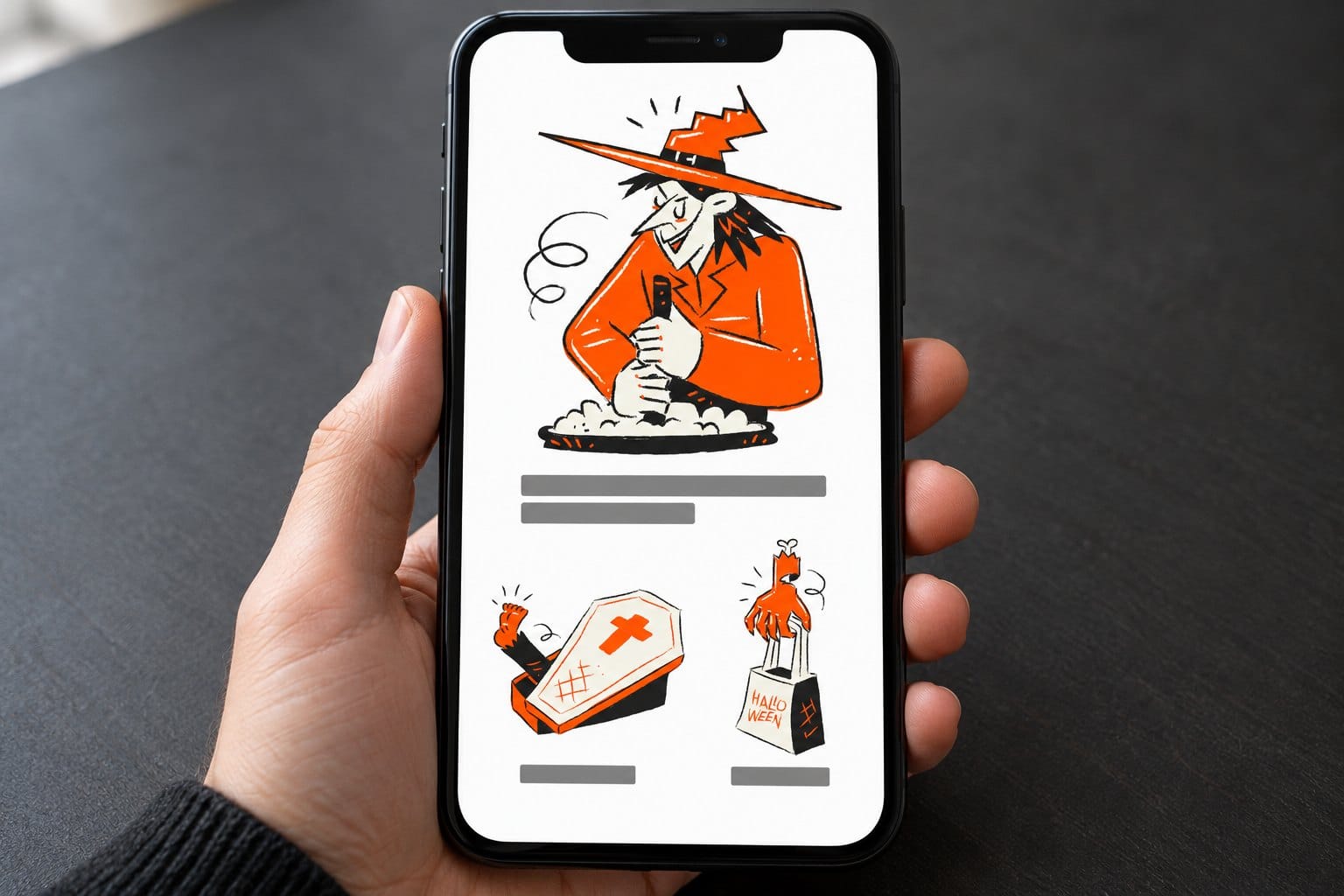
The layout in the mockup above is the one I'd use for nearly every Halloween newsletter: one hero drawing at the top, a two line heading under it, then two small feature blocks side by side, each with one drawing and a line of text. Grey bars stand in for the copy.
The three drawings come from the Aurora spooky Halloween pack. It isn't one of the 14, but its retro cartoon look in orange, black and off white is too good for email to leave out, so put it on the shortlist if your brand can take orange.
Three drawings is the limit. A fourth and the email starts to look like a sticker sheet.
Send in Halloween week, when 74 percent of people plan to celebrate
The National Retail Federation's 2026 survey of 7,889 consumers, run between 1 and 9 September, expects US Halloween spending to reach 13.5 billion dollars, with 74 percent of people planning to celebrate and an average of 115.14 dollars each. Decorations come to 4.3 billion and costumes to 4.4 billion.
Halloween is one night, so I send in the days just before the 31st, while people are still shopping. With that much money going to decorations and costumes, I'd put a costume or a decoration in the hero rather than a generic pumpkin.
Export the PNG at double size and write the alt text
Email clients still want PNG, not SVG. Export the hero at 1200 px wide and set it to show at 600 px in the column, so it stays sharp on phones, which is what the Custom size box in the colour editor is for. Then write alt text that says what the drawing shows, because images are off by default in plenty of inboxes and the word Halloween on its own tells the reader nothing.
Stay on brand, the drawing does the festive work
Don't swap your whole template to orange and black for one send. Keep your fonts, your button colour and your layout, and let the illustration carry the season. A reader who opens the email should recognise you in the first second and the holiday in the second.
How to design a Halloween banner or web page hero
Why orange and black, and when purple and green help
Orange is a Halloween colour because of the jack o lantern, which entered Halloween culture around 1910, and black most likely comes from black cats, with bats helping. Historian Lisa Morton, who wrote Trick or Treat: A History of Halloween, points out that party guides from the early 1900s called yellow and brown the Halloween colours, which I find oddly comforting when a client asks for something less expected. That account of the colour history is worth ten minutes.
Purple and green are where I go for witches, potions and anything that glows. Keep either one to an accent, never the base, or the page stops reading as Halloween and starts reading as a sweets brand. Our colour theory page has the wheel if you want to check a pairing.
Build the hero in the Design Studio
The feature picture is the shape to copy: headline and button on the left in black type on cream, three drawings loosely clustered on the right, a few orange dots and nothing else. You can lay it out in the Design Studio, our free online illustration editor, or in Figma. For a production hero I still export the SVGs and place them in code, so the lines stay crisp on every screen.
Match the icons to the illustration line weight
Put the icon and the illustration at final size next to each other and squint. If one line looks heavier, swap the icon pack, not the illustration. Grain and Sharpie want Micro Bold or Doodle Line, Hannah and the Essential pieces want Native Line, and the flat packs only belong beside full colour art.
Keep the sale message off the art
Never place the headline over the drawing. Give the type its own column and keep the illustration to the other side, the way the feature mockup does. A banner 1200 px wide can carry one scene and one headline, and the percent off hand from Sharpie or the coupon hand from Grain does the shouting so the headline can stay short.
How to make Halloween cards and invitations
Use the AI or SVG file for print, not the PNG
Print wants vectors. Open the AI file in Illustrator, or the SVG in Affinity or Inkscape, set the document to 300 dpi and scale the drawing to the card. A PNG that looks sharp on screen goes soft at A5, and the Grain texture deserves a look at 100 percent before the file goes to the printer.
The Oneline horror portraits are for your own invitations only
The Oneline portraits make a great invitation for your own party, and that's exactly what they're allowed for: personal, non commercial use. The characters belong to other people, which is why the licence stops there. A bar's Halloween night poster is advertising, so it's out.
Sharpie icons as stamps and sticker sheets
Because the Sharpie icons are single colour outlines, they cut cleanly as stickers and print as one colour stamps. Lay six on an A4 sheet at about 60 mm each, leave a 5 mm gap for the cutter and print on matte paper. Party bags, order boxes, laptop lids.
What to do when the Halloween illustration doesn't fit
The colours clash with the brand
Recolour the SVG before you redesign the page. Every fill, stroke and gradient colour in the file shows up as a swatch in the colour editor, so bringing a Grain pumpkin into your palette takes two minutes. Keep the black lines black, they are the drawing.
The line weight is wrong next to your icons
Swap the icon pack, using the table above. Scaling an illustration down to match a thin icon loses detail, and scaling an icon up to match a heavy illustration makes it clumsy.
The drawing you need doesn't exist
Search first, since the Halloween tag reaches into the general packs. If it's still missing, the AI illustration generator makes a custom illustration in the style of our human drawn packs. Pick the style closest to the pack you're already using, so the new piece sits with the rest instead of standing out as the odd one.
Can you use free Halloween illustrations commercially
Free packs: personal and commercial work with a visible credit link
Yes, with one condition: the licence page says free packs can be used in personal and commercial projects with a visible credit such as Illustrations by GetIllustrations.com, linked to our site, in your footer, credits page or description. That covers a client website, a SaaS product, a deck and print. Our free illustrations page lists the free packs, and one Halloween pack is the exception.
The exception: Oneline Halloween Special is personal use only
This is the one place the free rule does not apply. The Oneline portraits are fan illustrations of characters owned by others, so the pack page limits them to personal, non commercial use: no client work, no advertising, no products, no merchandise. A credit doesn't change that.
Paid packs and All Access need no credit
Buy a pack, or take All Access for the whole illustration library, and the credit requirement disappears. Paid icon packs come with the same commercial licence, no attribution required. That's the route for a client who won't have a credit line in the footer.
If the packs do not have the drawing you need
Check the collections first, since the Grain Halloween pack belongs to a family of Grain packs that share one texture. After that, the AI illustration generator can make a single custom piece in the style of one of our human drawn packs.
Halloween illustration questions people ask
Are these Halloween illustrations free to download?
Two of the 14 packs are: the Halloween illustrations pack and the Oneline Halloween Special, and the Oneline one is for personal use only. Both download with a free account. Everything else in the 14, including all six icon packs, is paid.
Can I use free Halloween illustrations on a client website?
Yes, with a visible credit link to GetIllustrations, except the Oneline portraits, which are personal use only. If the client won't show a credit, use a paid pack or All Access, which need none.
What file formats do the Halloween packs come in?
Hannah, the free Halloween illustrations pack and the Oneline Halloween Special come as SVG, PNG and AI. Notion illustrations and ilcons Chapter 7 add Figma files, and Doodle Line Icons comes as SVG, PNG, AI and Iconjar. For the other packs, check the formats listed on each pack page.
Are the Halloween illustrations drawn by hand or made with AI?
Every illustration in the library begins with a human illustrator. A few packs carry a Remixed by AI label where AI was used to rework the drawings, and none of the 14 packs covered here has it.
How do I change the colours of a Halloween SVG illustration?
Drop the SVG into the free SVG colour editor, click a swatch under Colours found, type the new hex, and download the SVG or a PNG. It's free and needs no sign up. Dropped files are copied to our server.
Pick one pack and build everything from it, then get the email out in the days before the 31st, while people are still buying costumes.