
New Year Illustrations and Icons for 2027: 14 Packs Drawn by Hand and Where to Use Them
New Year illustrations and icons from 14 packs by real illustrators, with layouts for social posts, emails, banners and cards, and the limits of each pack.

It's the middle of December. The marketing lead wants a countdown post, a New Year email and a homepage banner by Monday, and the first stock site you open hands you thousands of files in thousands of styles. A fireworks illustration here, a flat 2027 there, and none of them sit well next to the icons already in your product.
This guide is how we'd pick New Year illustrations in that spot ourselves. It goes through 14 packs on GetIllustrations that each hold New Year material in one consistent style, pairs the illustrations with the icon packs whose line weight matches, and gives working layouts for social posts, emails, banners, cards and web pages. It also says plainly what the packs don't do, because a drawing you have to fight is worse than no drawing.
One thing before the list. Every illustration in the GetIllustrations library begins with a human illustrator, and all 14 packs here are human made, the 3D pieces included. Four packs in the wider library carry a "Remixed by AI" label, and none of those appears in this article.
What New Year illustrations look good in 2027
It depends on where the drawing goes, so we sorted the packs by job rather than by style name. If you'd rather see every style side by side first, the illustration packs page lists all of them with a preview sheet each.
| Pack | What it is | Pieces | Best for |
|---|---|---|---|
| Aurora Christmas Illustrations | Painted winter scenes | 25 | Heroes and email headers |
| Hannah Christmas illustrations | Friendly outline drawings | 50 | Cards, stories, thumbnails |
| Clay 3D Celebration Icons | Soft 3D pieces, PNG and Iconjar only | 53 | App screens and slides |
| Checkers illustrations | Outline illustrations with a few party scenes | 120 | Product pages that need one hand |
| Essential illustrations | Large general pack with celebration pieces | 1,208 | Whole sites and decks |
| Gradient illustrations | Gradient vector scenes | 125 | Colourful banners |
| Illustrated icons | Small illustrated marks | 350 | Feature blocks under a hero |
| Bots Chapter 2 | Avatar style drawings with a party hat, cake and flask | 100 | Badges, toasts, email blocks |
| Flat Icons Vol 3 | Flat filled icons | 2,986 | Dark countdown graphics |
| Doodle Line Icons | One colour felt pen line icons | 2,673 | Hand drawn campaigns |
| Doodle Icons | Doodle icons with fills | 997 | Hand drawn campaigns with more weight |
| Native Solid Icons | Solid system style icons | see the pack page | App chrome on dark surfaces |
| Native Line Icons | Line system style icons | see the pack page | App chrome on light surfaces |
| Flat Icons Vol 2 | Small flat scenes | 558 | Three column feature sections |
Hand drawn winter scenes: the New Year drawings inside Aurora Christmas Illustrations
Aurora Christmas Illustrations is a 25 piece pack of winter scenes with a painted feel, and it's the warmest thing we sell for this time of year. The trick is to pick the pieces with nothing specific to the 25th in them. Those carry straight into the first week of January without an edit, and they look right next to a "see you in 2027" line.
Use them big. In our experience a painted scene loses its texture under about 400 px wide, so this is the pack for a hero or a full width email header, not for a 48 px badge. You'll find the pack at Aurora Christmas Illustrations.
Friendly outline cards: Hannah Christmas illustrations
Hannah holds 50 outline drawings of holidays and occasions, and outline work is what survives the small sizes. A story frame, a card front, a tiny thumbnail in a newsletter: the lines stay readable where a painted scene turns to mush. The characters are friendly without being childish, and that balance is rarer than you'd think.
The pack lives at Hannah Christmas illustrations. If your brand already uses a single line weight for icons, this is the illustration pack most likely to match it.
Soft 3D party pieces for apps and slides: Clay 3D Celebration Icons
Clay 3D Celebration Icons is 53 soft, rounded 3D pieces, and it's the one pack in this list that is not vector. You get PNG files and an Iconjar library, nothing else, so there's no SVG to recolour and no AI file to open. We'll come back to what that means for print further down.
On screen it's great. Drop one piece into an empty state or a "you made it" screen on 1 January and it reads as a celebration without a single word. The pack page is Clay 3D Celebration Icons.
Celebration scenes hiding inside Checkers, Essential, Gradient and Surreality
Three general packs on the site aren't holiday packs at all, and that's why they're useful. Checkers is 120 outline illustrations, Essential runs to 1,208 pieces and Gradient has 125. Checkers and Essential each hold a handful of party, success and gift scenes, Gradient has a celebration piece of its own, and because the rest of each pack covers the ordinary product screens, your New Year post and your settings page end up in the same hand.
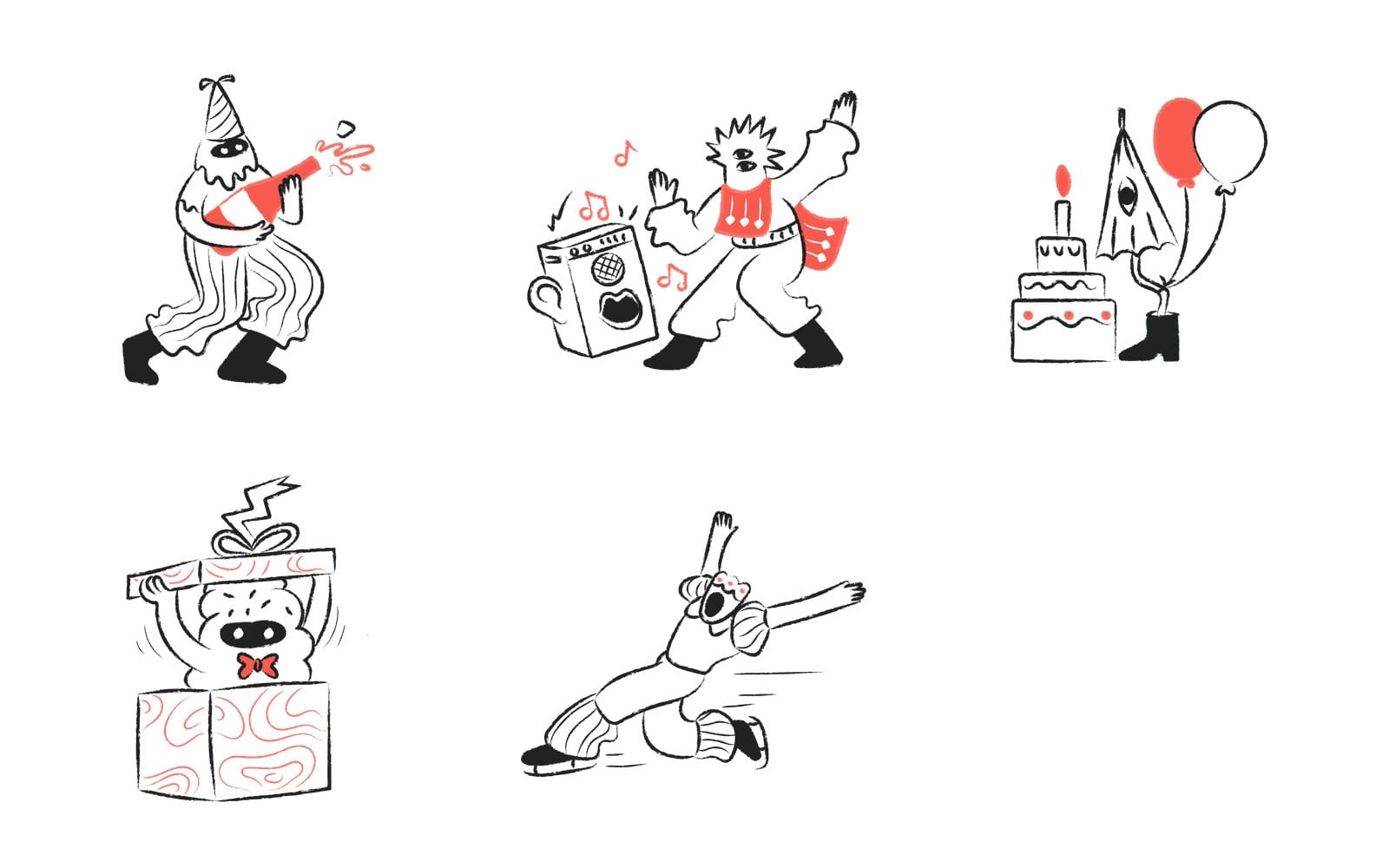
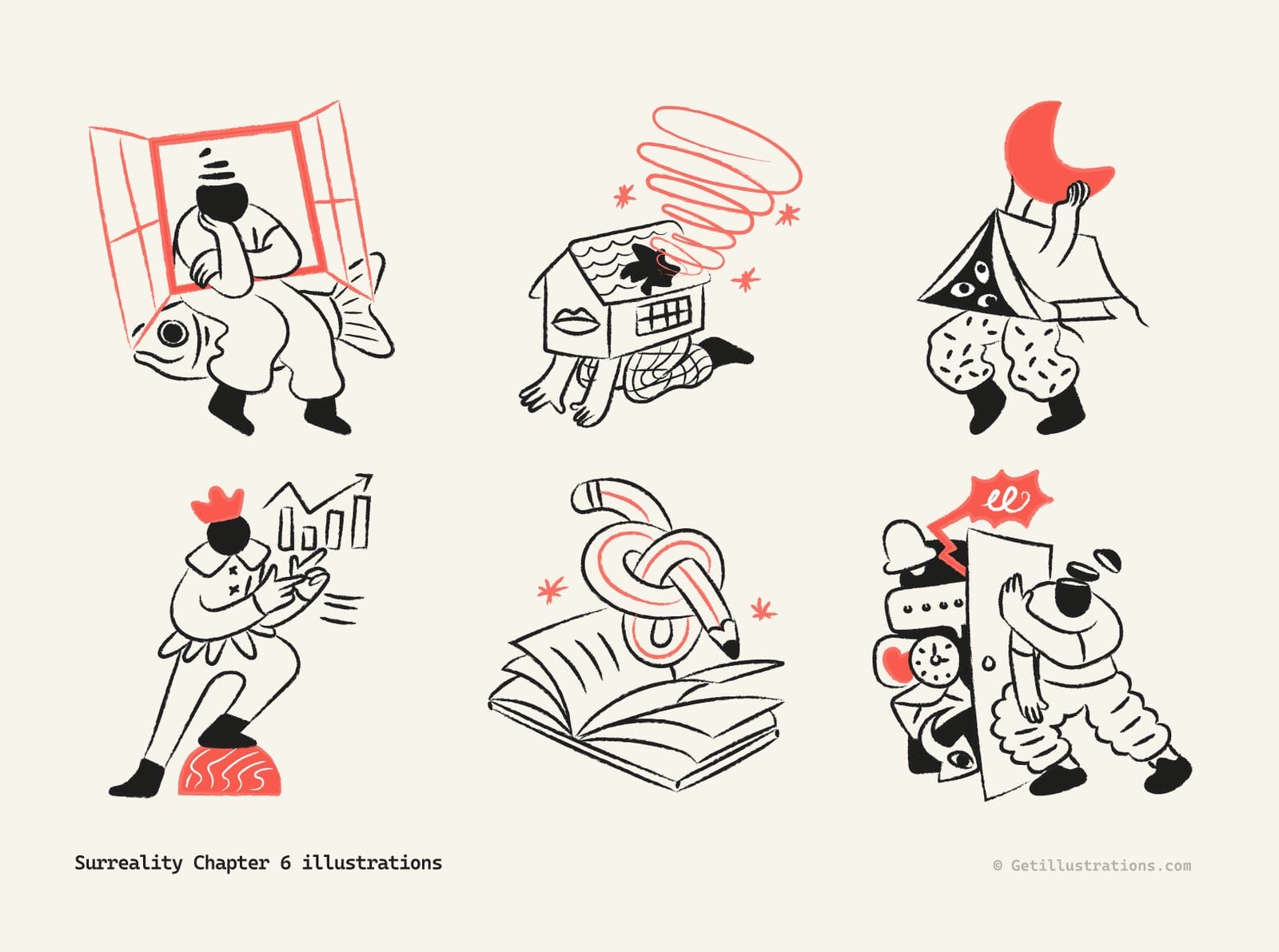
The party drawings at the top of this page come from Surreality Chapter 5, and the sheet just below is Chapter 6. If you want a New Year's Eve party illustration with real characters in it, start with Chapter 5: the ghost popping champagne, the dancer by the boombox and the creature bursting out of a gift box all live there. Chapter 6 keeps the same ink line and the same single accent colour, so the two mix on one page without anyone noticing the seam.
Small festive marks: Illustrated icons and the Bots party hat, cake and flask
Illustrated icons sits between an icon and an illustration: 350 small drawings with enough detail to carry a feature block but small enough to live in a list. For a New Year page, that's the pack for the three or four marks under the hero.
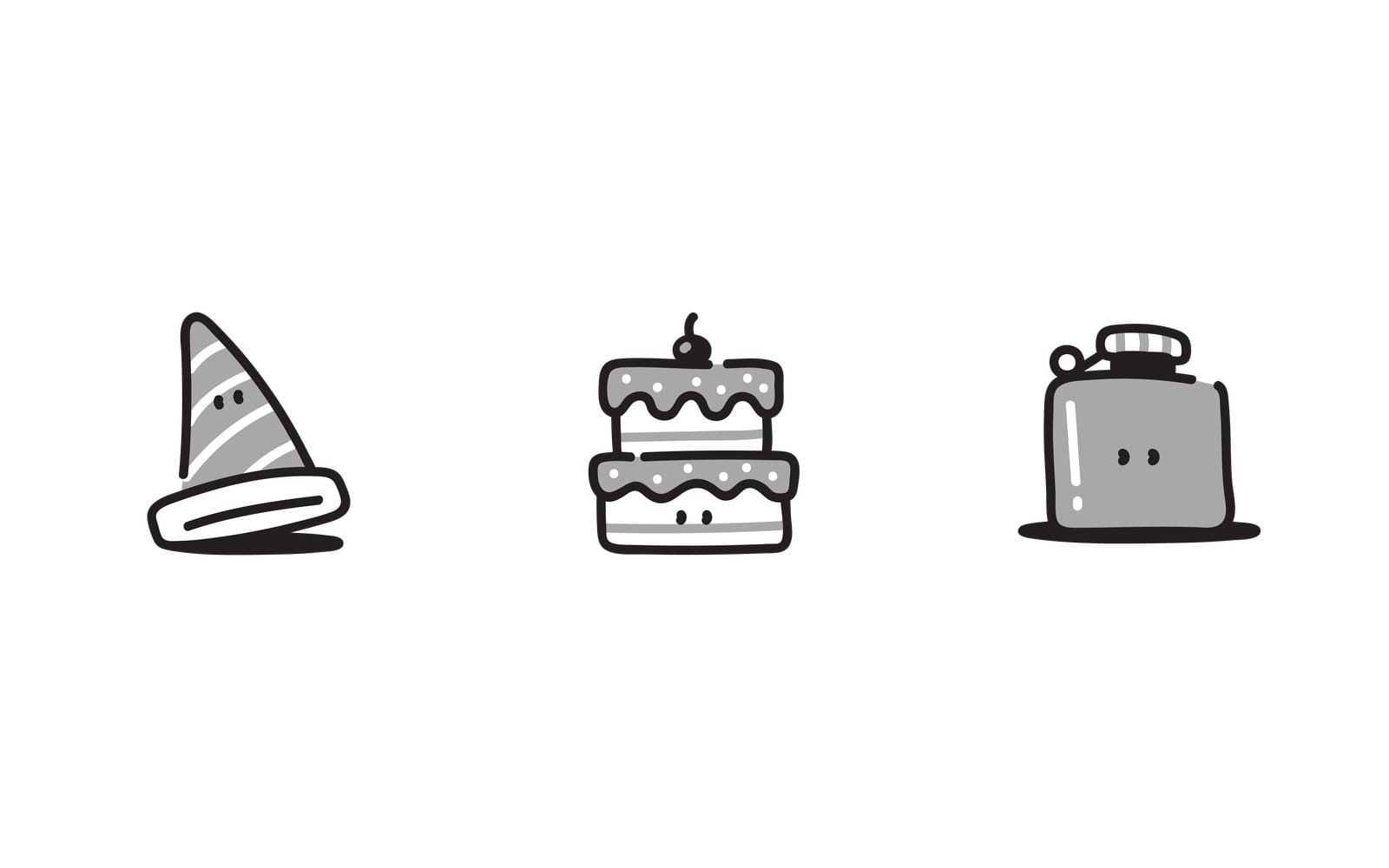
Bots Chapter 2 is 100 avatar style drawings, and three of them are the whole party: a striped party hat, a two tier cake with a cherry and a hip flask, each with the same pair of dot eyes. They still read at 32 px in a notification and look finished at 200 px in an email.
New Year icons and the icon packs that go with them
An illustration sets the mood, but the icons do the work: the countdown, the offer, the "new in 2027" badge. The six icon packs below each hold a celebration subset, and every one of them is on the icon packs page. Pick the one whose line weight matches the illustration you chose, and the rest of this guide gets easier.
Flat Icons Vol 3 for colourful badges and countdown graphics
Flat Icons Vol 3 is 2,986 flat, filled icons, which makes it the biggest set here. Flat colour reads well on a dark countdown graphic, where thin line icons vanish. If the campaign is loud, this is the pack.
Doodle Line Icons and Doodle Icons when the campaign is hand drawn
Doodle Line Icons is 2,673 icons drawn in one ink colour, #231F20, on a 96 px artboard, with the lines turned into shapes so the felt pen thickness holds at any size. That matters more than it sounds, because a stroke based icon resized by its corner in Figma keeps its old stroke width and turns spindly, while these stay chunky next to Aurora or Hannah. Doodle Icons is a separate 997 icon doodle set with fills, for when you want the same loose feel with a bit more weight.
Native Solid and Native Line Icons for app chrome at 16 to 24 px
When the New Year touch has to live inside the product, in a tab bar or a toast, you want Native Solid Icons or Native Line Icons. They're drawn for 16 to 24 px and look like they shipped with the operating system. Use the solid set on dark surfaces and the line set on light ones, and don't mix the two in one screen.
Flat Icons Vol 2 for feature sections
Flat Icons Vol 2 has 558 small flat scenes that are a step more pictorial than Vol 3. They suit a three column "what's new in 2027" section, where each column needs a mark that says something on its own. Keep them to one size across the row.
How to find the New Year subset with the site search
No pack is labelled "New Year" from end to end, so the fastest route is the icon and illustration search. Type one word at a time: celebration, party, champagne, gift, calendar. Each search shows results across every pack, so you can spot which style holds the most pieces you need before you commit to it.
How to use New Year illustrations in social posts
Social is where mismatched styles show first, because people see your posts in a column next to each other. Most of New Year social media post design comes down to four habits that keep a countdown week looking like one campaign.
Pick one style for the whole countdown week
Choose one illustration pack and one icon pack on day one and don't change them until the last post of the campaign is out. Five posts from Surreality look like a series. Five posts from five packs look like five interns.
2027 starts on a Friday, which is handy. Schedule the main post for Friday 1 January and a quieter "back at it" post for Monday 4 January, the first working day of the year.
Square crops and where the character looks
A drawing that's wider than it is tall loses something in a square crop. Crop toward the face or the hands, and point the character at your caption, not off the edge. A runner heading out of frame on the right looks like they're leaving your brand.
| Where it goes | Size in px | What to watch |
|---|---|---|
| Square post | 1080 by 1080 | Crop toward the face or hands |
| Story or reel cover | 1080 by 1920 | Keep the drawing in the middle third |
| Link preview card | 1200 by 630 | Make this one first |
| Email hero | 1200 wide, shown at 600 | Export at double size |
| In app badge or toast | 32 to 48 | Use the Bots pieces or Native icons |
Keep line art on light backgrounds
Ink line drawings like Surreality, Hannah and Doodle Line Icons are drawn as dark lines on white. On a black or navy background the lines disappear and you're left with the accent colour floating on its own. If the campaign needs a dark post, use the Flat Icons or the Clay 3D pieces, which carry their own fills.
Recolour the SVG to your brand colour in the free SVG color editor
Every one of the 14 packs except Clay 3D comes with SVG files, so the accent colour is yours to change. The free SVG color editor does it in the browser without an account. Here's the whole process.
- Drag the SVG onto the canvas, or paste its code anywhere on the page.
- Every fill and stroke appears as a swatch in the panel. Click the accent swatch.
- Type your brand hex in the hex field, and every shape that used that colour follows.
- Press Download SVG, or Download PNG at the size you need. Reset colours brings the original back.
A dropped or pasted SVG is copied to our server, which is fine for a pack SVG you downloaded from us anyway. Keep that in mind before you drop a client's own artwork into any browser tool.
How to use New Year illustrations in email
Good New Year email design is mostly restraint. Email is the one channel where a single good drawing beats a layout full of them, because inbox previews are narrow and images often load after the text.
One hero drawing, then two small feature blocks
Put one illustration at the top, 600 px wide in the template, under a short headline. Below it, two feature blocks side by side with a small mark each, from Illustrated icons or the Bots pieces, and one line of text. That's the whole email, plus a button.
Resist the urge to add a third illustration. The hero does the mood and the small marks do the pointing. Anything else is decoration the reader scrolls past.
Send between 29 December and 2 January, well after the Black Friday rush
The GDMA International Email Benchmark 2026 puts the average open rate for 2025 at 34.2 percent and the click rate at 3 percent, as an all year average rather than a holiday figure. It also notes that the share of campaigns sent in November and December fell slightly, as senders spread their volume across the year. Our read, and it's only a read: late December inboxes are a little less crowded than they were, and we'd rather land a warm New Year note there than in the Black Friday pile.
Export the PNG at double size and write the alt text
Export every email image at twice its template width, so a 600 px hero ships as 1200 px, and set the width back to 600 in the HTML. That keeps it sharp on dense phone screens. Then write the alt text as a sentence about what is in the drawing, because a good share of readers see the alt before the image loads, and some never see the image at all.
How to design a New Year banner or web page hero
A banner has one job, which is to say the year has changed and here's what that means for the reader. The drawing supports the sentence. It shouldn't try to be the sentence.
Add the year yourself: no pack carries 2027 numerals
A happy New Year illustration with the greeting already lettered in is the one thing you won't find here: none of the 14 packs contains a 2027, a "Happy New Year" lettering piece or a fireworks headline. That's no loss, though: numerals date a drawing, and a pack that still works in 2028 is a better buy. Set the year in your own typeface, next to the illustration, and it will match your brand instead of fighting it.
Build the hero in the Design Studio
The Design Studio is a canvas with the library on the left and the export on the right, which is exactly what a banner needs. The four steps on its page are the real workflow.
- Pick a canvas: a preset size for the post, story or slide, or a blank artboard of your own size.
- Add content: illustrations and icons from the sidebar, then your headline in any font.
- Style it: recolour the artwork, set the spacing, snap to the grid.
- Export and use: PNG, SVG or PDF straight from the page, or a share link for the team.
For a social card, the studio has a 1200 by 630 preset, which is also the size most sites want for the link preview. Make that one first and the rest of the campaign inherits it.
Match the icons to the illustration line weight
Hold the illustration and the icon at the sizes they'll ship and look at the thickest line in each. If the icon's line is thinner than the illustration's, the icon looks cheap. Doodle Line next to Surreality, Native Line next to Hannah, Flat Icons next to Clay 3D: those pairs hold.
Keep the offer text off the artwork
Put the headline and the button on a plain area of the banner, never across the drawing. Text over an illustration is hard to read and a pain to update on 2 January when the offer changes. The drawing on one side, the words on the other, is the layout that survives.
How to make New Year cards and invitations
Print changes the rules. A screen forgives a soft edge, a 300 dpi card does not, and the file you reach for decides the result.
Use the AI or SVG file for print, not the PNG
Most of the illustration packs include the Adobe Illustrator source and an SVG, and a New Year vector in either format stays sharp at any print size. Open the AI file in Illustrator, place the drawing on an A6 or A5 artboard, set the year in your type and export a PDF. The PNG in the same ZIP is sized for screens and can go soft at 300 dpi.
Clay 3D Celebration Icons are PNG only, so size them for screen
Here's where the Clay 3D pack stops. With no vector file, a piece printed larger than its pixel size goes soft, so keep Clay 3D for digital cards, slides and app screens. For a printed invitation, pick an outline pack like Hannah or Checkers instead.
Gift, cake and champagne drawings as stickers and stamps
The small pieces make good sticker sheets and envelope stamps: the Bots cake and hat, the Surreality champagne ghost and gift box, a few Illustrated icons. Print them on a single sheet, cut around the outline, and use them on the physical mail you send clients in January. It takes an afternoon and looks like you tried.
What about Lunar New Year 2027
A fair number of readers will need a second New Year five weeks after the first one. Here's where the library stands on it.
The Year of the Goat starts on 6 February 2027
Chinese New Year 2027 falls on Saturday 6 February and opens the Year of the Goat, the Fire Goat in the full cycle. If you run a campaign for it, the posts and emails go out in the first week of February, which gives you a month after 1 January to prepare.
What we have and what we do not: no dedicated Lunar New Year pack
If you came looking for Lunar New Year illustrations for 2027, we don't have a dedicated Lunar New Year or Year of the Goat pack, and we'd rather tell you than let you search for an hour. What the library does have is the celebration material above, gifts, cakes, toasts and dancing, and a site search for calendar turns up date drawings in several packs. That's enough for a greeting and a "closed for the holiday" notice.
Recolour celebration scenes to red and gold
Open the SVG of a celebration scene in the SVG color editor, swap its accent for a deep red and put a gold background behind it, which takes about a minute. If you're unsure which red and gold sit well together, the colour theory guide on the site has a working colour wheel to test the pair.
What to do when the New Year illustration doesn't fit
Sometimes a drawing is right in the preview and wrong on the page. It's usually one of three problems, and each has a fix.
The colours clash with the brand
Change the accent, not the brand. Open the SVG in the colour editor, click the swatch that clashes, type your hex and download. For a painted pack like Aurora, where the colour is everywhere, pick a different piece rather than recolouring the whole scene.
The line weight is wrong next to your icons
Swap the icon pack before you swap the illustration. Icons are easier to replace and there are six to choose from above. If nothing matches, Doodle Line Icons is the forgiving middle weight that sits beside most of the hand drawn packs.
The drawing you need doesn't exist
Search again with a different word, because "toast" and "champagne" and "party" return different sheets. Then look at the curated collections, where packs are grouped by style so you can see the sibling packs of the one you liked. And if it still isn't there, write to us, because missing drawings are how the next pack gets planned.
Can you use free New Year illustrations commercially
Yes. The free packs ask for a visible credit link in return, and the paid ones don't. The licence page has the full text, and this is the short version.
Free packs: personal and commercial work with a visible credit link
All 14 packs in this article are paid, so if you want a free starting point, look at the free illustrations page. The free pack we'd pick for a celebration is Free Doodle Pop Colorful Activities, 40 illustrations in SVG, PNG, AI and Iconjar, including a cocktail scene and a victory scene.
Free packs can be used in personal and commercial work with a visible credit linking to GetIllustrations, in the footer, the credits page or the description. The credit is part of the deal, not an option.
Paid packs and All Access need no credit
Every paid pack comes with a commercial and personal use licence and needs no attribution, and All Access, which covers the whole library, works the same way. Both let you put the drawings into templates and themes you sell, up to 500 of our assets per design. The one thing you can't do is resell the raw files on their own.
Frequently asked questions about New Year illustrations
Are there free New Year illustrations on GetIllustrations?
None of the 14 packs in this article is free. The free illustrations page lists every free pack, and Free Doodle Pop Colorful Activities, with its cocktail and victory scenes, is the one we'd start with. Free packs need a visible credit link.
Can I use New Year illustrations in a client project or a paid product?
Yes. Paid packs and All Access include a commercial and personal use licence with no credit required, and both let you use up to 500 of our assets in a single product you sell. Free packs can go into client work too, as long as the credit link stays visible.
What file formats do the New Year packs come in?
Thirteen of the 14 packs include SVG, and most add the Adobe Illustrator source and an Iconjar library. Clay 3D Celebration Icons is the exception: PNG and Iconjar only. Check the formats listed on each pack page before you buy for print.
Can I change the colours of a New Year illustration to match my brand?
Yes, for any pack with an SVG. The free SVG color editor finds every colour in the file, lets you type a brand hex for each one and downloads the result as SVG or PNG. The Clay 3D PNG files can't be recoloured that way.
Do you have Lunar New Year or Year of the Goat illustrations for 2027?
Not as a dedicated pack. For 6 February 2027, recolour the celebration scenes above, or a calendar drawing from the site search, to red and gold, and set your own greeting in type.
Pick one pack from the illustration packs page, one icon pack to match it, and build the 1200 by 630 card first. Get that one right and the story, the email header and the square post are mostly resizing.