
What Is a Vector Image? Vector vs Raster, File Formats and When to Use Each
What a vector image is, shown with one real illustration as SVG and PNG, which format to send to whom, and four checks to tell if a file is a vector.

Someone on the dev team drops a message: can you send the vector? You have a PNG and a Figma frame, and neither one feels like the right answer. This guide clears that up with one real illustration from a free pack and a few checks you can run in ten minutes.
You'll see how a vector differs from a raster, what SVG, AI, EPS and PDF are each for, how to check that a file is really a vector and which one to send when someone asks. The examples all come from the GetIllustrations library, where every illustration begins with a human illustrator.
What is a vector image in plain words
Points, curves and fills instead of pixels
A vector image is a set of instructions. Instead of storing a colour for every dot, the file says: start a path here, curve through these points, close it, fill it with this pink. Your screen or printer draws those instructions fresh every time, at whatever size you ask for.
The curves are mostly Bezier curves, the same maths behind the pen tool in Illustrator and Figma. A shape has anchor points and handles, and the renderer works out the pixels in between. That's why a vector logo looks the same on a business card and on the side of a van.
Why a vector stays sharp at 400 percent and a PNG does not
Zoom a PNG to 400 percent and every pixel it has must cover a 4 by 4 block of your screen. The viewer either guesses the colours in between or shows the blocks, so edges go soft or jagged. Zoom an SVG to 400 percent and the renderer redraws the curves at the new size, with nothing to guess.
The flip side is that a vector has to be built from shapes. A photo of your face has millions of tiny colour changes with no clean edges, and no sane file would describe that as paths. Drawings suit vectors, photos stay raster.
One free illustration, two files: the SVG and PNG test
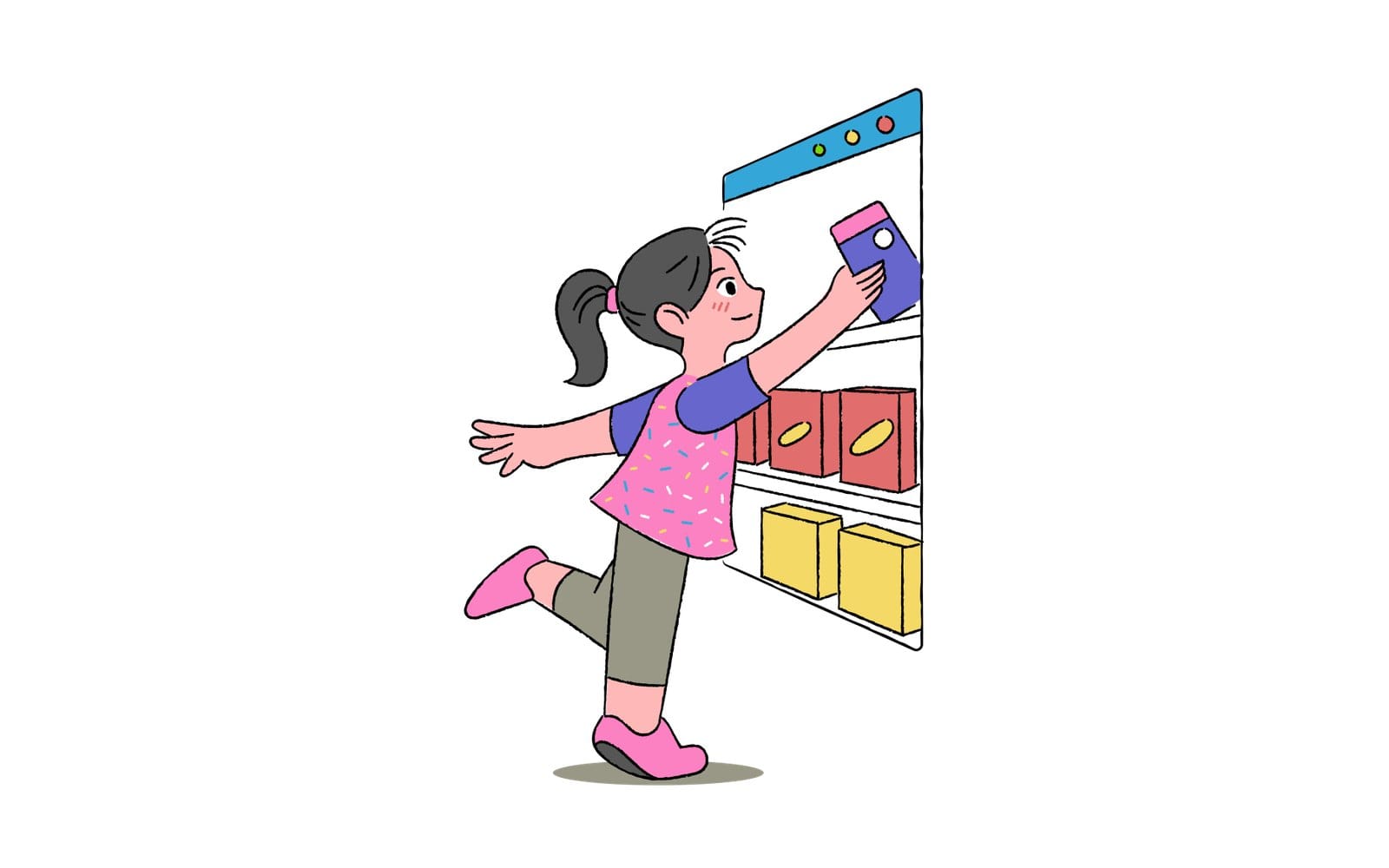
The picture above the title is the shopping illustration from the Free Doodle Pop Colorful Activities pack. Create a free account on the free illustrations page, open that pack and press Download all formats. You get a ZIP with the SVG and PNG files, plus the AI source files, which most free packs include.
Free packs ship their PNGs at 2x and 4x, so take the 4x one and place it next to the SVG at the same size, in Figma or any app that lets you. Zoom in on the girl's ponytail and the PNG holds up until roughly 400 percent, then its black outline starts breaking into visible pixels. The SVG never gets there, and that one comparison is the quickest demonstration of the whole topic I know.
Vector vs raster: which one do you have
What a raster image is and why photos are always raster
A raster image is a grid of pixels, each one a single colour. PNG, JPG, GIF, WebP and every photo your phone takes are raster. The file knows nothing about shapes, it only knows that the pixel 1,204 across and 388 down is a particular shade of pink.
That's perfect for photos, because a photo is continuous tone with no clean edges to describe. It's a poor fit for a logo, because the moment you need it bigger than the grid you have, you're stuck.
The zoom test you can run in any viewer
Open the file in a browser, in Preview, in Figma, anywhere. Zoom to 400 percent and look at a curved edge. Smooth means vector, stair steps mean raster.
Adobe's own guide suggests around 200 percent, which catches most cases. I go to 400 because a 2x PNG can fool you at 200.
What each type is good at
| Question | Vector image | Raster image |
|---|---|---|
| What the file stores | Paths, points, curves and fills | A grid of pixels, one colour each |
| Scaling | Sharp at any size | Blurs or pixelates past its native size |
| Best for | Logos, icons, illustrations, type, charts | Photos, scans, painted textures, 3D renders |
| Common formats | SVG, AI, EPS, PDF | PNG, JPG, GIF, WebP |
| How you edit it | Move an anchor point, change a fill | Repaint pixels |
Two rules of thumb. Anything drawn or lettered wants to be a vector. Anything photographed wants to stay raster, and a vector tracing of it will always lose something.
Vector image file formats and what each one is for
Four extensions cover nearly every vector image file you'll meet: SVG, AI, EPS and PDF. Short version first, then who tends to ask for each.
| Format | Stands for | Use it for | Watch out for |
|---|---|---|---|
| SVG | Scalable Vector Graphics | Websites, apps, Figma, anything a browser draws | An SVG can wrap a bitmap and still be called an SVG |
| AI | Adobe Illustrator | The layered source for editing and handing off to designers | Opens natively in Illustrator, and it is not artificial intelligence |
| EPS | Encapsulated PostScript | Older print and sign shop workflows | Not offered on our pack pages, save one from the AI file |
| Portable Document Format | Print, proofs, anything that must look the same everywhere | Only a vector if it was saved from a vector app |
SVG for websites, apps and anything a browser shows
SVG is Scalable Vector Graphics, an XML language the W3C maintains for describing two dimensional graphics, mostly vector, sometimes mixed with raster images. Browsers draw it natively, so an SVG can sit in an img tag, in CSS, or inline in your HTML where you can style it with classes. W3Techs counts SVG on 67.9 percent of all websites.
For a React or Tailwind project, SVG is the vector image format you want. It scales with the layout, and when it's inline you can recolour it with CSS instead of exporting a new PNG for every theme. Single illustration SVG downloads from our packs are flattened artwork, so if you need named layers, grab the AI file from the pack ZIP instead.
AI means Adobe Illustrator, not artificial intelligence
The AI button in the Select format row of a pack page reads like artificial intelligence, and I get why people pause on it. It stands for Adobe Illustrator, and .ai is Illustrator's own file format.
Every illustration in the GetIllustrations library begins with a human illustrator, and the AI file in a pack ZIP is the layered source. Four packs carry a Remixed by AI label because they were altered with AI after the original human drawing. That label sits on the pack page, so you can always tell which is which.
The AI file is what another designer wants when they need to edit the artwork properly, with its layers and original anchor points intact. Illustrator opens it natively. If you don't own Illustrator, there's a FAQ answer for you further down.
EPS for printers and older print workflows
EPS is Encapsulated PostScript, the format print shops grew up on. Some printers and sign makers still ask for it, and most vector apps can save it. Our pack pages don't offer EPS, so if a printer asks, open the AI file in Illustrator and use Save As to make one.
PDF for print and screen, but only when it was saved as a vector
A PDF is a container. It can hold vector shapes, raster images and live text all on one page, which is why it's the safest thing to send a printer and also why a PDF is not automatically a vector file. A scanned contract is a PDF full of pixels.
Saved from Illustrator, a PDF keeps the paths as paths and prints clean at any size. Saved from a screenshot tool, it's a raster in a wrapper. The checks in the next section tell the two kinds apart.
Formats that look like vectors but can hide a bitmap
SVG, PDF, EPS and AI can all contain an embedded raster image. The classic trap is an SVG that is nothing but an image element pointing at a base64 PNG, usually produced by an online converter that promised vectors. It has the right extension and fails every zoom test.
How to tell if an image is a vector
Zoom to 800 percent and look at the edges
Open the file and zoom to 800 percent, the figure Recraft's guide uses. A 4x PNG can still pass at 400, but at 800 it gives itself away, while a real vector keeps crisp edges and smooth curves at any zoom. If you see pixels anywhere, part of that file is raster.
Open an SVG in a text editor and look for path or image tags
An SVG is plain text, so drag it into VS Code or any text editor. Real vector artwork is full of path, circle, rect and polygon elements with coordinates in them. A wrapped bitmap is one image element with a long base64 string, and nothing else worth reading.
Click a shape in Illustrator, Figma or Inkscape
Drop the file onto the canvas and click a shape. A vector selects as its own object with anchor points you can drag. A raster selects as one rectangle, no matter where you click.
Select the text in a PDF
Try to select a word with the cursor. If nothing highlights, the page is a picture of text, almost always a scan or a screenshot. If it does highlight, that only proves the text is live, since a scan run through text recognition highlights too, so zoom the artwork as well.
Vector graphics examples you see every day
Logos, icons and user interface symbols
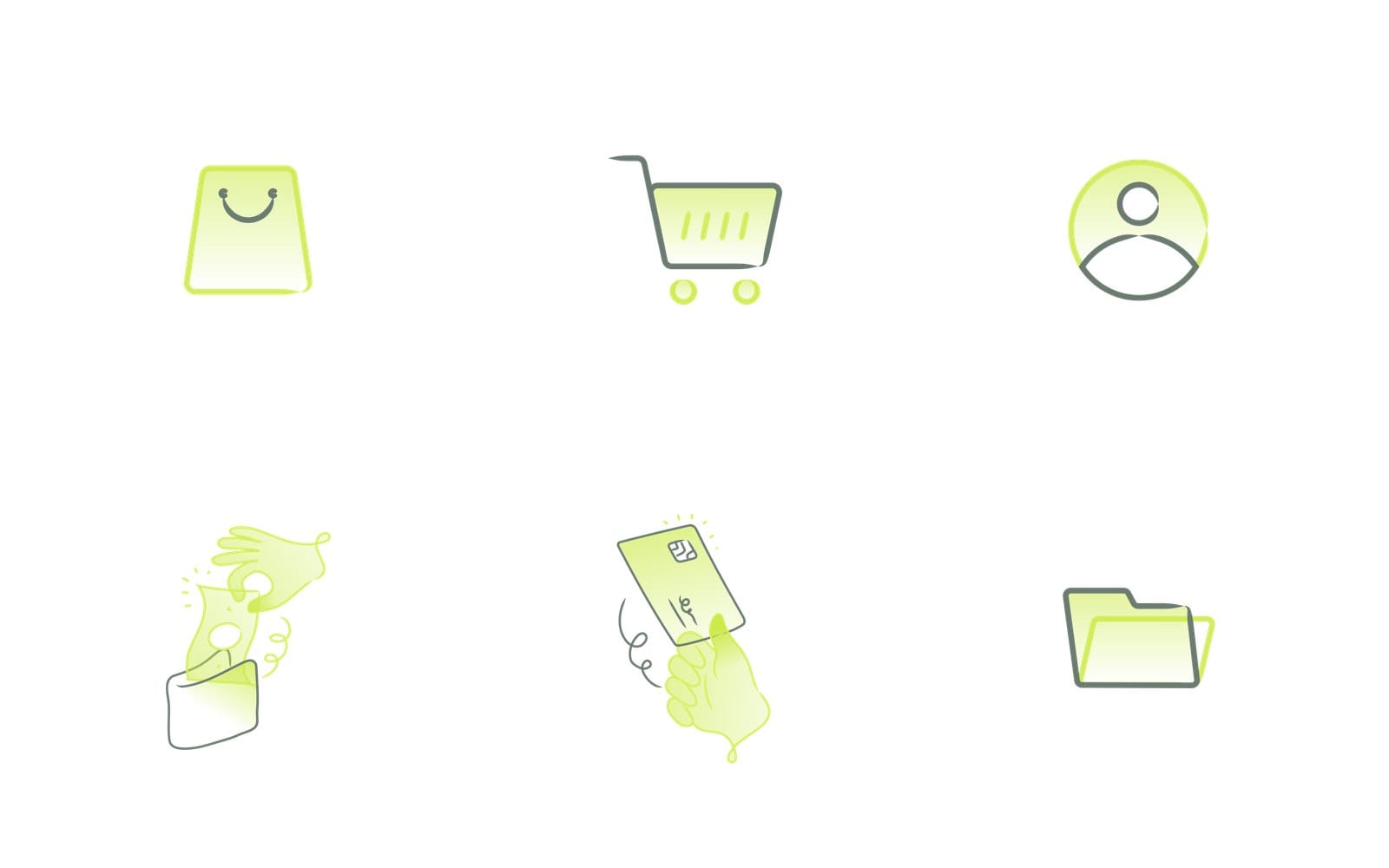
Most icons in a well made app are vectors, usually SVGs. The same cart icon has to be 16 pixels in a toolbar and 96 pixels on an empty state, and one SVG covers both where PNGs would need a file per size. Our icon packs have the same Download all formats button and Select format row as the illustration packs, and some add an Iconjar file for people who manage icons in that app.
Flat and outline illustrations
Flat illustration, line art and the doodle style in the free pack are all natural vectors. Clean edges and a limited palette are exactly what paths describe well. The free Doodle Pop pack ships SVG next to PNG, and every pack on our packs page lists exactly which formats it has under Select format.
Fonts, maps and charts
Fonts are vectors, every glyph is a set of curves, which is why type stays sharp however big you set it. Street maps, floor plans and the charts in your analytics dashboard are usually drawn from vector data too. Anything a computer draws from coordinates, rather than captures with a camera, starts life as a vector.
What belongs in raster instead
Photos, scanned art, painted textures and anything with soft gradients across the whole image belong in raster. 3D renders are a special case, they look like illustrations but come out of the renderer as pixels, so they travel as PNG. Trying to trace any of these into a vector will cost you detail.
Which vector file to send when someone asks for the vector
To a developer: the SVG
Send the SVG, nothing else. Developers can inline it and style it with CSS, hover colours included. If they ask for a PNG fallback, the 2x PNG from the same ZIP covers it.
To a printer: the PDF or EPS, with text outlined
Send a PDF saved from a vector app, or an EPS if the shop insists. Convert any text to outlines first so the printer doesn't need your fonts, and ask whether they want CMYK. Don't send the SVG, many print shops won't take it.
To a client or another designer: the AI source file
Send the layered AI file so the next designer can edit the artwork without coming back to you. Pair it with the SVG so they have something that opens without Illustrator. If the artwork came from one of our packs, check the licence page before you hand over the raw files.
To a Figma or Sketch teammate: the SVG, dropped on the canvas
Drag the SVG onto the Figma or Sketch canvas and it arrives as editable vector layers. Fills and strokes come through, and you can recolour and reshape right there. The flattened single illustration SVG works fine for this, the layered AI file only matters when you want the illustrator's original grouping.
How to get a vector image for your project
Download a free illustration pack with SVG, PNG and AI files
Start on the free illustrations page, pick a pack and create a free account. On the pack page, Download all formats gets you the whole ZIP, and the Select format row has one button per format the pack has, so a pack that only ever had PNGs never promises an SVG it can't give you.
If you want one specific drawing, the search page lets you search icons and illustrations across the library, and collections group related packs into sets.
Turn a PNG into a vector with Vectorizer Lab, and what tracing cannot recover
When all you have is a PNG, Vectorizer Lab traces it into a layered SVG. It takes PNG, JPG, WebP, GIF, AVIF or SVG, gives you one path per colour region with lines as real strokes, and exports SVG plus PNG at 1x, 2x or 4x. Files you drop in are copied to our server, so keep confidential artwork out of it.
Tracing makes a new vector, it doesn't recover the original one. Flat logos and line art trace beautifully, photos and soft gradients come back as a mess of tiny regions. There's a full walkthrough in our guide on how to convert PNG to SVG.
Recolour an SVG in the browser without opening Illustrator
The SVG Color Editor finds every colour in an SVG, in fills, strokes, gradient stops, inline styles and CSS classes, and shows a live preview as you change them. It changes colours only, not shapes. Same rule as Vectorizer Lab, dropped files are copied to our server.
What the free licence lets you do with the files
Free illustrations can be used in personal and commercial projects, and you're allowed to modify and recolour them. The free licence requires a visible credit, Illustrations by GetIllustrations.com, with a link back. The Standard and Extended licences on paid packs remove the attribution and cover client work, and the full wording lives on the licence page.
Vector images in Photoshop and Illustrator
Photoshop works in pixels, so a Photoshop file is not a vector
Photoshop is a raster editor. It has a pen tool and shape layers, but the document is a pixel canvas with a fixed size, and the moment you flatten or export to PNG, everything is pixels. If someone asks for the vector, a PSD isn't it.
Illustrator: Save As for AI, EPS and PDF, Export for Screens for SVG and PNG
Illustrator splits saving in two. Save As writes the editing formats: AI, EPS and PDF. Export for Screens writes the delivery formats, PDF, JPEG, PNG, SVG and WebP, at 1x, 2x and 3x scales, as Adobe's format list spells out.
Where AI generated illustrations fit, and why our library starts with a human illustrator
Most AI image generators output pixels. Even when the result looks like flat vector art, it's usually a raster, and you'd have to trace it to get paths. Our AI illustration generator borrows the style of our human made packs as references for each illustration it makes.
When the job needs a true vector, the packs are where the SVG and AI files live. Every one of them started with a human illustrator.
Frequently asked questions about vector images
Is a PNG a vector image?
No, a PNG is not a vector file. It's a raster, a grid of pixels at one fixed size, and the 2x and 4x PNGs in our free packs are big enough for most screens but still pixels. Only the SVG and AI files in the same ZIP are vectors.
Is a PDF a vector file?
Only if it was saved as one. A PDF exported from Illustrator or Figma keeps the paths, while a PDF made from a scan or a screenshot is pixels in a wrapper. Zoom the artwork to 800 percent to find out which you have.
What file extension does a vector image have?
The four you'll meet are .svg, .ai, .eps and .pdf. A vector image extension is a hint, not proof, since each of these can hide a bitmap inside. Run the zoom test before you trust it.
Can I make a vector image in Photoshop?
Not really. Shape layers stay vector inside the PSD, but the document is a pixel canvas and the usual exports, PNG and JPG, are pixels. Use Illustrator, Figma, Inkscape or Affinity for vector work, or trace an existing PNG with Vectorizer Lab.
What is the difference between SVG and PNG?
An SVG stores shapes as text and scales to any size without blurring. A PNG stores pixels and looks best at its native size. Use SVG for icons, logos and illustrations on the web, and PNG when a platform won't accept SVG or when the image is a photo.
How do I open an AI file without Illustrator?
Inkscape and Affinity open most AI files, because Illustrator keeps a PDF compatible copy inside unless that option is switched off, though the layers may not all survive. If the pack also has an SVG, that opens in Figma, Sketch, Inkscape and any browser. Recolouring works in the SVG Color Editor, so the AI file can wait for the day you hand the project to someone with Illustrator.
Can I use a free vector illustration commercially?
Yes. The free licence covers personal and commercial use, including modification, as long as the visible credit and link stay in place. If the credit doesn't fit the project, a Standard or Extended licence on the paid packs removes it.
Next time someone asks for the vector, send the SVG to the developer, the PDF to the printer and the AI file to the designer. And run the zoom test on anything you didn't make yourself.